
TENMIYA A13
TENMIYA A13 Portable Bluetooth Speaker User Manual
Үлгі: A13
Кіріспе
Сатып алғаныңыз үшін рахметasing the TENMIYA A13 Portable Bluetooth Speaker. This manual provides detailed instructions for the proper use, setup, and maintenance of your speaker. Please read this manual thoroughly before operating the device to ensure optimal performance and longevity.
Қауіпсіздік туралы ақпарат
- Динамикті шектен тыс температураға, ылғалдылыққа немесе тікелей күн сәулесінің әсеріне ұшыратпаңыз.
- Динамикті құлатудан немесе қатты әсер етуден аулақ болыңыз.
- Динамикті өзіңіз бөлшектемеңіз, жөндемеңіз немесе өзгертпеңіз. Білікті қызмет көрсету қызметкерлеріне хабарласыңыз.
- Динамикті судан және басқа сұйықтықтардан алыс ұстаңыз.
- Тек көрсетілген зарядтау кабелін және қуат адаптерін пайдаланыңыз.
- Динамикті жұмсақ, құрғақ шүберекпен тазалаңыз. Абразивті тазартқыштарды немесе еріткіштерді қолданбаңыз.
Пакет мазмұны
Пакетте келесі элементтердің бар-жоғын тексеріңіз:
- 1 x A13 Bluetooth динамигі
- 1 x Remote control (requires 2*AAA batteries, not included)
- 1 x AUX кабелі
- 1 x USB кабелі
- 1 x Пайдаланушы нұсқаулығы
Өнім аяқталдыview
The TENMIYA A13 is a portable Bluetooth speaker designed for versatile audio playback. It features a powerful subwoofer, two tweeters, and a rear heavy bass guide tube for rich sound. Key features include Bluetooth 5.0 connectivity, FM radio, TF/SD card support, USB playback, AUX input, a 3.5mm microphone jack, intelligent remote control, digital display, and colorful RGB lights.
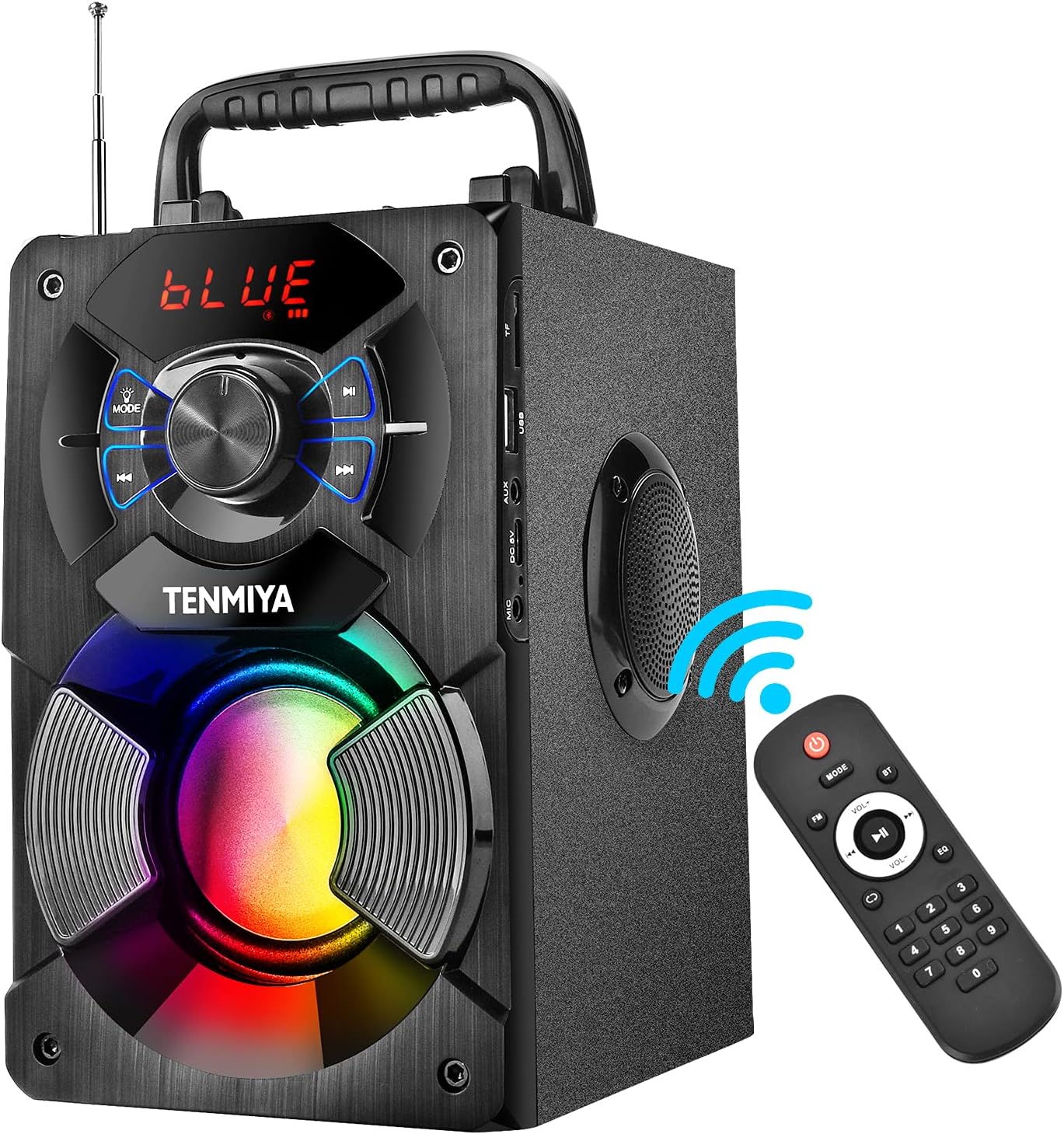
Figure 1: TENMIYA A13 Portable Bluetooth Speaker with included remote control, highlighting wireless connectivity.
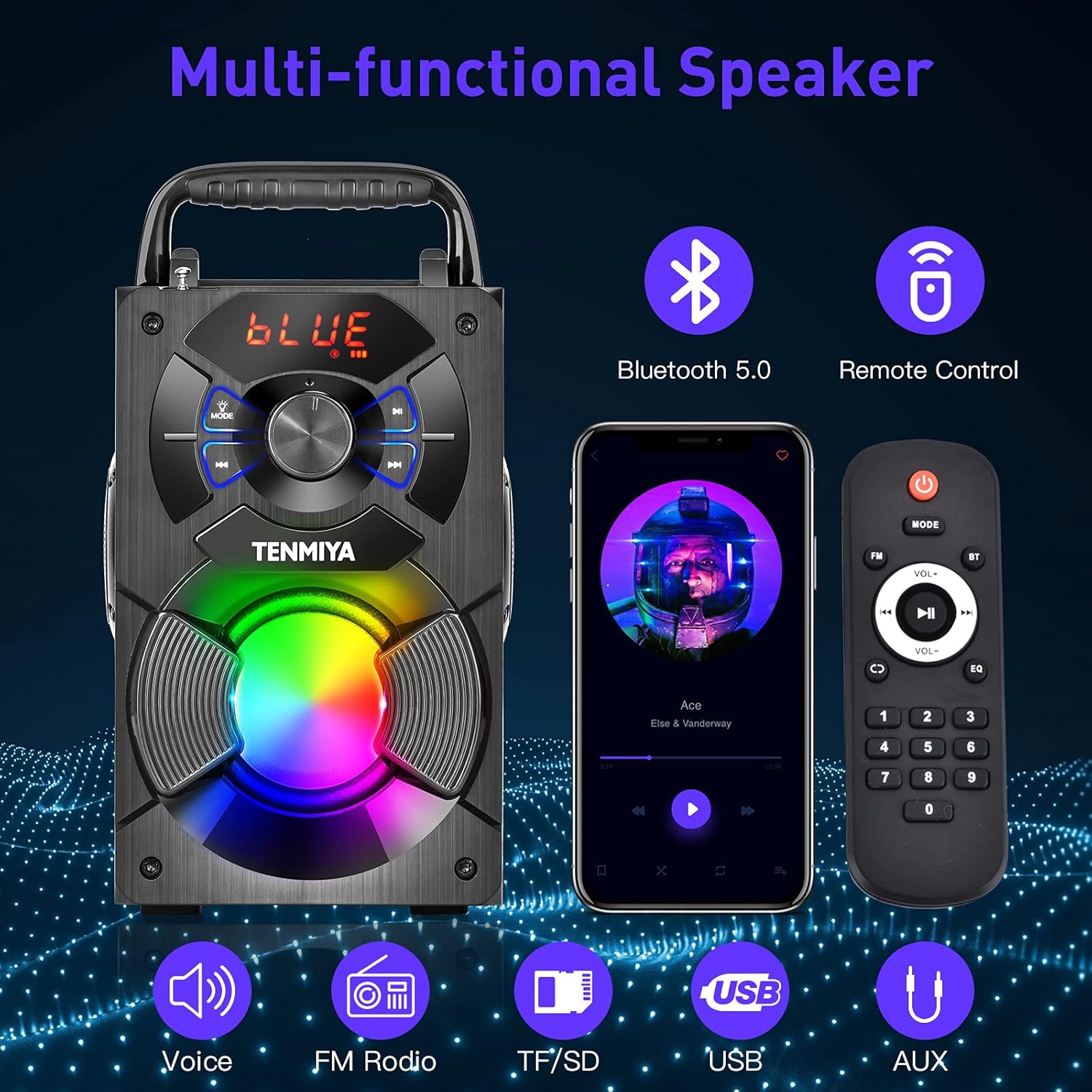
2 -сурет: Аяқталдыview of the speaker's multi-functional capabilities including Bluetooth 5.0, remote control, voice prompts, FM radio, TF/SD card, USB, and AUX input.

Figure 3: Dimensions of the TENMIYA A13 Portable Bluetooth Speaker, showing its compact size and portability with a handle.
Орнату
Динамикті зарядтау
Before first use, fully charge the speaker. Connect the supplied USB cable to the speaker's DC 5V input port and the other end to a USB power adapter (not included) or a computer's USB port. The charging indicator will illuminate during charging and turn off when fully charged.
Қуатты қосу/өшіру
To power on the speaker, press and hold the Power button until the digital display illuminates. To power off, press and hold the Power button again until the display turns off.
Пайдалану нұсқаулары
Bluetooth жұптастыру
- Turn on the speaker. It will automatically enter Bluetooth pairing mode, indicated by a flashing "BLUE" on the digital display.
- Enable Bluetooth on your smartphone, tablet, or other Bluetooth device.
- Іздеу "A13" in the list of available devices and select it to connect.
- Once successfully paired, the speaker will emit a confirmation tone, and "BLUE" on the display will stop flashing.
- Енді сіз динамик арқылы құрылғыдан дыбысты ойната аласыз.
FM радиосының жұмысы
- Press the "MODE" button on the speaker or remote control to switch to FM radio mode.
- Жақсырақ қабылдау үшін антеннаны ұзартыңыз.
- To automatically search and save available stations, long press the "Play/Pause" button. The speaker will scan and store stations.
- Сақталған станциялар арасында шарлау үшін «Алдыңғы/Келесі» түймелерін пайдаланыңыз.
- Alternatively, use the remote control to manually input a station frequency.

Figure 4: The TENMIYA A13 speaker supporting FM radio, shown in an outdoor setting.
TF/SD Card Music Playback
Insert a TF (Micro SD) card into the TF card slot. The speaker will automatically switch to TF card mode and begin playing audio files (MP3, WAV, etc.) from the card.
USB Flash Drive Music Playback
USB флэш-дискісін USB портына салыңыз. Динамик автоматты түрде USB режиміне ауысып, дыбысты ойната бастайды files (MP3, WAV, etc.) from the drive.
AUX Line-in Connection
Connect one end of the supplied AUX cable to the speaker's AUX input port and the other end to the audio output jack of your external device (e.g., MP3 player, computer). Press the "MODE" button to switch to AUX mode.
Микрофонды пайдалану
Connect a 3.5mm microphone (not included) to the speaker's microphone jack. The speaker will amplify the microphone input, allowing for karaoke or public speaking.
Қашықтан басқару функциялары
The included remote control allows for convenient operation of the speaker from a distance. Ensure 2*AAA batteries are inserted correctly. Functions include:
- Қуат: Динамикті қосыңыз/өшіріңіз.
- БАҒЫТТАРЫ: Switch between Bluetooth, FM, TF/SD, USB, and AUX modes.
- Көлем +/-: Негізгі дыбыс деңгейін реттеңіз.
- Алдыңғы/Келесі: Skip tracks or navigate FM stations.
- Ойнату/кідірту: Play or pause audio. Long press for FM auto-scan.
- EQ: Cycle through various equalizer presets (Jazz, Rock, Classical, Pop, etc.).
- Сандық тақта: For direct input of FM frequencies.

Figure 5: User operating the TENMIYA A13 speaker with the remote control for convenient audio playback.
RGB түсті шамдар
The speaker features built-in RGB colorful lights that enhance the listening experience. These lights typically activate automatically when the speaker is on. Specific controls for light modes may be available via the remote control or a dedicated button on the speaker (refer to the speaker's control panel for details).
EQ дыбыс әсерлері
The speaker includes various EQ sound effects to customize your audio experience. Press the "EQ" button on the remote control to cycle through presets such as Jazz, Rock, Classical, Pop, and more, adjusting the audio output to suit different music genres.
Техникалық қызмет көрсету
- Тазалау: Use a soft, dry, lint-free cloth to clean the speaker's surface. Do not use liquid cleaners, aerosols, or solvents.
- Сақтау орны: Ұзақ уақыт бойы пайдаланбаған кезде динамикті күн сәулесі тікелей түспейтін және шектен тыс температурадан алыс салқын, құрғақ жерде сақтаңыз.
- Батареяға күтім жасау: Батареяның қызмет ету мерзімін ұзарту үшін батареяны жиі толығымен зарядсыздандырмаңыз. Пайдаланылмаса да, динамикті үнемі зарядтаңыз.
Ақаулықтарды жою
| Мәселе | Ықтимал себебі | Шешім |
|---|---|---|
| Динамик қосылмайды. | Батарея төмен. | Динамикті толығымен зарядтаңыз. |
| Дыбыс жоқ. | Дыбыс деңгейі тым төмен; режим дұрыс емес; құрылғы қосылмаған. | Increase volume; switch to correct mode (Bluetooth, AUX, etc.); ensure device is paired/connected. |
| Bluetooth жұптастыру сәтсіз аяқталды. | Динамик жұптастыру режимінде емес; құрылғы тым алыс; кедергі. | Ensure speaker is in Bluetooth mode and flashing; move device closer; restart both devices. |
| FM радиосы статикалық. | әлсіз сигнал; антенна ұзартылмаған. | Extend the antenna fully; try auto-scanning for stations again; move to a location with better reception. |
| Қашықтан басқару пульті жұмыс істемейді. | Batteries low or incorrectly inserted; remote out of range. | Replace AAA batteries; ensure correct polarity; point remote directly at the speaker; reduce distance. |
Техникалық сипаттамалар
| Ерекшелік | Мәлімет |
|---|---|
| Өнім түрі | A13 Bluetooth динамигі |
| Динамиктің шығыс қуаты | 5W + 3W x 2 (Total 11W) |
| Динамик блогы | 3" (Subwoofer) + 2" x 2 (Tweeters) |
| Жиілік реакциясы | 80Гц-20КГц |
| Кіріс кедергісі | 10 кОм |
| Кіріс көлеміtage | Тұрақты ток 5 В |
| Өнім өлшемдері | 6.1 x 4.72 x 7.48 дюйм (18.52 x 11.51 x 22.5 см) |
| Ойнау уақыты | Approx. 6-8 hours (depends on playing volume) |
| Батарея сыйымдылығы | 2500 мАч (литий-ион) |
| Bluetooth нұсқасы | 5.0 |
| Сымсыз Range | Up to 100 feet (barrier-free environment) |
| Қолдау көрсетілетін функциялар | Bluetooth, MP3 music player, FM radio, TF Card, AUX, USB music player, Remote control, EQ, Karaoke |
| Үйлесімді құрылғылар | Computer, MP3, MP4, Smart Phone, Tablet, Laptop |
| Материал түрі | Ағаш |
Кепілдік және қолдау
TENMIYA products are designed and manufactured to the highest quality standards. For information regarding warranty coverage, please refer to the warranty card included with your purchase or visit the official TENMIYA website. If you encounter any issues or have questions about your A13 speaker, please contact our customer service team. Our dedicated support staff will respond to your inquiries within 12 hours to assist you.
For customer service, please refer to the contact information provided on the product packaging or the official TENMIYA webсайт.
Ask a question about this manual
Ask about setup, troubleshooting, compatibility, parts, safety, or missing instructions. Manuals+ will review the question and use this page’s manual context to help answer it.