
GE APPLIANCES AKCQ14DCH
GE AKCQ14DCH қабырғаға орнатылатын кондиционер пайдаланушы нұсқаулығы
Model: AKCQ14DCH
Кіріспе
This manual provides comprehensive instructions for the safe and efficient operation, installation, and maintenance of your GE AKCQ14DCH Through-The-Wall Air Conditioner. Please read this manual thoroughly before using the appliance and retain it for future reference.
The GE AKCQ14DCH is a 14,000 BTU cooling capacity air conditioner designed for through-the-wall installation, offering efficient cooling with features like 3 fan speeds, ECO mode, Dry mode, and a remote control for enhanced comfort.
Қауіпсіздік туралы маңызды ақпарат
Өрт, электр тогының соғуы немесе адамдардың жарақат алу қаупін азайту үшін электр құрылғыларын пайдалану кезінде әрқашан негізгі қауіпсіздік шараларын орындаңыз.
- Бұл құрылғыны қолданар алдында барлық нұсқауларды оқып шығыңыз.
- Жерге қосылған 3 тісті розеткаға қосыңыз. Жерге қосқышты алмаңыз.
- Адаптерді пайдаланбаңыз.
- Ұзартқыш сымды пайдаланбаңыз.
- Қызмет көрсету алдында электр қуатын ажыратыңыз.
- Use two or more people to move and install the unit.
- Сымы немесе ашасы зақымдалған құрылғыны пайдаланбаңыз.
- Ауа саңылауларын жаппаңыз.
Орнату және орнату
The GE AKCQ14DCH is designed for simple slide-in installation into a variety of wall sleeves. A trim kit and installation kit are included to ensure a precise and seamless fit.
Құрылғыны орауыштан шығару
Carefully remove the air conditioner from its packaging. Inspect the unit for any shipping damage. Ensure all components listed in the packing list are present.
Wall Sleeve Preparation
Ensure your existing wall sleeve is compatible with the dimensions of the AKCQ14DCH unit (approximately 20.62"D x 24.62"W x 14.56"H). The unit is designed for true universal fit, allowing for quick fitting and retrofitting.

Image: Dimensions of the GE AKCQ14DCH air conditioner, showing a width of 24.62 inches, depth of 20.62 inches, and height of 14.56 inches.
Құрылғыны орнату
- Carefully slide the air conditioner into the prepared wall sleeve.
- Secure the unit using the provided mounting hardware.
- Install the universal trim kit around the unit for a custom and seamless appearance.
- Ауа ағып кетпес үшін дұрыс тығыздауды қамтамасыз етіңіз.
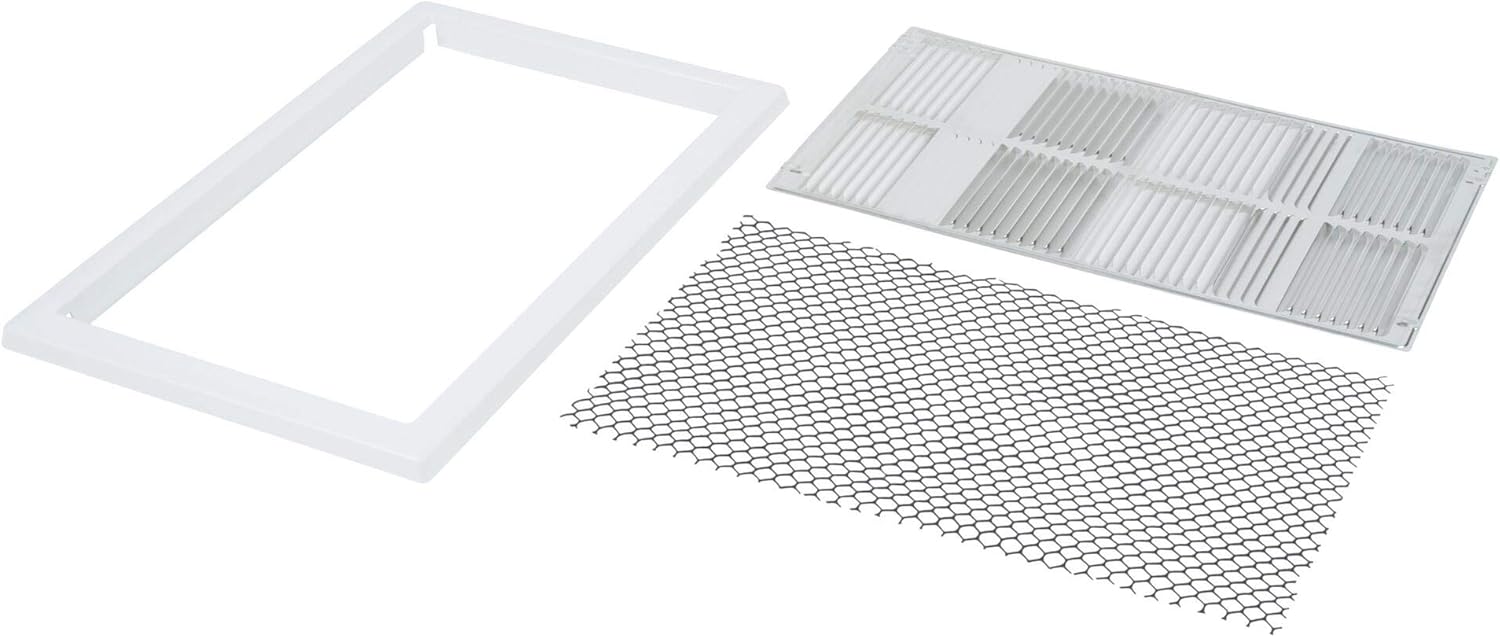
Image: Various components of the installation kit, including foam insulation strips, metal brackets, and screws, designed to secure and seal the air conditioner in a wall sleeve.
Пайдалану нұсқаулары
Your GE AKCQ14DCH air conditioner features an intuitive LCD display and a slim remote control for easy operation.

Сурет: алдыңғы view of the GE AKCQ14DCH air conditioner, showing the top air vents, the central control panel with an LCD display showing "72" and various mode indicators (Power, Eco, Sleep, Mode, Fan Speed, Filter, Timer), and the lower air intake grille.
Басқару тақтасы және қашықтан басқару пульті
The large LCD display provides clear feedback on current settings. The included remote control allows you to adjust temperatures and settings conveniently from anywhere in the room.
Жұмыс режимдері
- Салқындату режимі: Provides cooling to the room. Adjust the temperature setting to your desired comfort level.
- Желдеткіш режимі: Circulates air without cooling. Select from 3 fan speeds (Low, Medium, High).
- ECO режимі: An energy-saving mode where the fan cycles off during cooling intervals. This helps save energy while maintaining comfort.
- Құрғақ режим: Designed for humid environments, this mode helps dehumidify the room air, creating a dryer and more comfortable atmosphere.
- Авто режим: Automatically selects between cooling or fan mode and adjusts fan speed to maintain the set temperature. It monitors room temperature for optimal comfort.
- Ұйқы режимі: An efficient setting that gradually adjusts the temperature during sleep times for up to 7 hours, promoting energy savings and comfortable sleep.
Ауа ағынының бағыты
The unit features 6-way directional airflow. Adjust the louvers on the front panel to direct the air where it is needed most in the room.
Техникалық қызмет көрсету
Тұрақты техникалық қызмет көрсету кондиционердің оңтайлы өнімділігі мен ұзақ қызмет ету мерзімін қамтамасыз етеді.
Жууға болатын сүзгі
The air conditioner is equipped with an easy-to-remove and rinse-clean washable filter. Regularly cleaning the filter helps remove dust and other particles from the air, providing a cleaner environment and improving cooling efficiency.
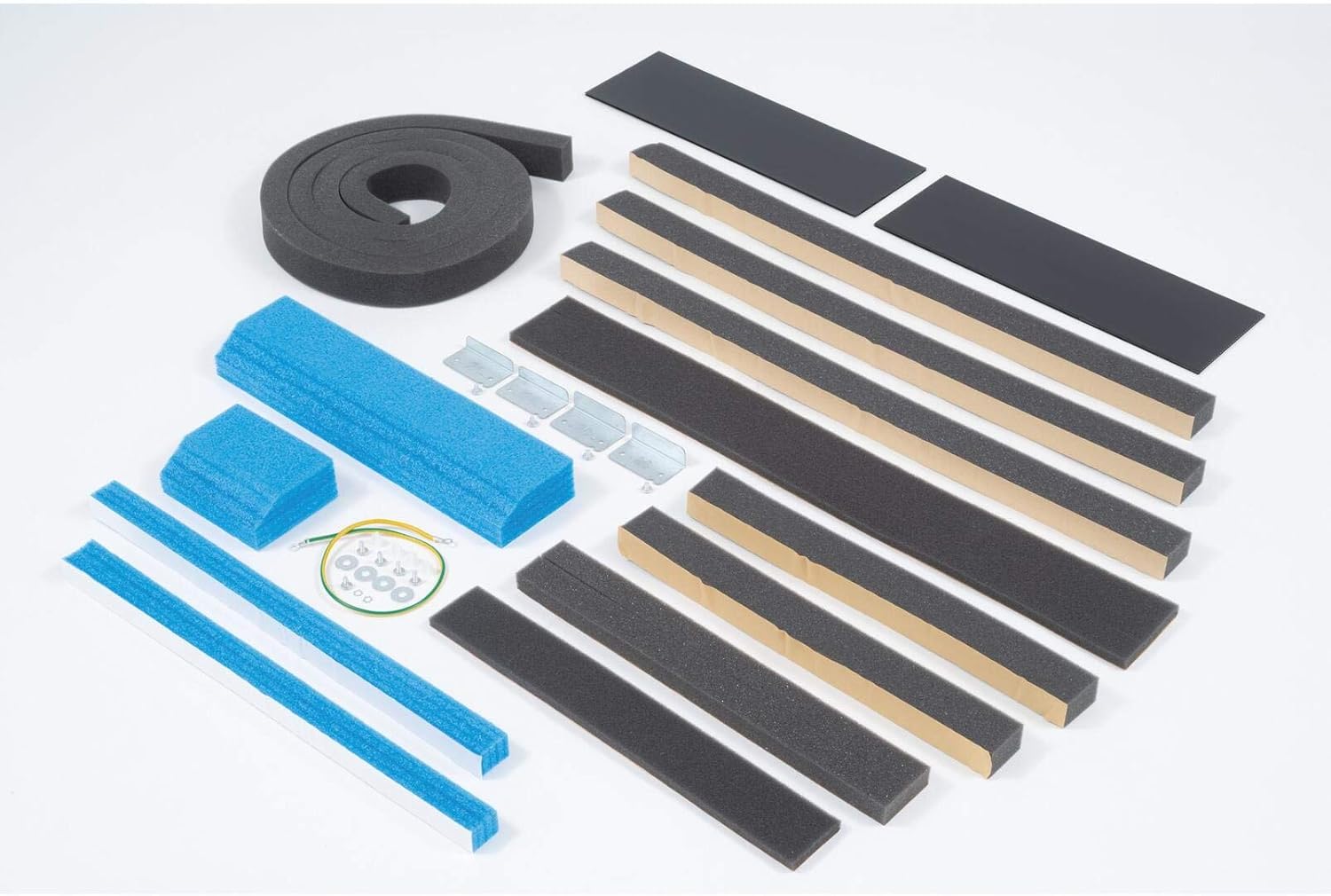
Image: Components including a white rectangular trim frame, a white plastic air filter grille, and a black mesh filter, all designed for easy removal and cleaning.
Құрылғыны тазалау
- Сыртқы: Сыртқы жағын сүртіңіз casing жұмсақ, damp cloth. Do not use harsh cleaners or abrasives.
- Катушкалар: Periodically check the condenser coils at the rear of the unit for dirt and debris. If necessary, gently clean them with a soft brush or vacuum cleaner.

Сурет: артқы view of the GE AKCQ14DCH air conditioner, showing the exposed golden-colored condenser coils and the fan assembly within the metal casing.

Image: Side-rear view of the GE AKCQ14DCH air conditioner, highlighting the golden-colored condenser coils and the internal components, with a protective metal grille on the side.
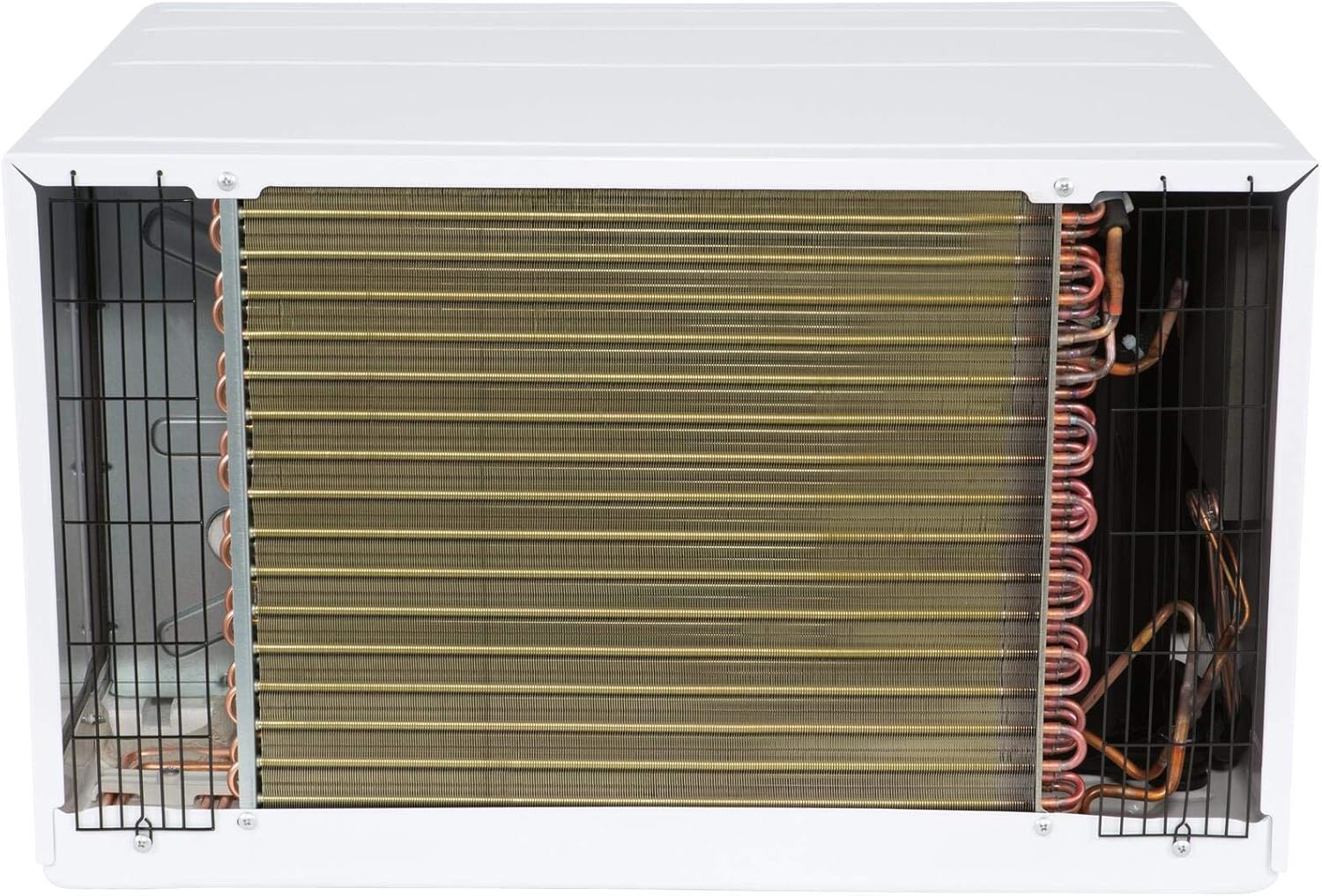
Сурет: Жоғарғы артқы жағы view of the GE AKCQ14DCH air conditioner, providing a clear perspective of the extensive golden-colored condenser coils and the internal fan mechanism.
Ақаулықтарды жою
Қызметке хабарласпас бұрын қайтаview бұл бөлімде жалпы мәселелер және олардың шешімдері.
| Мәселе | Ықтимал себебі | Шешім |
|---|---|---|
| Құрылғы қосылмайды. | Қуат жоқ, ажыратқыш өшіп қалды немесе құрылғы ажыратылған. | Қуат сымының қосылымын тексеріңіз, автоматты ажыратқышты қалпына келтіріңіз, розетканың жұмыс істейтініне көз жеткізіңіз. |
| Air conditioner does not cool. | Dirty air filter, blocked airflow, or temperature setting too high. | Clean air filter, ensure no obstructions to air intake/output, lower temperature setting. |
| Құрылғы шулы. | Loose parts, unit not level, or normal operating sounds. | Check for loose components, ensure unit is level, some fan noise is normal. |
| Ішінен су тамшылайды. | Unit not tilted slightly outwards, or drain pan clogged. | Ensure proper tilt for drainage, clear any clogs in the drain pan. |
Техникалық сипаттамалар
| Ерекшелік | Мәлімет |
|---|---|
| Бренд | GE ҚҰРАЛДАРЫ |
| Үлгі нөмірі | AKCQ14DCH |
| Салқындату сыйымдылығы | 14,000 BTU |
| Өлшемдер (D x W x H) | 20.62" x 24.62" x 14.56" |
| Орнату түрі | Through The Wall |
| Желдеткіш жылдамдығы | 3 |
| Тtage | 208 вольт |
| Efficiency (CEER) | 10.6 |
| Арнайы мүмкіндіктер | Remote Controlled, ECO Mode, Dry Mode, Auto Mode, Sleep Mode, Washable Filter, 6-Way Directional Airflow |
| Түс | Ақ |
| Хладагент | R 410A |

Image: U.S. Government EnergyGuide label for the GE AKCQ14DCH Room Air Conditioner, indicating an estimated yearly energy cost of $147 and a Combined Energy Efficiency Ratio (CEER) of 9.3.
Кепілдік және қолдау
GE Appliances offers a 2 жылдық кепілдік on this product. This warranty covers the replacement of any part of the air conditioner which fails due to a defect in materials or workmanship for up to 2 years from the date of purchase.
For technical support, service, or to inquire about parts and accessories, please refer to the contact information provided with your purchase documentation or visit the official GE Appliances webсайт.
It is recommended to keep your proof of purchase for warranty claims.
Ask a question about this manual
Ask about setup, troubleshooting, compatibility, parts, safety, or missing instructions. Manuals+ will review the question and use this page’s manual context to help answer it.