
Кіріспе
This manual provides detailed instructions for the installation, operation, and maintenance of your Podofo Android Double Din Car Stereo. This unit features a 10.1-inch touch screen, 2GB RAM, 32GB ROM, GPS navigation, Bluetooth, Wi-Fi, USB mirror link, FM radio, and supports a rear view camera. Please read this manual thoroughly before use to ensure proper functionality and safety.
Қорапта не бар
Орнатуды бастамас бұрын барлық компоненттердің бар екенін тексеріңіз:
- 1 x қуат кабелі
- 1 x GPS антеннасы
- 1 x Камера кіріс кабелі
- 1 x RCA Input and Output Cable Set
- 2 x USB кабелі
- 2 x Metal Frame
- 4 x бұрандалар
- 1 x Нұсқаулық
- 1 x Артқы View Camera (12 LEDs, IP68 waterproof)

Image: Package contents including the main unit, power cable, GPS antenna, camera input, RCA cables, USB cables, metal frames, screws, instruction manual, and rear view камера.
Орнату және орнату
Сымдарды қосу
Proper wiring is crucial for the stereo's functionality. Refer to the diagram below for connecting the power, audio, and camera inputs.

Image: Wiring diagram illustrating connections for front/rear speakers, subwoofer, video out, video in, AUX in/out, microphone, and power.
Артқы View Камераны орнату
The included rear view camera enhances safety during reversing. Connect the camera as shown in the diagram and video below. Ensure the camera's positive wire is connected to the reversing lamp's positive pole, and the negative wire to ground.

Сурет: артқы view camera wiring diagram, showing connections to the car stereo's camera input, reversing lamp, and ground.
Video: Demonstration of connecting the rear view камераны автомобильдің стерео жүйесіне.
Пайдалану нұсқаулары
Пайдаланушы интерфейсі және дисплей
The 10.1-inch touch screen with 1024*600 resolution provides a clear and responsive interface. The Android operating system ensures smooth operation and quick app launches.
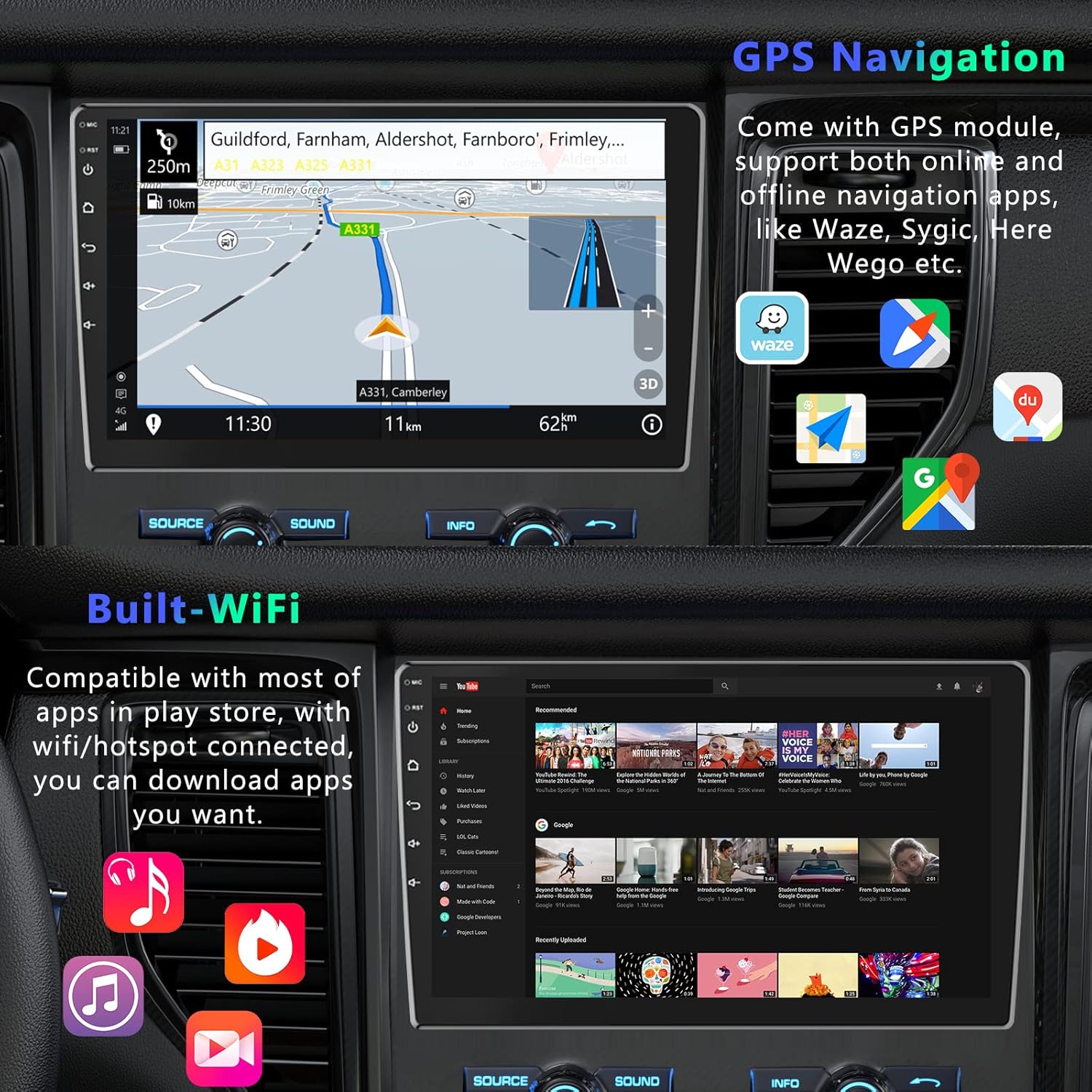
Image: Various home screen layouts and app icons on the 10.1-inch touchscreen car stereo.
GPS навигациясы
The built-in GPS receiver supports both online and offline navigation. North American maps are pre-installed for offline use. Connect to Wi-Fi or a mobile hotspot to download additional navigation apps like Sygic, Tomtom, or Waze for real-time traffic and weather updates.

Image: GPS navigation display with map, route, and navigation app icons.
Bluetooth қосылымы
Integrated Bluetooth with A2DP allows for hands-free calling and music streaming. Pair your smartphone to make and receive calls directly from the stereo, and enjoy your favorite music wirelessly.

Image: Bluetooth hands-free calling interface on the car stereo.
Mirror Link функциясы
Mirror Link allows you to display your smartphone's screen directly on the car stereo. This feature supports both Android (via USB or Wi-Fi) and iPhone (via Wi-Fi).

Image: Phone Link feature displaying a mirrored smartphone screen on the car stereo.
Video: Demonstration of Mirror Link functionality for Android and iOS smartphones.
Wi-Fi қосылымы
Connect the stereo to Wi-Fi or a mobile hotspot to access online features, download apps from the Play Store, and browse the internet.

Image: Wi-Fi connected screen showing YouTube and other applications.
Smart Split Screen
The split-screen feature allows you to display two applications simultaneously, such as navigation and music playback, for enhanced multitasking.
Image: Smart Split Screen feature showing navigation and music player simultaneously.
Руль дөңгелегін басқару
Configure your steering wheel controls to quickly switch functions, adjust volume, and manage calls without taking your hands off the wheel.
Image: Steering Wheel Control settings interface.
Техникалық сипаттамалар
| Бренд | Подофо |
| Көлік құралдарының қызмет түрі | Автокөлік |
| Экран өлшемі | 10.1 дюйм |
| Арнайы мүмкіндік | Сенсорлық экран |
| Қосылу технологиясы | Bluetooth, WiFi |
| Карта түрі | Солтүстік америка |
| Дыбысты шығару режимі | Стерео |
| Монтаждау түрі | Панельді бекіту |
| Ажыратымдылық | 1024 x 600 |
| Операциялық жүйе | Android |
| Жад сақтау сыйымдылығы | 32 ГБ |
| Сенсорлық экран түрі | Сыйымдылық |
| Дисплей түрі | Жарық диодты индикатор |
| Адам-интерфейс енгізу | Түймешіктер, микрофон, сенсорлық экран |
| Үйлесімді құрылғылар | Смартфон |
| Бақылау әдісі | Қолданба, түртіңіз |
| Қолдау көрсетілетін спутниктік навигация жүйесі | GPS |
Техникалық қызмет көрсету
Көлік стереосының ұзақ қызмет етуі және оңтайлы жұмыс істеуі үшін келесі техникалық қызмет көрсету нұсқауларын орындаңыз:
- Тазалау: Экранды және сыртын тазалау үшін жұмсақ, құрғақ шүберекті пайдаланыңыз. Абразивті тазартқыштардан немесе еріткіштерден аулақ болыңыз.
- Температура: Құрылғыны шамадан тыс температураға, ұзақ уақыт бойы тікелей күн сәулесіне немесе жоғары ылғалдылыққа ұшыратпаңыз.
- Бағдарламалық құрал жаңартулары: Periodically check for and install software updates to ensure the best performance and access to new features.
- Кабель қосылымдары: Үзіліссіз мәселелерді болдырмау үшін барлық кабельдердің сенімді жалғанғанын тексеріңіз.
Ақаулықтарды жою
If you encounter issues with your Podofo car stereo, refer to the following common troubleshooting steps:
- Қуат жоқ: Check all power connections. Ensure the car's ignition is on and the fuse is not blown.
- Дыбыс жоқ: Динамиктердің қосылымдарын тексеріңіз. Дыбыс деңгейлері мен аудио параметрлерін тексеріңіз. Дұрыс аудио көзінің таңдалғанына көз жеткізіңіз.
- Сенсорлық экран жауап бермейді: Құрылғыны қайта іске қосып көріңіз. Мәселе шешілмесе, зауыттық параметрлерді қалпына келтіру қажет болуы мүмкін (ескерту: бұл барлық пайдаланушы деректерін жояды).
- GPS жұмыс істемейді: GPS антеннасының дұрыс орнатылғанына және таза екеніне көз жеткізіңіз view аспанның. Навигация қолданбасының параметрлерін тексеріңіз.
- Bluetooth қосылым мәселелері: Ensure Bluetooth is enabled on both the stereo and your device. Delete previous pairings and try reconnecting.
- Артқы View Камера көрсетілмейді: Check the camera's power and video input connections. Ensure the reverse gear is engaged.
For further assistance, please contact Podofo customer support.
Кепілдік және қолдау
Podofo offers a 2-year warranty for this product. For any concerns regarding installation, operation, or technical support, please reach out to us directly via Amazon. Our professional team is dedicated to providing specialized support and assistance.

Image: Podofo brand commitment to customer satisfaction, including warranty and support details.