
1. Өнім аяқталдыview
The BoomPods BOOMBUDS XR are wireless in-ear earphones designed for active lifestyles. They feature Bluetooth 5.0 connectivity for stable audio transmission and an IPX7 waterproof rating, making them suitable for various environments including workouts and outdoor activities. The earbuds are engineered for a secure and comfortable fit, and offer customizable sound profiles.

1.1-сурет: BoomPods BOOMBUDS XR Earbuds and Charging Case. The image displays the black earbuds and their compact charging case, highlighting their sleek design.
2. Қорапта не бар
Upon unboxing your BoomPods BOOMBUDS XR, verify that all the following components are included:
- BoomPods BOOMBUDS XR in-ear earphones (Left and Right)
- Зарядтау корпусы
- Micro USB зарядтау кабелі
- Spare ear cups (multiple sizes for optimal fit)
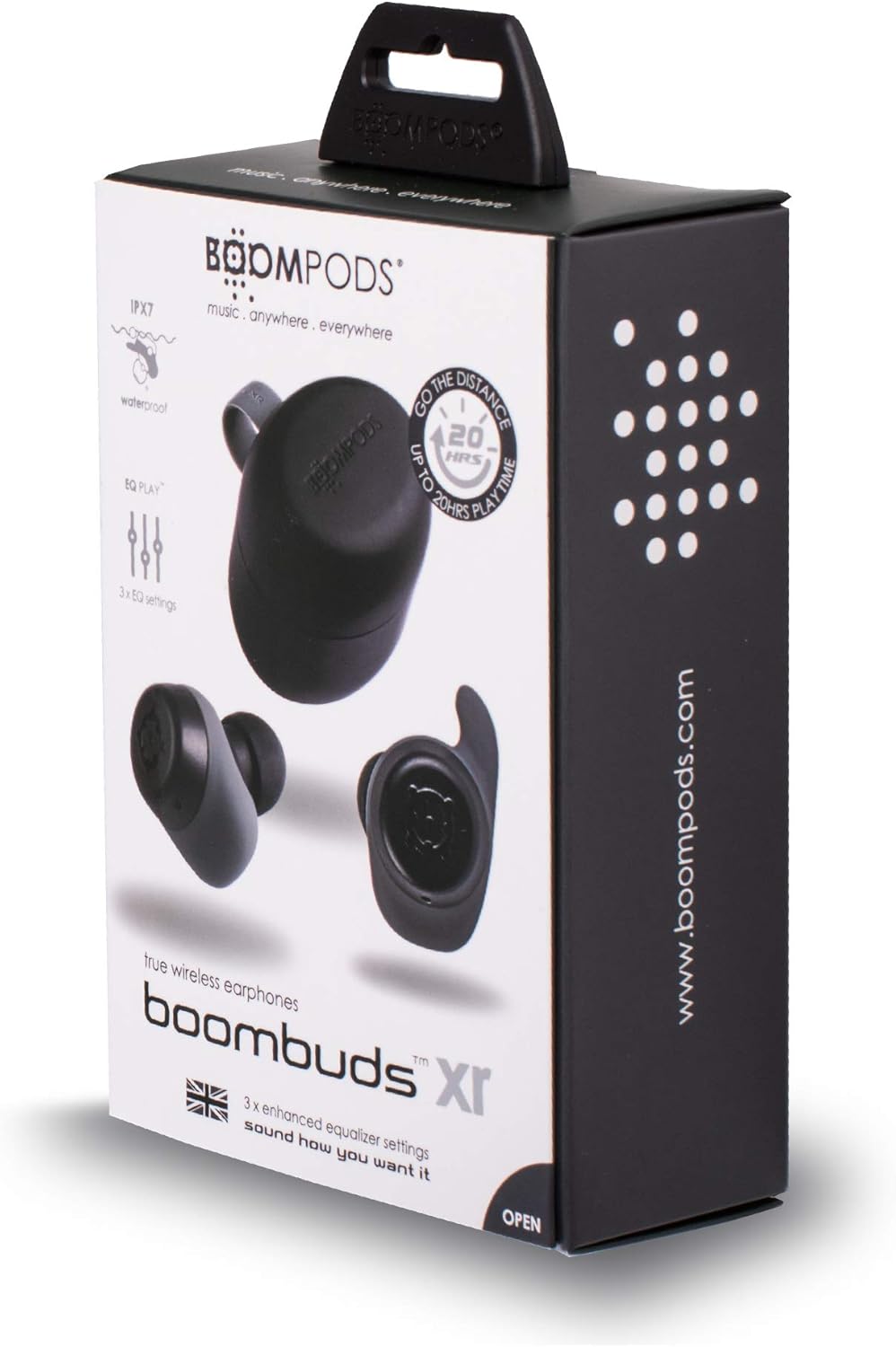
2.1-сурет: BoomPods BOOMBUDS XR Retail Packaging. The image shows the product box, indicating the contents and key features like IPX7 waterproof rating and EQ settings.
3. Орнату нұсқаулығы
3.1. Құлақаспаптар мен қорапты зарядтау
Before first use, fully charge the earbuds and the charging case. The charging case provides approximately 20 hours of additional playback time, while the earbuds offer up to 4.5 hours on a single charge. A full charge takes approximately 1.5 hours.
- Place the earbuds into their respective slots in the charging case. Ensure they are seated correctly for the charging contacts to align.
- Connect the Micro USB charging cable to the charging port on the case and plug the other end into a USB power source (e.g., wall adapter, computer USB port).
- Indicator lights on the case will show the charging status. Refer to the product's specific LED indicators for detailed information (not provided in source).
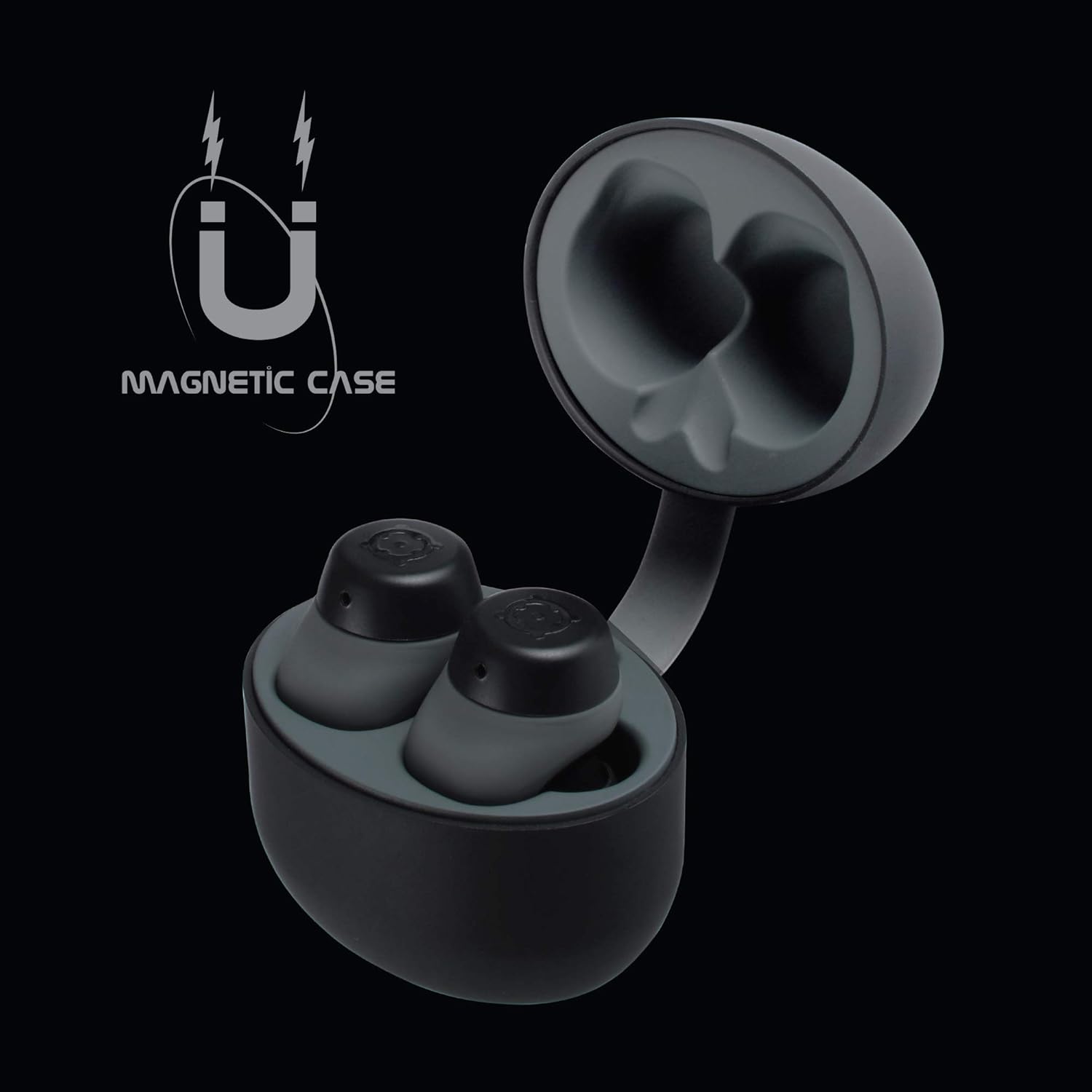
3.1-сурет: Charging Case with Earbuds. The image shows the open charging case with the earbuds placed inside, ready for charging.

3.2-сурет: Magnetic Case. This graphic illustrates the magnetic feature of the charging case, ensuring earbuds are securely held in place during charging and transport.
3.2. Құрылғымен жұптастыру
The BOOMBUDS XR utilize Bluetooth 5.0 for a quick and stable connection.
- Құлақаспаптардың зарядталғанын және зарядтау қорабынан алынғанын тексеріңіз. Олар автоматты түрде жұптау режиміне өтуі керек.
- Смартфоныңызда немесе Bluetooth қосылған құрылғыңызда Bluetooth параметрлеріне өтіңіз.
- Іздеу available devices and select "BOOMBUDS XR" from the list.
- Once connected, the earbuds will indicate successful pairing (e.g., an audio prompt or LED change).

3.3-сурет: Bluetooth 5.0 Connectivity. This graphic highlights the instant and secure connection provided by Bluetooth 5.0 technology.
3.3. Мінсіз дене бітіміне қол жеткізу
A proper fit is crucial for both comfort and optimal sound quality, especially for bass response and noise isolation. The BOOMBUDS XR come with multiple sizes of ear cups to ensure a secure fit for various ear shapes.
- Experiment with the different sizes of ear cups provided.
- Gently insert the earbud into your ear canal and twist slightly to secure it. The ergonomic design (Ergofit) helps keep them in place during activity.
- Test the fit by moving your head and performing light activities. If the earbuds feel loose or the sound quality is poor, try a different size ear cup.
3.4-сурет: Ergofit Design. This graphic illustrates the ergonomic design of the earbuds, engineered for a secure and comfortable fit within the ear.
4. Пайдалану нұсқаулары
4.1. Музыка және қоңырауларды басқару элементтері
The BOOMBUDS XR feature integrated controls on the earbuds for managing audio playback and calls. These controls include volume adjustment, play/pause, and track skipping.
| Әрекет | Бақылау |
|---|---|
| Ойнату/Үзіліс | Double-click the earbud button. |
| Келесі трек | (Specific control not detailed in source, typically triple-click or long press) |
| Алдыңғы трек | (Specific control not detailed in source) |
| Дыбыс деңгейін жоғарылату | (Specific control not detailed in source, but volume control is present) |
| Дыбыс деңгейін төмендету | (Specific control not detailed in source, but volume control is present) |
| Қоңырауға жауап беру/аяқтау | (Specific control not detailed in source) |
| Voice Assistant (Siri/Google Assistant) қосу | (Specific control not detailed in source) |
| Қуатты өшіру | Hold button for five seconds. |
Note: For detailed control gestures, refer to the full user manual provided with your product.
4.2. EQ Play Settings
The BOOMBUDS XR allow you to customize your listening experience with three distinct equalizer (EQ) settings:
- Басс күшейту: Қуатты басс үшін төмен жиілікті дыбыстарды күшейтеді.
- Дауысты күшейту: Optimizes mid-range frequencies to make vocals clearer and more prominent.
- BoomPods Studio: Теңдестірілген дыбысты қамтамасыз етедіfile, designed for general listening.
To switch between EQ settings, use the designated control on the earbuds (specific control not detailed in source).

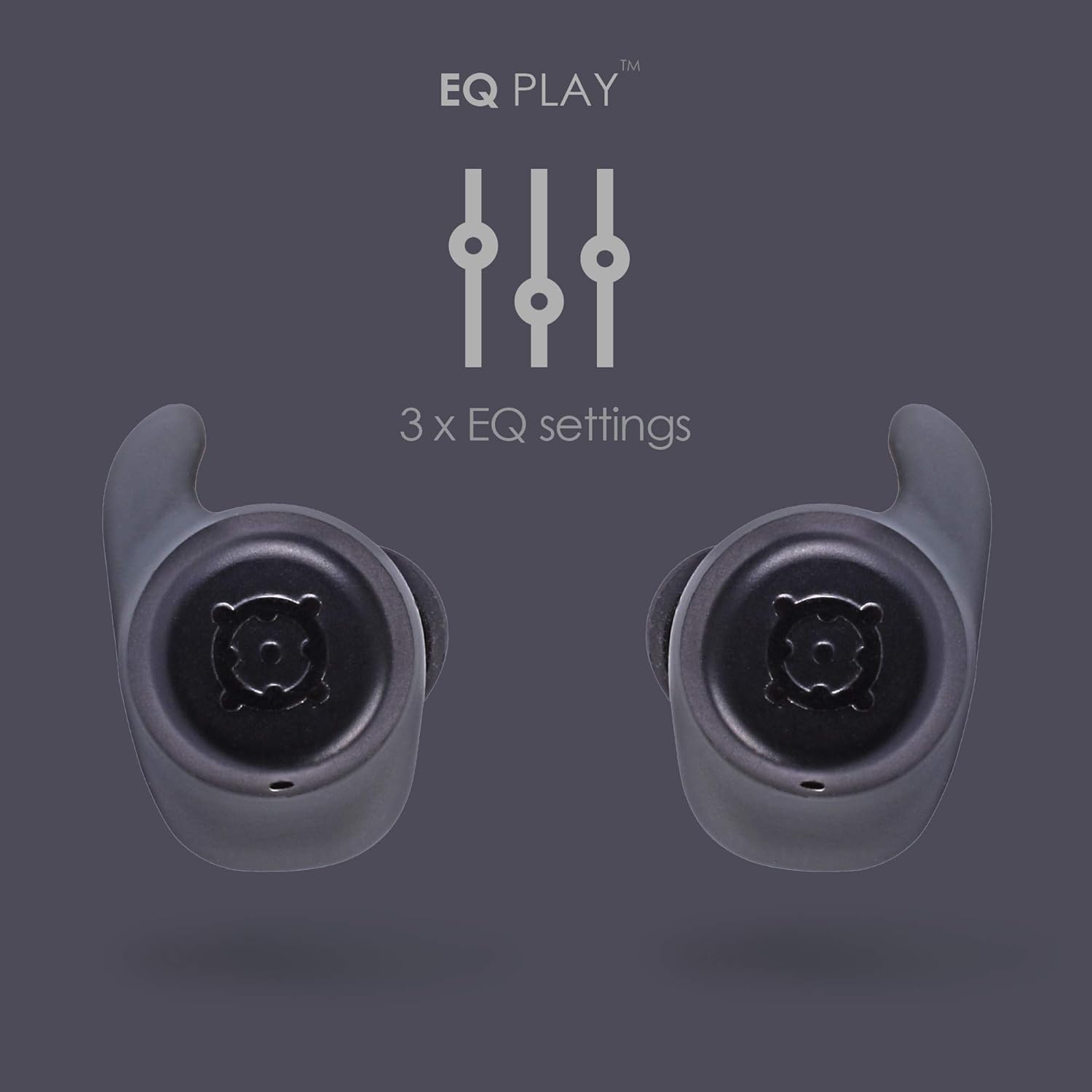
4.1-сурет: EQ Play Settings. This graphic illustrates the three available equalizer settings for customized audio output.
5. Күтім және техникалық қызмет көрсету
5.1. Waterproofing (IPX7 Rating)
The BOOMBUDS XR are rated IPX7 waterproof, meaning they can withstand immersion in water up to 1 meter for 30 minutes. This makes them resistant to sweat, rain, and splashes, and suitable for use in showers or by the pool.
Маңызды ескерту: While the earbuds are waterproof, Bluetooth technology has limitations when transmitting through water. Therefore, continuous audio streaming underwater is not recommended as the connection may be interrupted.

5.1-сурет: IPX7 Waterproofing in Use. The image shows a person showering while wearing the earbuds, demonstrating their water-resistant capabilities.
5.2. Тазалау және сақтау
- Құлақаспаптар мен зарядтау қорабын жұмсақ, құрғақ, түксіз шүберекпен жүйелі түрде тазалаңыз.
- Remove the ear cups and clean them separately with mild soap and water if necessary. Ensure they are completely dry before reattaching.
- Абразивті тазартқыштарды, еріткіштерді немесе аэрозоль спрейлерін пайдаланбаңыз.
- Құлақаспаптарды қорғау және зарядталған күйде ұстау үшін пайдаланбаған кезде оларды зарядтауға арналған қорапта сақтаңыз.
- Keep the charging contacts on both the earbuds and the case clean and free of debris to ensure proper charging.
6. Ақаулықтарды жою
If you encounter issues with your BoomPods BOOMBUDS XR, refer to the following common troubleshooting steps:
| Мәселе | Ықтимал себеп/шешім |
|---|---|
| Құлаққаптар зарядталмайды |
|
| Earbuds not pairing / connecting |
|
| Дыбыс сапасы нашар / Дыбыс деңгейі төмен |
|
| Microphone issues / Call quality poor |
|
| Құлаққаптар түсіп жатыр |
|
7. Техникалық шарттар
| Ерекшелік | Мәлімет |
|---|---|
| Модель атауы | BXRBLK |
| Қосылу технологиясы | Bluetooth 5, сымсыз |
| Сымсыз байланыс технологиясы | Блютез |
| Материал | Силикон |
| Өнімге арналған арнайы қолданулар | Sports and Exercise, Studio |
| Зарядтау уақыты | 1.5 сағат |
| Үйлесімді құрылғылар | Смартфондар |
| Басқару түрі | Volume Control, Remote with Mic |
| Элемент салмағы | 48 грамм (1.69 унция) |
| Суға төзімділік деңгейі | IPX7 (суға төзімді) |
| Жиілік диапазоны | 50Гц-15кГц |
| Батареяның қызмет ету мерзімі (құлаққаптар) | 4.5 сағат |
| Батареяның қызмет ету мерзімі (зарядтау қорабы бар) | Up to 20 Hours additional playback |
| Bluetooth нұсқасы | 5.0 |
| Арнайы мүмкіндіктер | Microphone Included, Sweatproof, USB connectivity, Volume Control, Ergonomic Design, EQ Play (3 settings) |
| Өнім өлшемдері | 0.2 x 3.11 x 1.34 дюйм |
| Өндіруші | Бумподтар |
| Түс | Қара |
| Құлақтың орналасуы | Құлақта |
| Форма факторы | Құлақта |
8. Кепілдік және қолдау
8.1. Шектеулі кепілдік
The BoomPods BOOMBUDS XR are covered by a 2 жылдық шектеулі кепілдік сатып алған күннен бастап. Бұл кепілдік қалыпты пайдалану кезіндегі өндірістік ақауларды және жұмысты қамтиды. Ол дұрыс пайдаланбаудан, жазатайым оқиғалардан, рұқсат етілмеген өзгертулерден немесе қалыпты тозудан туындаған зиянды қамтымайды.
For specific terms and conditions of the warranty, please refer to the warranty card included with your product or visit the official BoomPods webсайт.
8.2. Тұтынушыларға қолдау көрсету
For further assistance, technical support, or warranty claims, please contact BoomPods customer service through their official channels. You can typically find contact information on the product packaging, the official BoomPods website, or the brand store on Amazon.
Ресми тұлғаға барыңыз BoomPods Store on Amazon өнім туралы қосымша ақпарат және қолдау ресурстары үшін.