
Кіріспе
The August Audar Smart Band KERi is a versatile health and fitness tracker designed to monitor various aspects of your well-being. This manual provides detailed instructions for setting up, operating, maintaining, and troubleshooting your device to ensure optimal performance and a seamless user experience. Please read this manual thoroughly before using your Smart Band.
Орнату
1. Charging the Smart Band
Before initial use, fully charge your Audar Smart Band KERi. The device features a convenient integrated USB charger. Simply remove the strap from one end of the tracker to reveal the USB connector.

Image: The Audar Smart Band KERi being plugged into a USB port for charging. The image highlights the integrated USB connector on the device.

Сурет: егжей-тегжейлі view of the Audar Smart Band KERi's integrated USB charging port, showing how it connects to a power source.
- Connect the USB connector to any standard USB charging port (e.g., computer, USB wall adapter).
- Экрандағы батарея көрсеткіші зарядтау барысын көрсетеді.
- A full charge can provide up to 30 days of battery life.
2. Installing the Audar App
To unlock the full potential of your Smart Band and view your health data, download the official Audar app on your smartphone.
- Scan the QR code provided in the product packaging or search for "Audar" in your device's app store.
- The app is compatible with both Android and iPhone devices.

Image: Screenshot of the Audar app interface, displaying health data and showing icons for Google Play and Apple App Store downloads.
3. Смартфоныңызбен жұптастыру
- Смартфонда Bluetooth қосылғанына көз жеткізіңіз.
- Open the Audar app and follow the on-screen instructions to search for and connect to your KERi Smart Band.
- Confirm the pairing request on both your phone and the Smart Band if prompted.
4. Бастапқы конфигурация
- Once paired, the app will guide you through setting up your personal profile, including age, height, weight, and gender, for accurate data tracking.
- Synchronize the time and date with your phone.
Пайдалану нұсқаулары
1. Негізгі шарлау
The Audar Smart Band KERi features a color touchscreen display for easy navigation.
- Түртіңіз: To select an option or wake the screen.
- Сырғыту: To scroll through different menus and data screens.
2. Әрекетті қадағалау
The Smart Band automatically tracks your daily activity.

Image: A person running outdoors with the Audar Smart Band KERi on their wrist, showing the display with steps, distance, and calorie data.
- Қадамдар: Counts the number of steps taken throughout the day.
- Қашықтық: Estimates the distance covered based on your steps and profile деректер.
- Калориялар: Calculates calories burned during activity.
- GPS бақылауы: When connected to your smartphone, the app can use your phone's GPS to map your route during outdoor activities.
3. Денсаулықты бақылау
The KERi Smart Band provides continuous and on-demand health monitoring.
- Жүрек соғу жиілігінің мониторы: Measures your heart rate in real-time. Access this feature from the band's menu or through the app.
- Қан қысымының мониторы: Provides an estimate of your blood pressure. For accurate medical readings, consult a healthcare professional.
- Қандағы оттегі мониторы: Қанның оттегімен қанығу деңгейін өлшейді.
- Ұйқы мониторы: Automatically tracks your sleep patterns, including deep sleep, light sleep, and wake times. View detailed analysis in the Audar app.
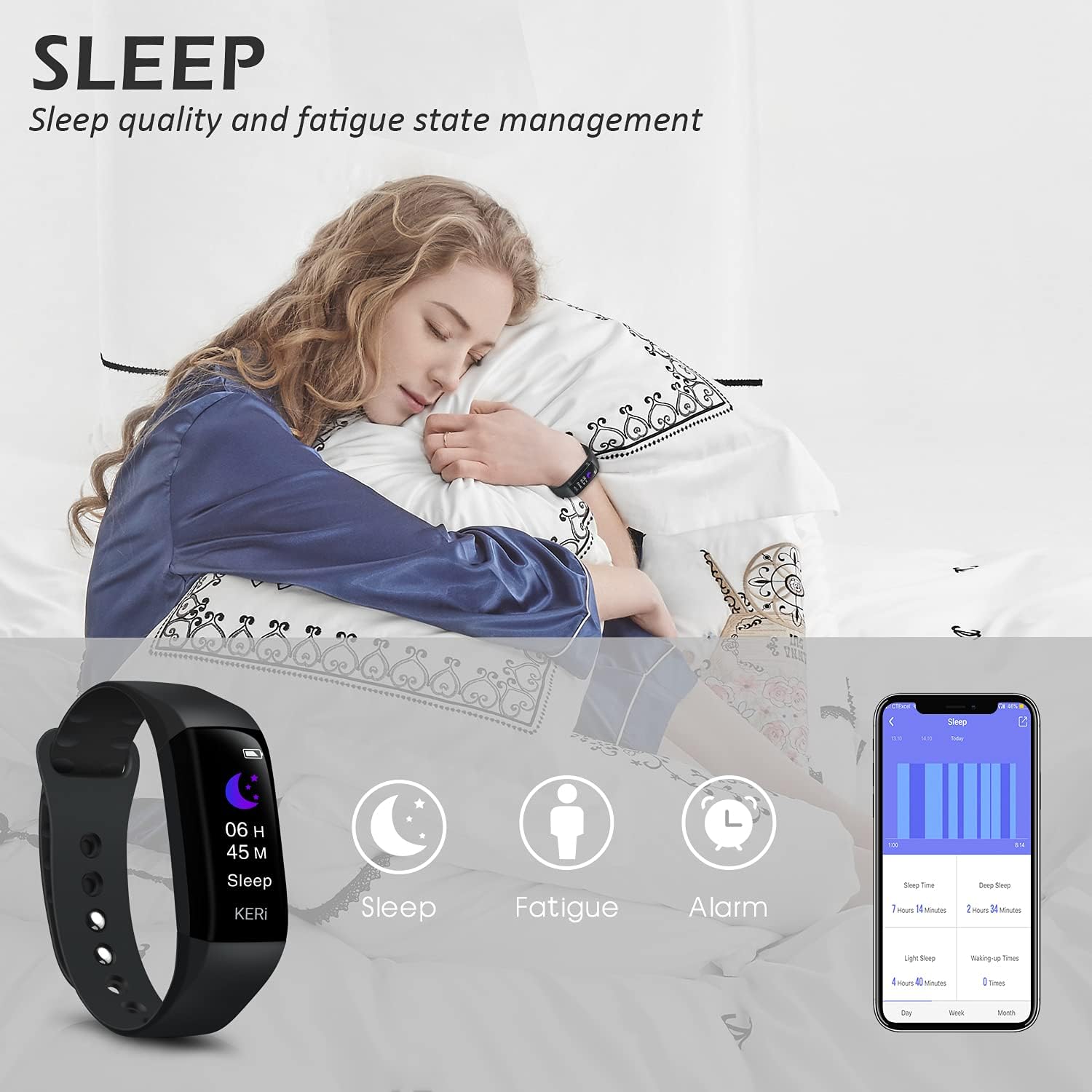
Image: A person sleeping with the Audar Smart Band KERi on their wrist, showing the band's display indicating sleep duration and an accompanying smartphone app displaying sleep analysis.
4. Хабарландырулар
Receive alerts directly on your wrist when connected to your smartphone.

Image: A close-up of a wrist wearing the Audar Smart Band KERi, with the screen showing an incoming call notification.
- Қоңырау туралы ескертулер: Displays incoming call notifications.
- Хабарлама ескертулері: Shows notifications for SMS, WhatsApp, Messenger, and other selected apps.
- Configure which app notifications you wish to receive through the Audar app settings.
5. Қосымша мүмкіндіктер
- Remote Camera Control (Shake Shooting): Use the band to remotely trigger your smartphone's camera by shaking your wrist.
- Менің телефонымды табу: Activate this feature from the band to make your paired phone ring, helping you locate it.
- Оятқыш: Қолданба арқылы үнсіз дірілдейтін дабылдарды орнатыңыз.
- CareMate Function: Share your health data with family members through the app, allowing them to monitor your well-being remotely.

Image: Screenshots of the Audar app demonstrating the CareMate function, showing how users can subscribe to and view family members' health data.
Техникалық қызмет көрсету
1. Тазалау
- Regularly clean your Smart Band and strap to prevent skin irritation and maintain device hygiene.
- Құрылғыны жұмсақ шүберекпен сүртіңіз, damp мата. Қатты химиялық заттарды немесе абразивті тазартқыштарды қолданбаңыз.
- Зарядтау алдында зарядтау контактілерінің таза және құрғақ екеніне көз жеткізіңіз.
2. Суға төзімділік
The Audar Smart Band KERi is IP67 waterproof.

Image: The Audar Smart Band KERi being splashed with water, illustrating its IP67 waterproof capability. Icons for heart rate, calories, steps, distance, SMS alerts, and blood oxygen are also visible.
- It is resistant to rain, sweat, and can be submerged up to 1 meter underwater for a limited time.
- It is suitable for showering and swimming in shallow water.
- Avoid prolonged exposure to hot water, steam, or high-velocity water.
3. Сақтау
- Құрылғыны пайдаланбаған кезде салқын, құрғақ жерде сақтаңыз.
- Төтенше температурадан аулақ болыңыз.
Ақаулықтарды жою
If you encounter issues with your Audar Smart Band KERi, refer to the following common solutions:
| Мәселе | Ықтимал себебі | Шешім |
|---|---|---|
| Device does not turn on or respond | Батарея төмен | Құрылғыны кем дегенде 30 минут зарядтаңыз. |
| Смартфонмен жұптастыру мүмкін емес | Bluetooth өшірулі, қолданба мәселесі, құрылғы ауқымнан тыс | Ensure Bluetooth is on. Restart phone and band. Reinstall app. Move band closer to phone. |
| Дұрыс емес денсаулық көрсеткіштері | Improper fit, movement during measurement, sensor obstruction | Ensure band is snug but comfortable. Remain still during measurements. Clean sensor on back of band. |
| No data synchronization to app | Bluetooth connection lost, app not running in background | Check Bluetooth connection. Ensure app has necessary permissions and is running. Manually sync from app. |
| Қысқа батареяның қызмет ету мерзімі | Frequent notifications, continuous monitoring, old battery | Reduce notification frequency. Disable continuous monitoring for certain features. Ensure full charge. |
Егер мәселе шешілмесе, қосымша көмек алу үшін қолдау бөлімін қараңыз.
Техникалық сипаттамалар

Image: A diagram illustrating the dimensions of the Audar Smart Band KERi, including screen size and band length.
| Ерекшелік | Мәлімет |
|---|---|
| Модель атауы | KERi |
| Бренд | тамыз |
| Экран өлшемі | 0.96 дюйм |
| Дисплей түрі | СКД |
| Ажыратымдылық | 240 x 240 |
| Қосылу технологиясы | Bluetooth, USB |
| Сымсыз байланыс стандарты | Блютез |
| Операциялық жүйе | Android (Compatible with Android & iPhone) |
| Өлшенген көрсеткіштер | Heart Rate, Blood Pressure, Sleep Duration, Blood Oxygen |
| Арнайы мүмкіндіктер | Alarm Clock, Calorie Tracker, Notifications, GPS (via phone), Remote Camera Control |
| Суға төзімділік деңгейі | IP67 (Waterproof up to 1 meter) |
| Батарея ұяшығының түрі | Литий полимері |
| Батареяның орташа қызмет ету мерзімі | 30 күнге дейін |
| Жолақ материалының түрі | Rubber or Silicone |
| Іс материалының түрі | Керамика |
| Элемент салмағы | 29 грамм |
| Элемент өлшемдері | 25.8 x 2.2 x 1.3 сантиметр |
| Жолақ ұзындығы | 130 - 190 Millimetres |
| Түс | Қара |
Кепілдік туралы ақпарат
For detailed warranty information regarding your August Audar Smart Band KERi, please refer to the warranty card included in your product packaging or visit the official August webсайт. Кепілдік шарттары аймаққа және сатушыға байланысты әр түрлі болуы мүмкін.

Image: The contents of the Audar Smart Band KERi product box, showing the smart band, charging cable, and instruction manuals.
Тұтынушыларды қолдау
If you require further assistance or have questions not covered in this manual, please contact August customer support through one of the following channels:
- Желідегі қолдау: Visit the official August webЖҚС, қолдау мақалалары және байланыс пішіндері үшін сайт.
- Электрондық поштаны қолдау: Refer to your product packaging or the August webтұтынушыларға қызмет көрсету электрондық пошта мекенжайына арналған сайт.
- Бренд дүкені: сайтына да баруға болады Тамыз айындағы бренд дүкені өнім туралы қосымша ақпарат және қолдау ресурстары үшін.


