Welcome to your XClear Wireless Earbuds user manual. This guide provides essential information for setting up, operating, and maintaining your earbuds to ensure optimal performance and longevity. Please read this manual thoroughly before using your device.
Қорапта не бар
Сымсыз зарядтауға арналған қорап
Құлаққаптар (әр түрлі өлшемдер)
Пайдаланушы нұсқаулығы
2. Өнім аяқталдыview
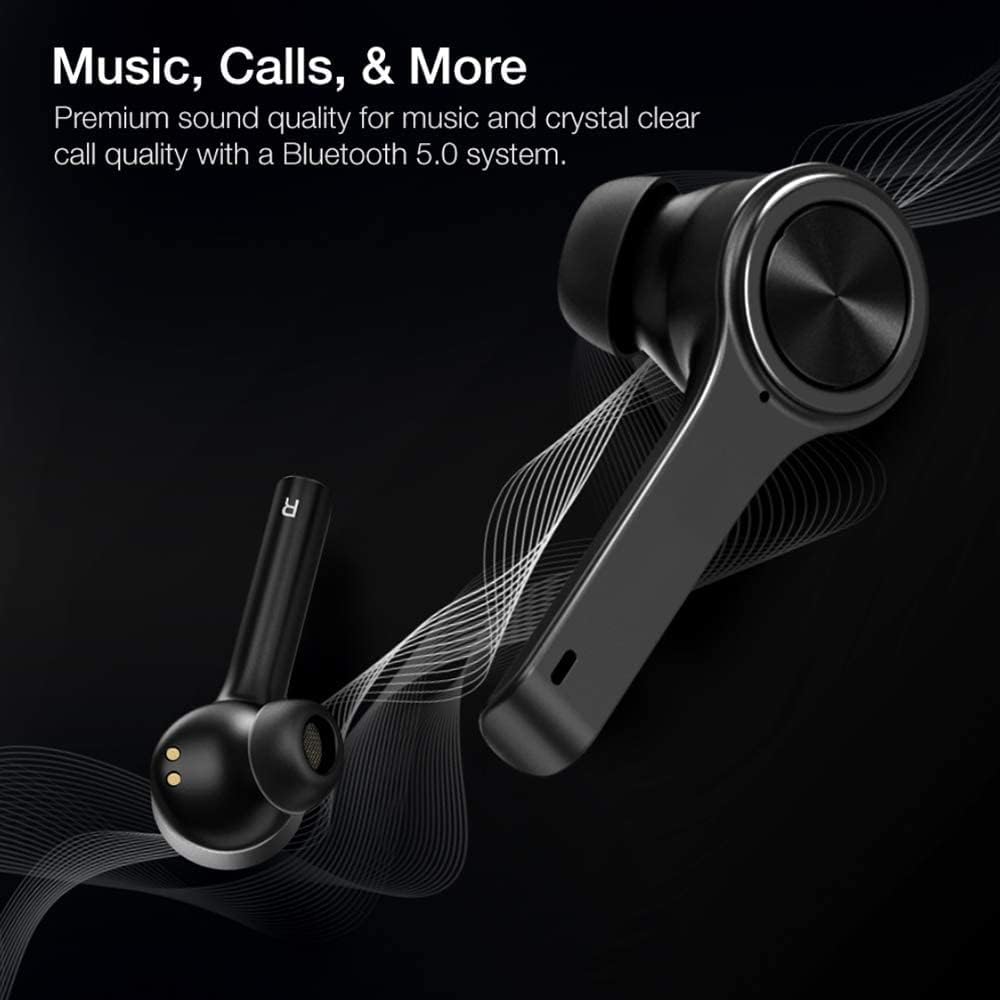
The XClear Wireless Earbuds (Model TT000082) are designed for an immersive audio experience with advanced features for convenience and durability. They feature Bluetooth 5.0 technology for stable connections and clear audio.
Негізгі мүмкіндіктер
Жоғары сапалы дыбыс сапасы: Enjoy clear music and calls via Bluetooth 5.0.
Жылдам жұптастыру: Quick and easy connection by opening the charging case.
Шағын зарядтау корпусы: Portable case with a digital LED battery indicator.
Ыңғайлы сәйкестік: Ergonomic design for a secure fit during daily use and sports.
IPX5 Sweatproof: Терге және жеңіл шашырауға төзімді етіп жасалған.
Image: XClear Wireless Earbuds and Charging Case. The earbuds are shown alongside their compact charging case, highlighting their sleek design.
Image: A person running while wearing XClear Wireless Earbuds, demonstrating a secure and comfortable fit during physical activity. A close-up inset shows an earbud in an ear.
3. Орнату
Бастапқы зарядтау
Before first use, fully charge the earbuds and the charging case. Place the earbuds into the charging case. Connect the charging case to a power source using a compatible USB-C cable. The digital LED battery indicator on the case will show the charging progress. A full charge provides up to 5 hours of playtime for the earbuds and an additional 14 hours with the charging case.
Image: The XClear Wireless Earbuds charging case displaying battery life. Graphics indicate 5 hours of playtime for earbuds and 14 hours with the case.
Құрылғымен жұптау
Құлақаспаптардың зарядталғанына көз жеткізіңіз.
Open the charging case. The earbuds will automatically enter pairing mode, indicated by bright LED lights.
Смартфонда немесе Bluetooth қосылған құрылғыда Bluetooth параметрлеріне өтіңіз.
Select "XClear Earbuds" from the list of available devices to connect.
Once connected, the LED lights on the earbuds will indicate a successful pairing.
Selecting the Right Eartips
For optimal sound quality and comfort, select the eartips that best fit your ear canals. An improper fit may result in reduced sound quality or call performance. Experiment with the different sizes provided to find the most snug and secure fit.
4. Пайдалану нұсқаулары
Басқару элементтерін түртіңіз
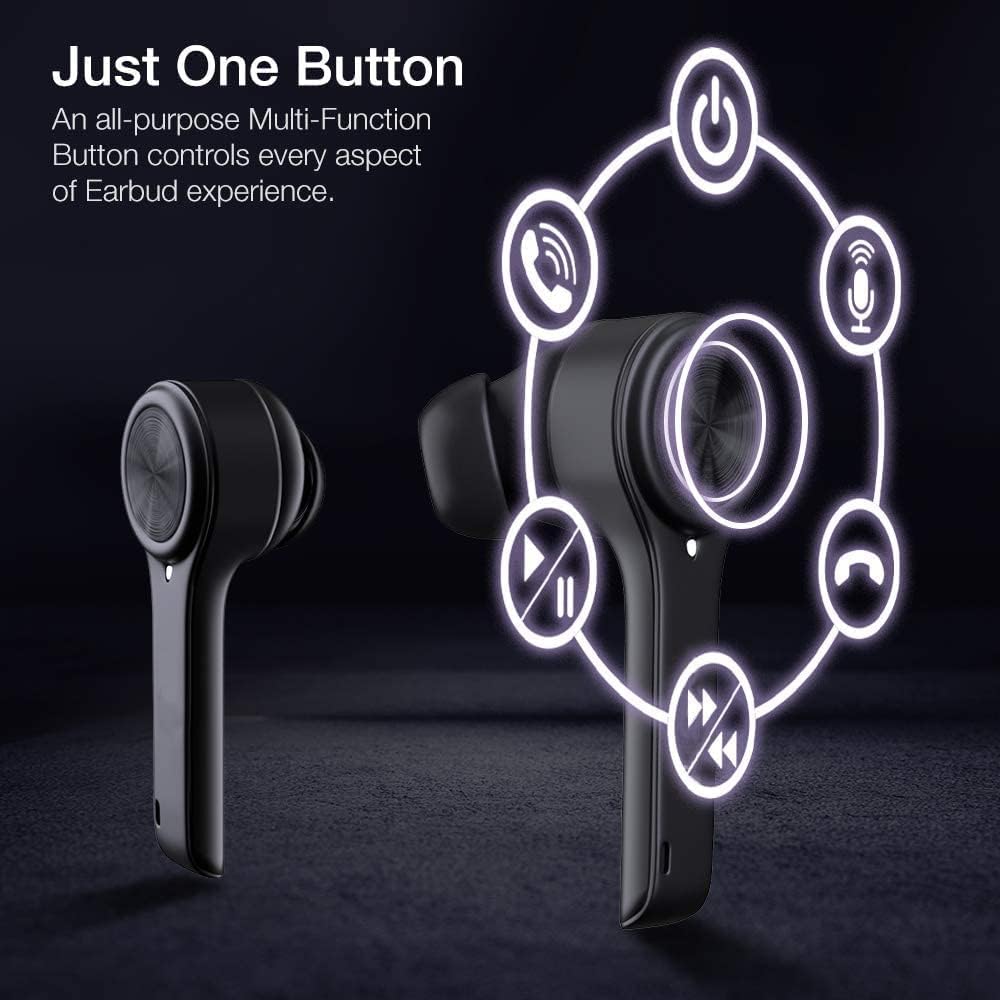
The XClear Wireless Earbuds feature intuitive touch controls for managing your audio and calls:
Ойнату/кідірту: Кез келген құлаққапты бір рет түртіңіз.
Келесі трек: Оң жақ құлаққапты екі рет түртіңіз.
Алдыңғы трек: Сол жақ құлаққапты екі рет түртіңіз.
Қоңырауға жауап беру/аяқтау: Кіріс қоңырау кезінде құлаққапты бір рет түртіңіз.
Қоңырауды қабылдамау: Кіріс қоңырау кезінде құлаққапты 2 секунд басып тұрыңыз.
Дауыстық көмекшіні іске қосыңыз: Кез келген құлаққапты үш рет түртіңіз.
Image: A diagram illustrating the multi-function touch controls on the XClear Earbuds, showing icons for power, calls, microphone, play/pause, and track skipping.
Dual Mode Listening
You can use the XClear Wireless Earbuds in either Stereo Mode (both earbuds) or Single Ear Mode (one earbud). To properly use Single Ear Mode, ensure the unused earbud is placed in the charging case and the lid is closed.
Image: A man wearing a single XClear earbud, demonstrating the dual mode listening feature. The text indicates the ability to switch between stereo and single ear mode.
5. Техникалық қызмет көрсету
Тазалау және сақтау
Құлақаспаптар мен зарядтау қорабын жұмсақ, құрғақ шүберекпен жүйелі түрде тазалаңыз.
Қатты химиялық заттарды немесе абразивті материалдарды пайдаланбаңыз.
Құлақаспаптарды шаң мен зақымданудан қорғау үшін пайдаланбаған кезде зарядтауға арналған қорапта сақтаңыз.
Батареяға күтім жасау
Батареяның қызмет ету мерзімін ұзарту үшін құлаққаптар мен зарядтау қорабын жиі толық зарядтамаңыз.
Charge the device using only the provided cable or a certified USB-C charger.
Құрылғыны шектен тыс температураға ұшыратпаңыз.
Image: A close-up of an XClear earbud with water droplets, illustrating its sweatproof and water-resistant design.
6. Ақаулықтарды жою
Жалпы мәселелер мен шешімдер
Құлақаспаптар зарядталмайды: Ensure the charging cable is securely connected to both the case and the power source. Verify that the earbuds are correctly seated in the charging case. Check the charging case's battery level.
Құлақаспаптар жұптаспайды: Make sure Bluetooth is enabled on your device. Place the earbuds back in the case, close the lid, then open it again to re-enter pairing mode. If issues persist, try forgetting the device in your Bluetooth settings and re-pairing.
Дыбыс сапасы нашар: Ensure the eartips provide a snug fit in your ear canals. Clean any debris from the earbud speakers. Check the audio source for quality issues.
Бір құлаққап жұмыс істемейді: Place both earbuds back into the charging case, close the lid, and then open it again. This often re-syncs them. If the issue continues, try resetting the earbuds (refer to the full manual for specific reset instructions if available).
XClear offers a 1-Year Warranty on this product. Please retain your proof of purchase for warranty claims. For detailed terms and conditions, refer to the official XClear webсайтқа немесе тұтынушыларға қолдау көрсетуге хабарласыңыз.
Тұтынушыларды қолдау
For further assistance, technical support, or warranty inquiries, please visit the XClear official website or contact their customer service department. Contact details can typically be found on the product packaging or the brand's webсайт.
Ask a question about this manual
Ask about setup, troubleshooting, compatibility, parts, safety, or missing instructions. Manuals+ will review the question and use this page’s manual context to help answer it.