
1. Кіріспе
This manual provides essential information for setting up, operating, and maintaining your Tracfone Samsung Galaxy A10e smartphone. Please read this guide thoroughly to ensure proper usage and to maximize your device's capabilities.
The Samsung Galaxy A10e is a 4G LTE prepaid smartphone designed for reliable communication and everyday tasks. It features a 5.83-inch Infinity Display, 32GB of internal storage, and an 8MP rear camera.
2. Қорапта не бар
- Tracfone Samsung Galaxy A10e Smartphone
- Зарядтағыш
- Пайдаланушы нұсқаулығы (бұл құжат)
- SIM Card (pre-installed or included separately)
3. Құрылғы аяқталдыview
Familiarize yourself with the physical components of your Samsung Galaxy A10e.
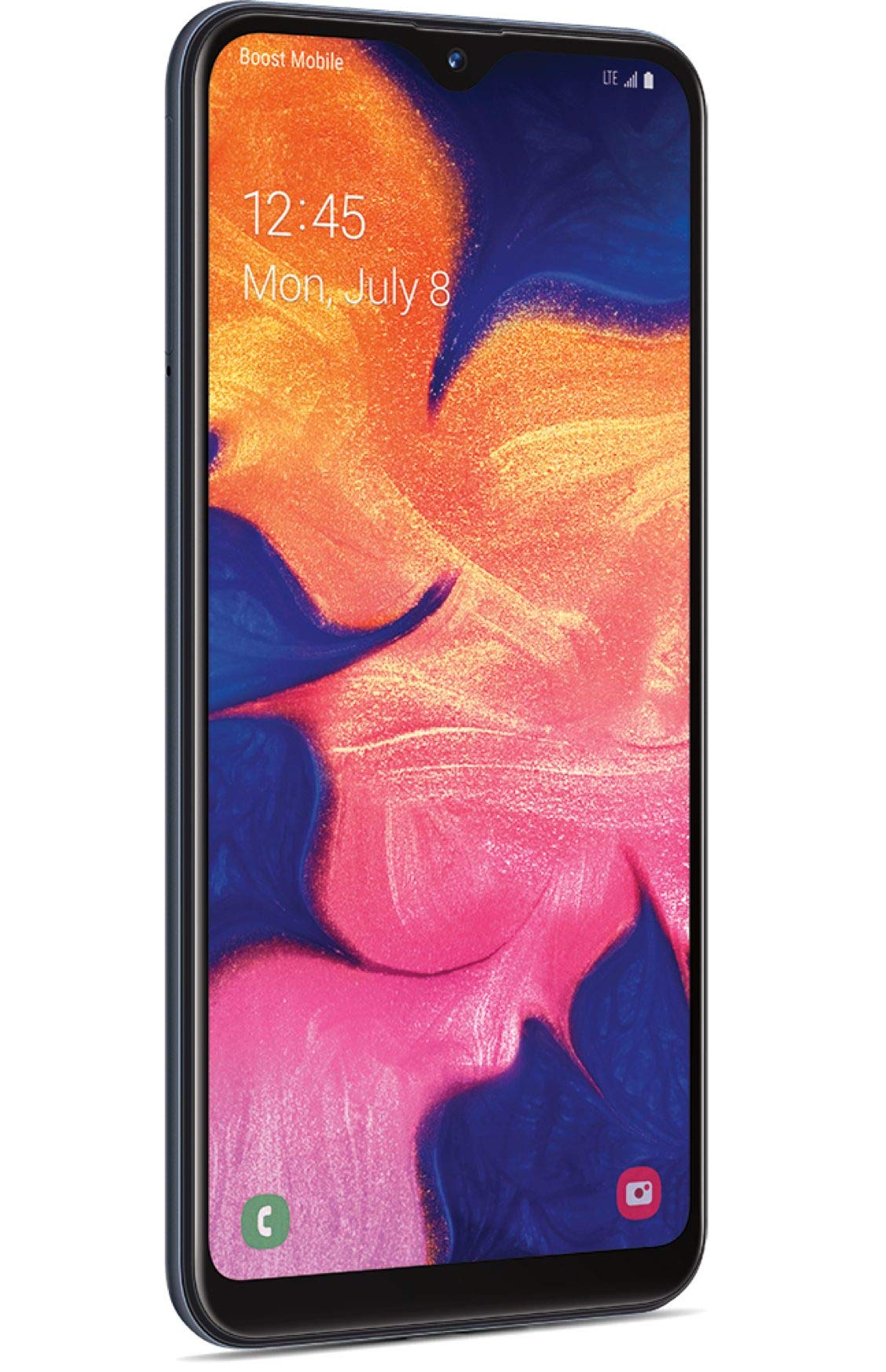
1-сурет: Алдыңғы view of the Tracfone Samsung Galaxy A10e smartphone.
- Алдыңғы камера: Located at the top of the display, used for selfies and video calls.
- Көрсеткіш: 5.83-inch HD+ Infinity Display for clear visuals.
- Дыбыс деңгейі түймелері: On the side, for adjusting media and call volume.
- Қуат/құлыптау түймесі: On the side, to turn the device on/off or lock/unlock the screen.
- USB-C порты: Төменгі жағында зарядтауға және деректерді тасымалдауға арналған.
- 3.5 мм құлаққап ұясы: At the bottom, for connecting wired headphones.
- Баяндамашы: At the bottom, for audio output.
- Артқы камера: 8MP camera on the back for capturing photos and videos.
- Жарқыл: Next to the rear camera, for low-light photography.
- SIM/MicroSD картасы науасы: On the side, for inserting your SIM card and an optional microSD card for expanded storage.
4. Орнату
4.1. SIM картасы мен MicroSD картасын салу
- Locate the SIM/microSD card tray on the side of your phone.
- Insert the SIM ejection tool (if provided) into the small hole on the tray to eject it.
- Place your Tracfone SIM card into the SIM slot. Ensure the gold contacts face down and the notched corner aligns with the tray.
- (Optional) If using a microSD card for additional storage, place it into the designated microSD slot on the tray.
- Науаны орнына түскенше абайлап телефонға қайта салыңыз.
4.2. Батареяны зарядтау
- USB-C кабелін телефонның төменгі жағындағы зарядтау портына жалғаңыз.
- Plug the other end of the USB-C cable into the provided wall adapter.
- Қабырғалық адаптерді розеткаға қосыңыз.
- Allow the phone to charge until the battery is full before initial use.
4.3. Бастапқы қуат қосу және іске қосу
- Samsung логотипі пайда болғанша Қуат/Құлыптау түймесін басып тұрыңыз.
- Тілді таңдау, Wi-Fi қосылымы және Google есептік жазбасын орнату сияқты бастапқы орнатуды аяқтау үшін экрандағы нұсқауларды орындаңыз.
- For Tracfone service activation, visit tracfone.com/activate or call Tracfone customer service.
5. Смартфонды пайдалану
5.1. Негізгі шарлау
- Негізгі экран: Әр түрлі негізгі экран тақталарына қол жеткізу үшін солға немесе оңға сырғытыңыз.
- Қолданба тартпасы: Негізгі экраннан жоғары қарай сырғытыңыз view барлық орнатылған қолданбалар.
- Хабарландырулар тақтасы: Экранның жоғарғы жағынан төмен қарай сырғытыңыз view хабарландырулар және жылдам параметрлер.
- Артқа түймесі: Tap the back button (left arrow) to return to the previous screen.
- Басты түймесі: Tap the home button (circle) to return to the home screen.
- Соңғы қолданбалар түймесі: Tap the recent apps button (square) to view және соңғы пайдаланылған қолданбалар арасында ауысу.
5.2. Қоңырау шалу және хабарламалар жіберу
- Қоңыраулар: Телефон қолданбасын ашып, нөмірді енгізіп, қоңырау белгішесін түртіңіз.
- Хабарламалар: Open the Messages app, tap the new message icon, enter the recipient's number or select from contacts, and type your message.
5.3. Камераны пайдалану
Your Samsung Galaxy A10e features an 8MP rear camera and a 5MP front camera.
- Камера қолданбасын ашыңыз.
- Фотосуретке түсіру үшін ысырма түймесін түртіңіз.
- Бейне жазу үшін бейне белгішесін түртіңіз.
- Алдыңғы және артқы камералар арасында ауысу үшін камераны ауыстыру белгішесін түртіңіз.
1-бейне: аяқталдыview of the Tracfone Samsung Galaxy A10e, demonstrating its features and design. This video is provided by Verizon Value, Inc.
6. Техникалық қызмет көрсету
- Бағдарламалық құрал жаңартулары: Оңтайлы өнімділік пен қауіпсіздікті қамтамасыз ету үшін бағдарламалық құрал жаңартуларын жүйелі түрде тексеріп, орнатыңыз. өтіңіз Параметрлер > Бағдарламалық құралды жаңарту.
- Батареяға күтім жасау: Батареяның қызмет ету мерзімін ұзарту үшін төтенше температуралардан аулақ болыңыз және телефонды ұзақ уақыт бойы толық зарядталған немесе толық зарядсыз қалдырмаңыз.
- Тазалау: Телефонның экраны мен корпусын тазалау үшін жұмсақ, түксіз матаны пайдаланыңыз. Қатты химиялық заттардан аулақ болыңыз.
- Сақтауды басқару: Мерзімді түрде анық қажет емес files and apps to free up storage space. You can expand storage with a microSD card up to 512GB.
7. Ақаулықтарды жою
- Телефон қосылмайды: Батарея зарядталғанына көз жеткізіңіз. Зарядтағышты қосып, қайта қосу әрекетінен бұрын бірнеше минут күтіңіз.
- Қолданбалар бұзылып жатыр/қатып жатыр: Close the app and reopen it. If the issue persists, restart the phone. Consider clearing the app's cache or reinstalling it.
- Poor Signal/No Service: Check if your SIM card is properly inserted. Ensure you are in an area with network coverage. Restart your phone.
- Батареяның тез бітуі: Reduce screen brightness, close unused apps, and disable unnecessary features like Bluetooth or Wi-Fi when not in use.
- Экран жауап бермейді: Restart the phone by holding down the Power/Lock button for about 10-15 seconds.
8. Техникалық сипаттамалар
| Ерекшелік | Мәлімет |
|---|---|
| Модель атауы | Galaxy A10e |
| Дисплей | 5.83 Inches, 720 x 1560 Resolution, 60Hz Refresh Rate |
| Процессор | 1.6 GHz Octa-Core (CPU Model: A6-6310) |
| Жедел Жадтау Құрылғысы | 2 ГБ |
| Ішкі жад | 32 GB (Expandable up to 512GB with Micro SD) |
| Артқы камера | 8 МП |
| Алдыңғы камера | 5 МП |
| Батарея сыйымдылығы | 3000 мАч |
| Операциялық жүйе | Android 9.0 |
| Қосылу мүмкіндігі | 4G LTE, Wi-Fi, Bluetooth 5.0, GPS |
| Аудио ұясы | 3.5 мм |
| Өлшемдері | 7.25 x 1.65 x 10.25 дюйм |
| Салмағы | 5 унция |
9. Кепілдік және қолдау
For warranty information and customer support, please refer to the documentation included in your product packaging or visit the official Tracfone website. Tracfone utilizes the network with the most first place rankings in RootMetrics® 2H 2022 5G reliability assessments of 125 metros. Results may vary. Not an endorsement. Service must be active and in use within any six-month period.
Tracfone Customer Service: For assistance with activation, plans, or technical support, please contact Tracfone directly.