
Кіріспе
Thank you for choosing the EZQuest USB C Hub Docking Station 8-in-1. This manual provides detailed instructions for setting up, operating, and maintaining your device. Please read this manual thoroughly before use to ensure optimal performance and longevity of your product.
Өнім аяқталдыview
The EZQuest USB C Hub Docking Station 8-in-1 is designed to expand the connectivity of your USB-C enabled devices, offering a comprehensive solution for various peripherals and display needs. It features multiple ports for data transfer, video output, network connection, and power delivery.
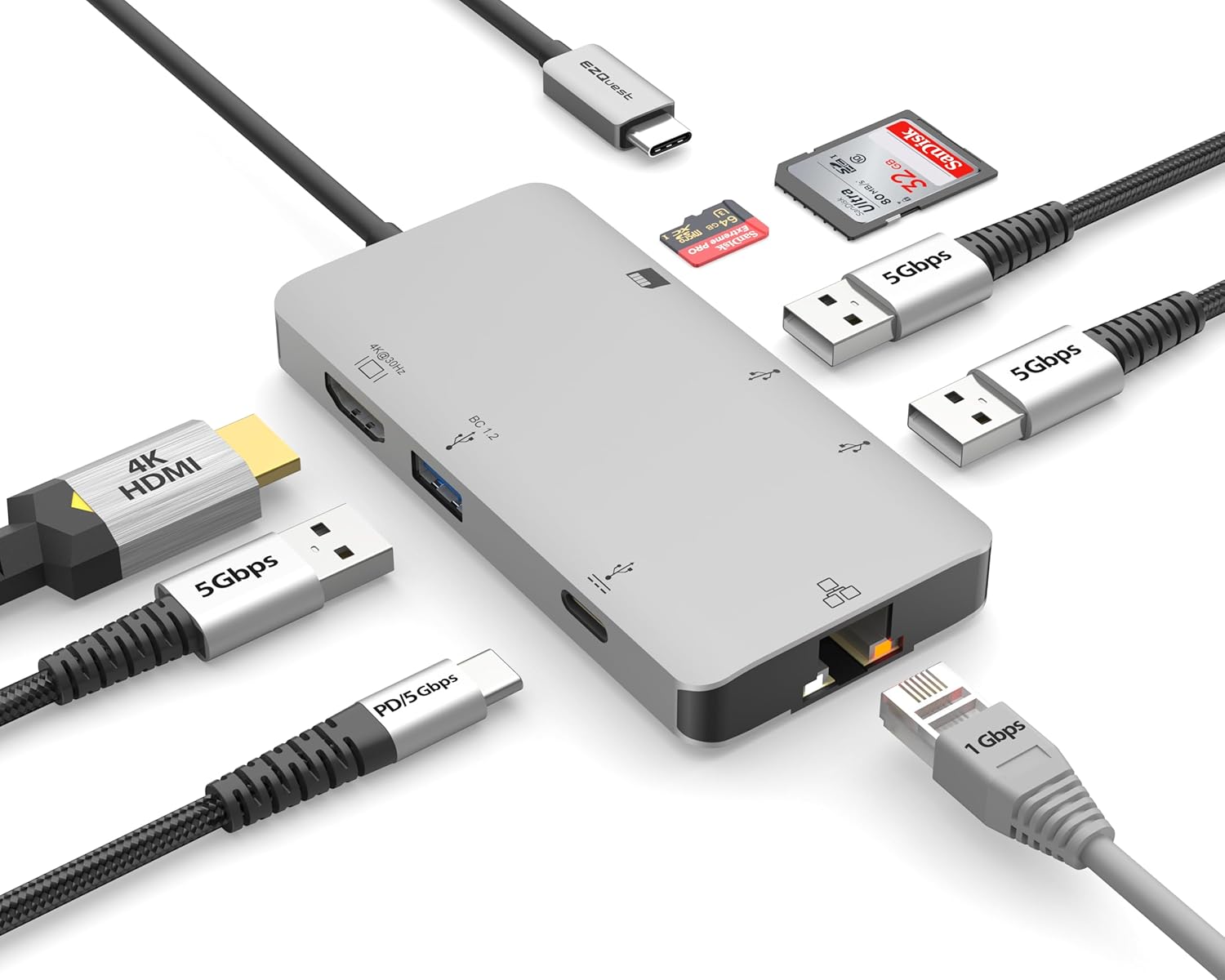
Image: The EZQuest USB C Hub Docking Station 8-in-1, showcasing оның ықшам дизайны және біріктірілген USB-C кабелі.

Image: A diagram illustrating the 8-in-1 expansion capabilities of the hub, including HDMI, USB-C PD, USB 3.0, Ethernet, and card readers.
Орнату нұсқаулары
- Хост құрылғысына қосылу: Plug the integrated USB-C cable of the EZQuest hub into an available USB-C/Thunderbolt 3/4 port on your laptop, tablet, or smartphone.
- Қуатты жеткізу (қосымша): For charging your host device, connect your USB-C power adapter to the USB-C Power Delivery port on the hub. The hub supports up to 100W input with 85W pass-through charging.
- HDMI дисплейі: Connect an HDMI cable from your monitor to the HDMI port on the hub for 4K 30Hz video output.
- Ethernet қосылымы: For a stable wired network, connect an Ethernet cable to the Gigabit Ethernet port on the hub.
- USB перифериялық құрылғылар: Connect your USB-A devices (e.g., mouse, keyboard, external hard drive) to the three USB-A 3.0 ports.
- SD/Micro SD карталары: Insert your SD or Micro SD cards into the respective slots for data transfer.

Image: A user connecting the EZQuest USB C Hub to a laptop's USB-C port.

Image: Illustrates connecting a power adapter to the hub for pass-through charging of a laptop.
Пайдалану нұсқаулары
Дисплей шығысы (HDMI)
The HDMI port supports 4K resolution at 30Hz. Connect an HDMI-enabled display to extend or mirror your desktop for enhanced productivity or multimedia viewing. Ensure your display and device support 4K 30Hz for optimal performance. Note that the USB-C ports on the hub are for data and power delivery, not for connecting a monitor.
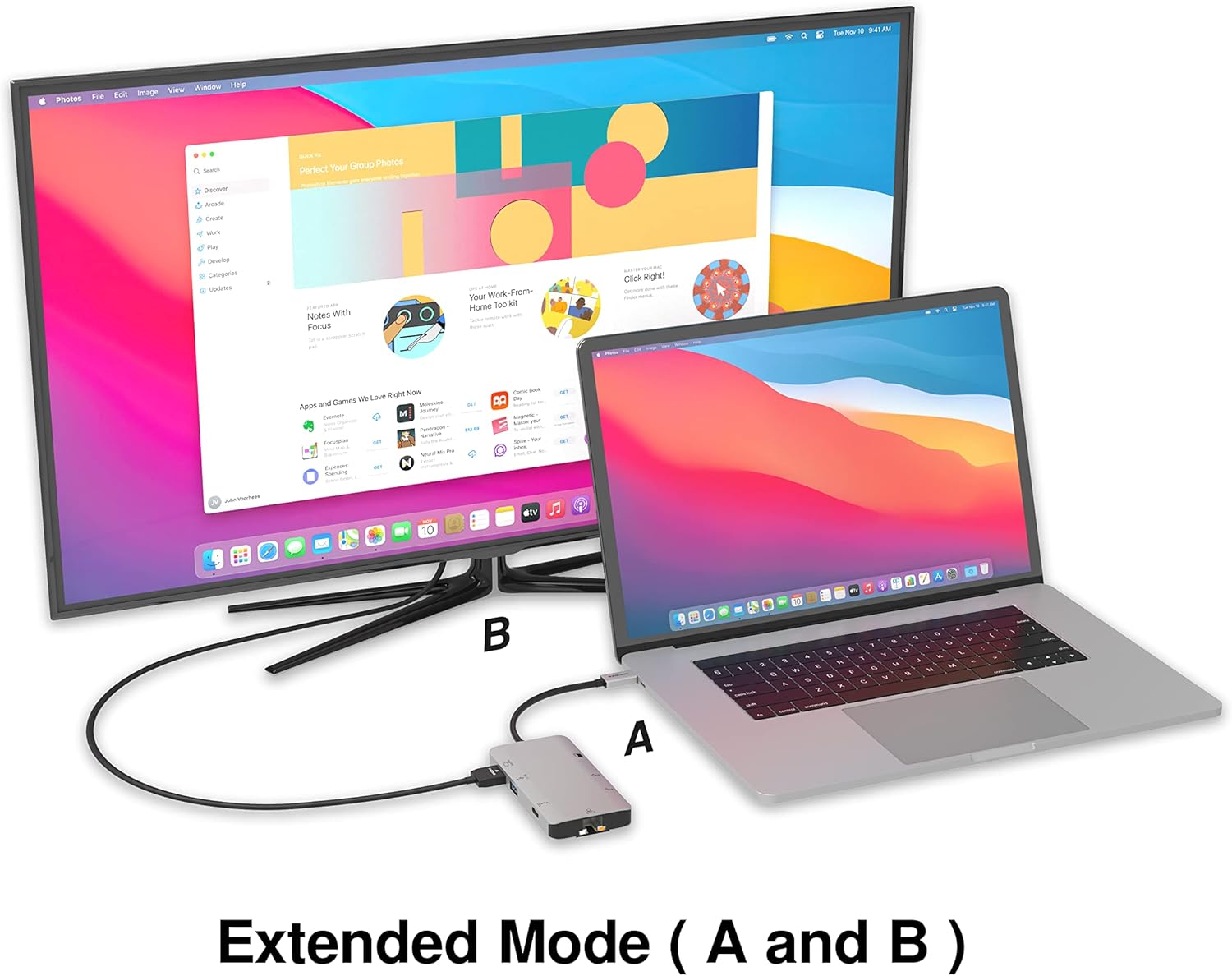
Image: A laptop connected to an external monitor via the hub, demonstrating extended display mode.
Data Transfer (USB-A & SD/Micro SD)
The three USB-A 3.0 ports offer data transfer speeds up to 5Gbps. The SD and Micro SD card slots allow for simultaneous read and write operations, facilitating quick file жад карталарынан аударулар.

Image: Various devices like USB drives, SD cards, and an Ethernet cable connected to the EZQuest hub.
Network Connection (Gigabit Ethernet)
The Gigabit Ethernet port provides a stable and high-speed wired internet connection, ideal for large downloads, uploads, or streaming where Wi-Fi might be unreliable. An LED indicator confirms network activity.
Қуатты бөлу
The USB-A ports distribute power efficiently. One USB-A port with BC1.2 outputs 5V/1.5A (7.5W), while the other two USB-A ports deliver 5V/0.9A (4.5W) each. The total shared power when all ports are in use is 10 watts.

Image: A diagram detailing the power output and data transfer speeds of the USB-A ports on the hub.
Мүмкіндіктер және порттар
| Порт түрі | Саны | Функционалдылық |
|---|---|---|
| HDMI | 1 | 4K @ 30Hz Video Output (Extended/Mirror Mode) |
| USB-C Power Delivery/Data | 1 | Up to 100W Power Input (85W Pass-Through), 5Gbps Data Transfer |
| USB-A 3.0 | 3 | 5Gbps Data Transfer (One port BC1.2 5V/1.5A, two ports 5V/0.9A) |
| Gigabit Ethernet | 1 | 10/100/1000 Mbps Wired Network Connection with LED Indicator |
| SD картасын оқу құралы | 1 | SDHC/SDXC Read/Write |
| Micro SD картасын оқу құрылғысы | 1 | Micro SDHC/SDXC Read/Write |
Үйлесімділік
This USB C Hub is compatible with a wide range of devices:
- Computers featuring USB-C, USB 4, Thunderbolt 4, or Thunderbolt 3 ports.
- USB-C smartphones and tablets equipped with OTG (On-The-Go) support.
Unsupported Device:
- The USB-A ports on this docking station do not support Apple SuperDrive. For connecting an Apple SuperDrive, an alternative adapter (e.g., EZQuest X40100 USB-C to USB-A Female Mini Adapter) directly to your Mac is recommended.
Ақаулықтарды жою
- Дисплей шығысы жоқ:
- Ensure your host device's USB-C port supports video output (DisplayPort Alternate Mode).
- Барлық кабель қосылымдарын тексеріңіз (хабтан құрылғыға USB-C, хабтан мониторға HDMI).
- Verify your monitor input source is set correctly to HDMI.
- Try a different HDMI cable or monitor if available.
- Зарядтау мәселелері:
- USB-C қуат адаптері хабтың USB-C PD портына қосылғанына көз жеткізіңіз.
- Қуат адаптері жеткілікті ват беретінін тексеріңізtage (up to 100W recommended for laptops).
- Check if the host device's USB-C port supports Power Delivery.
- Деректерді баяу тасымалдау:
- Оңтайлы жылдамдық үшін USB 3.0 үйлесімді құрылғылары мен кабельдерін пайдаланып жатқаныңызға көз жеткізіңіз.
- The total shared power for USB-A ports is 10W; excessive power draw from multiple devices may affect performance.
- Ethernet жұмыс істемейді:
- Хабқа және маршрутизаторға/модемге Ethernet кабелінің қосылымын тексеріңіз.
- Verify network settings on your host device.
- Ensure the LED indicator on the Ethernet port is active.
- SD/Micro SD Card Not Recognized:
- Карта дұрыс ұяға толығымен салынғанына көз жеткізіңіз.
- Картаны қайта салып немесе басқа картаны пайдаланып көріңіз.
- Картаның зақымдалғанын немесе бүлінгенін тексеріңіз.
Техникалық сипаттамалар
| Ерекшелік | Мәлімет |
|---|---|
| Үлгі нөмірі | X40030 |
| Өнім өлшемдері | 0.81 x 1.63 x 0.2 дюйм |
| Элемент салмағы | 1.6 унция |
| Аппараттық интерфейс | USB түрі C |
| HDMI шығысы | 4K @ 30Гц |
| USB-C PD кірісі | 100 Вт дейін |
| USB-C PD шығысы | 85 Вт дейін |
| USB-A 3.0 Data Speed | 5 Гбит/с |
| Ethernet жылдамдығы | 1 Gigabit (10/100/1000 Mbps) |
| Card Reader Support | SDHC, SDXC, Micro SDHC, Micro SDXC |
| Материал | Anodized Aluminum Housing |
Техникалық қызмет көрсету
- Тазалау: Концентраторды тазалау үшін жұмсақ, құрғақ матаны пайдаланыңыз. Сұйық тазартқыштардан немесе аэрозольдерден аулақ болыңыз.
- Сақтау орны: Концентраторды салқын, құрғақ жерде, тікелей күн сәулесінен және төтенше температурадан алыс жерде сақтаңыз.
- Өңдеу: Avoid dropping the device or subjecting it to strong impacts. Do not attempt to disassemble the hub.
Кепілдік және қолдау
The EZQuest USB C Hub Docking Station 8-in-1 comes with a 1 жылдық уайымсыз кепілдік. This warranty covers manufacturing defects and ensures peace of mind regarding your investment.
For technical support, warranty claims, or any product-related inquiries, please visit the official EZQuest website or contact their customer service team through the contact information provided with your product packaging.