
Кіріспе
This manual provides detailed instructions for the setup, operation, and maintenance of your VTech VT1301-3 Triple Cordless Phone system. Please read this guide thoroughly to ensure optimal performance and longevity of your device. This system features digital enhanced clarity for clear communication and includes three handsets for convenience.
1. Орнату
1.1 Қаптаманы ашу және құрамдас бөліктер
Carefully unpack all items from the box. Ensure all components are present:
- Негізгі негізгі блок
- Three cordless handsets
- Three charging cradles
- Three power adapters
- One telephone line cord
- Rechargeable batteries (pre-installed or separate)

Image: The VTech VT1301-3 triple cordless phone system, showing the blue, red, and green handsets with their respective charging bases and power adapters.
1.2 Негізгі блокты қосу
- Connect one end of the telephone line cord to the TEL LINE jack on the back of the main base unit.
- Телефон желісі сымының екінші ұшын қабырғадағы телефон ұясына қосыңыз.
- Plug the power adapter into the POWER jack on the main base unit.
- Қуат адаптерінің екінші ұшын электр розеткасына қосыңыз.
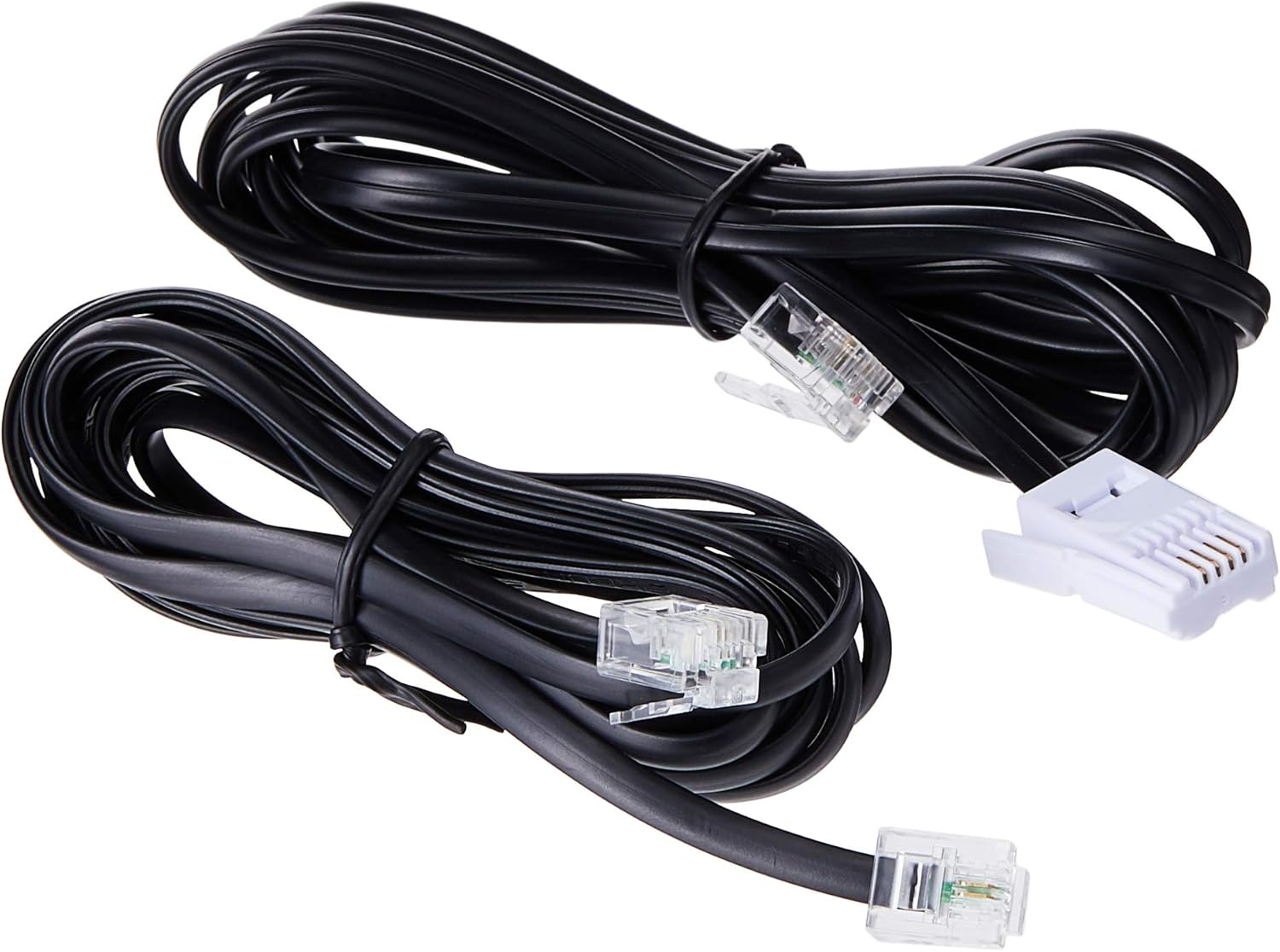
Image: Two black telephone line cords, essential for connecting the base unit to a telephone wall jack.
1.3 Charging the Handsets
Before initial use, charge each handset for at least 16 hours. Place each handset face forward in its respective charging cradle. The charge indicator on the handset or base will illuminate to confirm proper placement and charging.
- Ensure the power adapters for all charging cradles are plugged into electrical outlets.
- Place each handset securely in its cradle.
- A full charge ensures optimal battery performance.
2. Пайдалану нұсқаулары
2.1 Негізгі шақыру функциялары

Сурет: егжей-тегжейлі view of the VTech VT1301-3 handset, highlighting its large character blue backlit LCD display and functional keypad.
- Қоңырау шалу: түймесін басыңыз СӨЙЛЕУ, then dial the number. Alternatively, dial the number first and then press СӨЙЛЕУ.
- Қоңырауға жауап беру: Телефон шырылдаған кезде түймесін басыңыз СӨЙЛЕУ немесе кез келген нөмір теру пернесін (0-9, #, *) басыңыз.
- Қоңырауды аяқтау: түймесін басыңыз ӨШІРУЛІ or place the handset back in its charging cradle.
- Телефон динамигі: Қоңырау кезінде түймесін басыңыз Динамик button (often integrated with TALK or a separate icon) to activate or deactivate the speakerphone.
2.2 Қосымша мүмкіндіктер
- Телефон кітапшасының анықтамалығы: Store up to 20 names and numbers. Access via the MENU / OK button and navigate to the Phonebook option.
- Қоңырау шалушы идентификаторы: The phone displays the last 10 caller numbers. Press CID (Caller ID) to review тізім.
- Қайта теру: түймесін басыңыз ҚЫЗМЕТ дейін view and redial the last 5 numbers called.
- Қоңырауды тасымалдау: Сыртқы қоңырау кезінде түймесін басыңыз MENU / OK, select 'Transfer', and choose the internal handset to transfer the call to.
- Ішкі қоңыраулар: Make calls between handsets by pressing the INT or MENU / OK button and selecting the desired handset.
- 3 жақты конференц-қоңырау: Initiate a 3-way conference call involving two internal handsets and one external line.
- Page/Handset Locator: түймесін басыңыз БЕТ button on the main base unit to locate a misplaced handset.
- Ringer Melodies: Choose from 10 ringer melodies (5 polyphonic and 5 standard) in the handset settings.
- Пернетақта құлпы: түймесін басып тұрыңыз # key to lock/unlock the keypad.
- Дабыл: Тұтқа мәзірі арқылы дабылды орнатыңыз.
3. Техникалық қызмет көрсету
3.1 Телефонды тазалау
To keep your phone clean, wipe it with a soft, slightly damp cloth. Do not use cleaning sprays or harsh chemicals as they may damage the finish or electrical components. Ensure the phone is disconnected from power before cleaning.
3.2 Батареяға күтім жасау
- Always use the VTech approved rechargeable batteries provided with your phone.
- For optimal battery life, avoid placing the phone in direct sunlight or in areas with extreme temperatures.
- Телефон ұзақ уақыт бойы пайдаланылмаса, ағып кетпеу үшін батареяларды алып тастаңыз.
4. Ақаулықтарды жою
If you experience any issues with your VTech VT1301-3 phone, please refer to the following common solutions:
- Қоңырау шалу сигналы жоқ: Ensure the telephone line cord is securely connected to both the base unit and the wall jack. Check if the power adapter is properly connected to the base unit and an electrical outlet.
- Қоңырау шалу немесе қабылдау мүмкін емес: Verify that the handset batteries are charged. Check the telephone line connection. If you have a DSL service, ensure a DSL filter is installed.
- Дыбыс сапасы нашар: Move closer to the base unit. Ensure there are no large metal objects or other electronic devices interfering with the signal. Check for any loose connections.
- Тұтқа зарядталмайды: Ensure the handset is correctly seated in the charging cradle. Verify that the charging cradle's power adapter is plugged into a working electrical outlet. Clean the charging contacts on both the handset and cradle with a dry cloth.
- Handset displays "Out of Range" or "No Link": Move the handset closer to the main base unit. If the issue persists, try resetting the base unit by unplugging its power adapter for a few minutes, then plugging it back in.
5. Техникалық сипаттамалар
| Ерекшелік | Сипаттама |
|---|---|
| Үлгі нөмірі | VT1301-3 |
| Телефон түрі | Сымсыз (DECT) |
| Сөйлесу ауқымы | Up to 300m (outdoor)* |
| Radiation Mode | Ultra-low Radiation Mode** |
| Дисплей | Large character with blue backlit LCD display |
| Phonebook Directory | 20 Name and Number entries |
| Қоңырау шалушының идентификациясы | 10 caller number display |
| Соңғы нөмірді қайта теру | 5 last number redial |
| Қоңырау әуендері | 10 (5 polyphonic and 5 standard) |
| Конференциялық қоңырау | 3-Way conference call capability |
| Қуат көзі | Сымды электр |
| UPC | 735078040251 |
* The actual talk range may vary depending on environmental conditions.
** Ultra-low Radiation Mode operates with the lowest radiation.
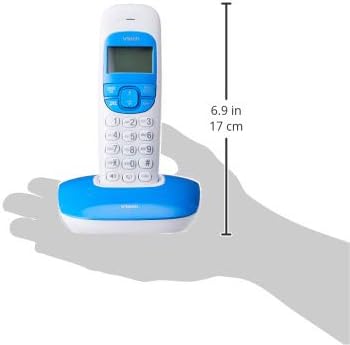
Image: Dimensions of a VTech cordless phone handset in its charging cradle, showing a height of 17 cm.
6. Кепілдік және қолдау
For specific warranty terms and conditions, please refer to the warranty card included in your product packaging. This document outlines the coverage period and conditions for service.
For technical support, frequently asked questions, or to download the latest version of this manual, please visit the official VTech webсайтына кіріңіз немесе өнім құжаттамасында берілген байланыс ақпаратын пайдаланып, олардың тұтынушыларға қызмет көрсету бөліміне хабарласыңыз.