
Viotek NB24CW
Viotek NB24CW 24-Inch Curved Monitor User Manual
Model: NB24CW
Кіріспе
This manual provides essential information for the safe and efficient operation of your Viotek NB24CW 24-Inch LED Curved Monitor. Please read this guide thoroughly before using the product and retain it for future reference.
The Viotek NB24CW is a 24-inch curved LED monitor featuring a 1920x1080p Full-HD resolution, 75Hz refresh rate, and FreeSync technology. It includes built-in speakers, VGA and HDMI 1.4 ports, and is VESA mount compatible. Its bezel-less design offers an immersive viewжұмыс үшін де, ойын-сауық үшін де тәжірибе.
Қауіпсіздік туралы ақпарат
Қауіпсіз жұмысты қамтамасыз ету және зақымдануды болдырмау үшін келесі сақтық шараларын орындаңыз:
- Мониторды жаңбырға, ылғалға немесе шектен тыс температураға шығармаңыз.
- Мониторды жылу көздеріне жақын немесе тікелей күн сәулесі түсетін жерге қоймаңыз.
- Монитормен бірге берілген қуат адаптерін ғана пайдаланыңыз.
- Желдету саңылауларын жаппаңыз.
- Экранды жұмсақ, талшықсыз шүберекпен тазалаңыз. Абразивті тазалағыштардан аулақ болыңыз.
- If any issues arise, disconnect the power cable and contact customer support.
Пакет мазмұны
Барлық элементтер пакетте бар екенін тексеріңіз:
- Viotek NB24CW Monitor
- Монитор тұғыры (негіз және мойын)
- Қуат адаптері
- HDMI кабелі
- VESA Adapter (75x75mm)
- Пайдаланушы нұсқаулығы (бұл құжат)
Орнату
1. Стендті құрастыру
- Мониторды қаптамасынан абайлап алыңыз.
- Берілген бұрандаларды пайдаланып тірек мойынын монитор тақтасына бекітіңіз.
- Тірек негізін тұғыр мойнына бекітіңіз.
- Жиналған мониторды тұрақты, тегіс бетке қойыңыз.
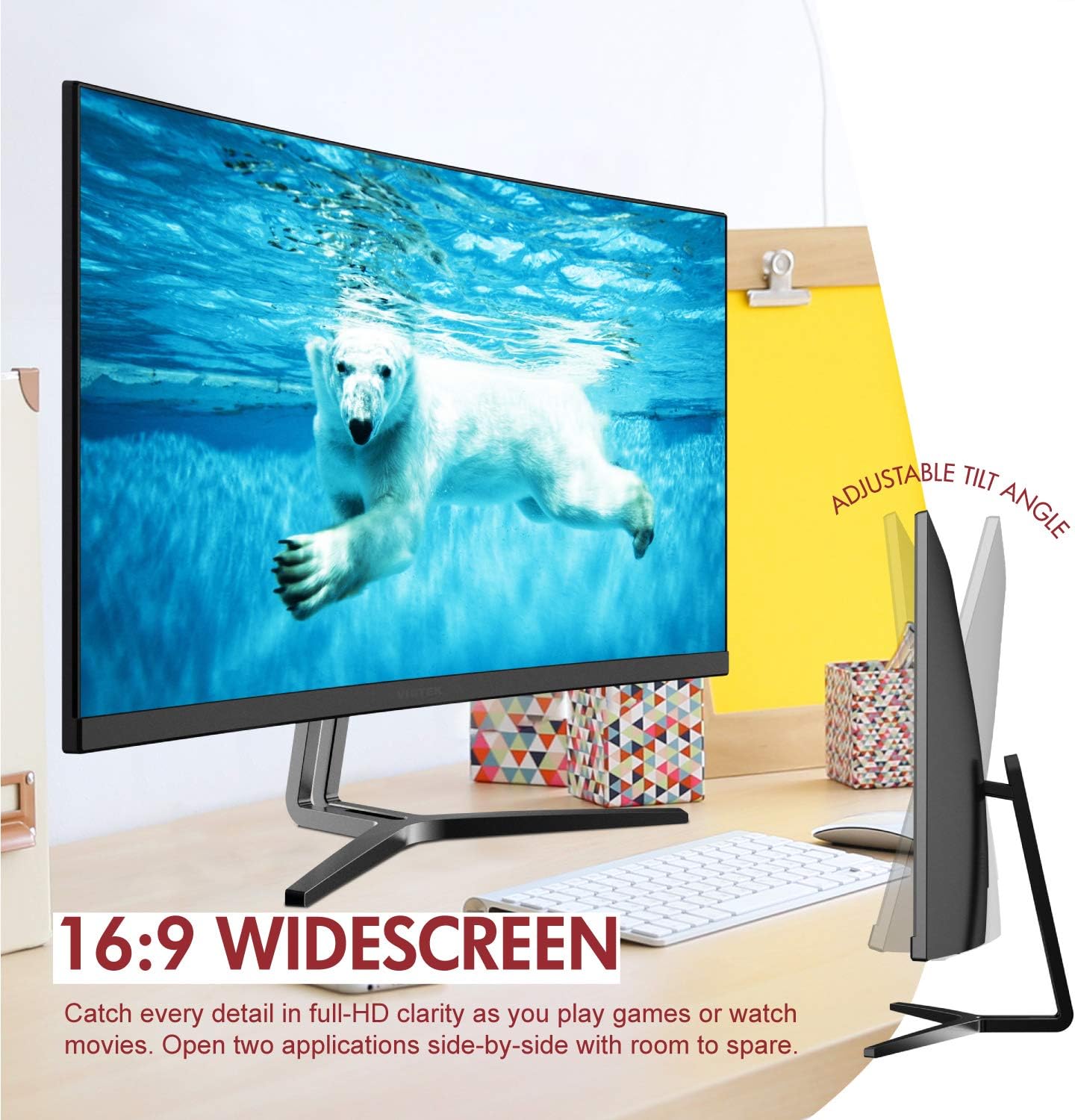
Image: The Viotek NB24CW monitor with its stand, highlighting the 16:9 widescreen aspect ratio and adjustable tilt angle. The monitor is shown displaying a polar bear underwater.
2. Құрылғыға қосылу
Монитор HDMI және VGA қосылымдарын қолдайды.
- HDMI қосылымы: Connect one end of the HDMI cable (included) to the HDMI port on your computer or gaming console, and the other end to the HDMI 1.4 port on the monitor.
- VGA қосылымы: Connect one end of the VGA cable (not included) to the VGA port on your computer, and the other end to the VGA port on the monitor.

Сурет: егжей-тегжейлі view of the monitor's rear panel, illustrating the HDMI 1.4 and VGA input ports for connecting to various devices.
3. Қуат қосылымы
Қуат адаптерін монитордың қуат кірісіне қосыңыз, содан кейін адаптерді розеткаға қосыңыз.
4. VESA орнату (қосымша)
The monitor is VESA 75x75mm compatible. Use the included VESA adapter to mount the monitor to a wall or compatible monitor arm.

Image: The back of the Viotek NB24CW monitor, highlighting its VESA mounting capability, integrated speakers, and connectivity options including VGA and HDMI.
Пайдалану нұсқаулары
1. Қуатты қосу/өшіру
Мониторды қосу немесе өшіру үшін оның төменгі оң жағында орналасқан қуат түймесін басыңыз.
2. Экрандық дисплей (OSD) мәзірі
Use the buttons next to the power button to navigate the OSD menu. This menu allows you to adjust various settings such as brightness, contrast, color temperature, input source, and audio volume.
3. Дисплей параметрлерін реттеу
- Жарықтық/Контраст: Adjust these settings for optimal visual comfort.
- Түс параметрлері: Select from preset color modes or customize RGB values.
- Кіріс көзі: Manually select between HDMI and VGA inputs if auto-detection fails.
- Төмен көк жарық: Activate this feature to reduce eye strain during prolonged use.
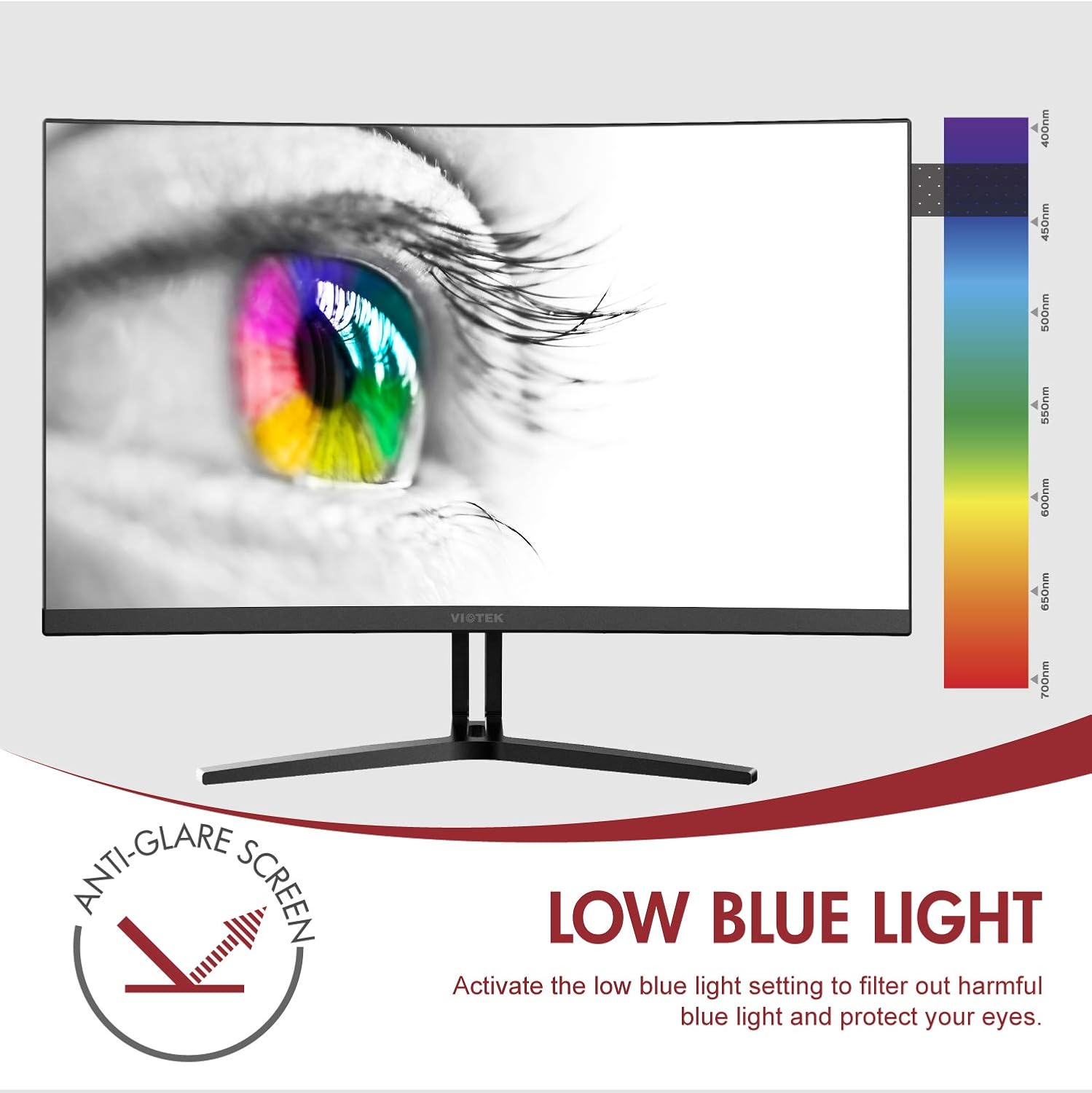
Image: The monitor screen showing an eye with a color spectrum, indicating the Low Blue Light feature designed to protect vision.
4. Ойын мүмкіндіктері
The NB24CW monitor includes features optimized for gaming:
- FreeSync: Enable FreeSync in the OSD menu and on your compatible graphics card to eliminate screen tearing and stuttering.
- GamePlus: Access GamePlus features like integrated crosshairs for improved aiming in FPS/RTS games.
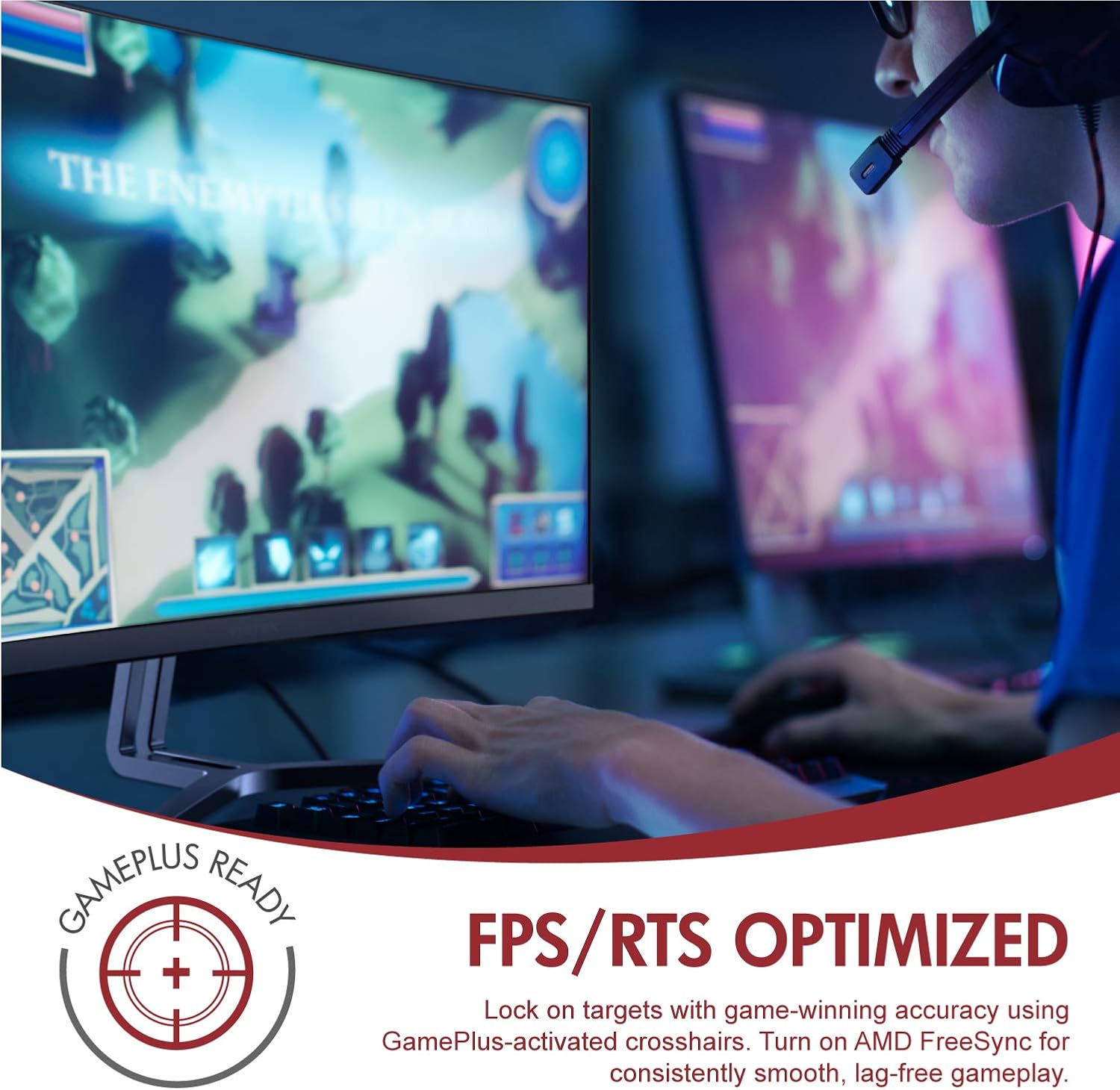
Image: A user engaged in gaming on the Viotek NB24CW monitor, highlighting its FPS/RTS optimized features and GamePlus functionality for enhanced gameplay.
Техникалық қызмет көрсету
- Экранды тазалау: Экранды жұмсақ, құрғақ, талшықсыз шүберекпен ақырын сүртіңіз. Қыңыр белгілер үшін жеңіл dampшүберекті сумен немесе экранға арналған тазалау ерітіндісімен құйыңыз. Сұйықтықты тікелей экранға шашпаңыз.
- C тазалауasing: Мониторды тазалау үшін жұмсақ, құрғақ матаны пайдаланыңыз casing. Қатты химиялық заттарды немесе абразивті материалдарды пайдаланудан аулақ болыңыз.
- Сақтау орны: If storing the monitor for an extended period, disconnect it from power, pack it in its original packaging, and store in a cool, dry place.
Ақаулықтарды жою
| Мәселе | Ықтимал себебі | Шешім |
|---|---|---|
| Экранда кескін жоқ | Power cable disconnected, incorrect input source, video cable loose. | Check power connections, select correct input source via OSD, ensure video cable is securely connected. |
| Кескін бұлыңғыр немесе бұрмаланған | Incorrect resolution, faulty video cable. | Set display resolution to 1920x1080p, try a different HDMI cable. |
| Динамиктерден дыбыс жоқ | Volume too low, audio source not selected, external speakers connected. | Increase volume in OSD and computer settings, ensure audio is routed to monitor, disconnect external speakers if not needed. |
| Экранның жыпылықтауы | Refresh rate mismatch, faulty cable, FreeSync issue. | Ensure refresh rate is set to 75Hz, try a different video cable, disable FreeSync temporarily to diagnose. |
Техникалық сипаттамалар
| Ерекшелік | Мәлімет |
|---|---|
| Үлгі | NB24CW |
| Экран өлшемі | 24 дюйм |
| Панель түрі | LED Curved |
| Қисықтық | 1800R |
| Ажыратымдылық | 1920 x 1080 (Full HD) |
| Аспект қатынасы | 16:9 |
| Жаңарту жылдамдығы | 75 Гц |
| Жауап беру уақыты | 5 мс |
| Viewбұрыш | 178° |
| Контраст қатынасы | 1,000,000:1 (динамикалық) |
| Түсті қолдау | 16.7 миллион түс, 96% sRGB |
| Қосылу мүмкіндігі | 1x HDMI 1.4, 1x VGA |
| Аудио | Built-in Speakers (2x4Ω/3W) |
| VESA үйлесімділігі | 75x75mm (Adapter Included) |
| Бейімделетін синхрондау | FreeSync |
| Еңкейтуді реттеу | -5° - 15° |
| Арнайы мүмкіндіктер | Bezel-less design, GamePlus, FPS/RTS modes, Low Blue Light, Anti-glare screen |

Image: The Viotek NB24CW monitor showcasing its key performance specifications: 1080p resolution, 1800R curvature, 75Hz refresh rate, and 5ms response time.
Кепілдік туралы ақпарат
Your Viotek NB24CW monitor is covered by a 3 жылдық өндірушінің шектеулі кепілдігі. This warranty covers defects in materials and workmanship under normal use. Additionally, Viotek offers an industry-leading Zero-Tolerance Dead Pixel Policy, ensuring your display is free from dead pixels.
For full warranty terms and conditions, please refer to the official Viotek webсайтқа немесе тұтынушыларға қолдау көрсетуге хабарласыңыз.

Image: A visual representation of Viotek's commitment to quality, featuring a "3 Year Warranty" and "Zero Dead Pixel - Parts & Labor" guarantee.
Тұтынушыларды қолдау
For technical assistance, warranty claims, or general inquiries, please contact our 100% U.S.-based Customer Support Team. They are available 7 days a week via live-chat, email, and social media support.
- Webсайт: www.viotek.com
- Электрондық пошта: Refer to the Viotek webнақты электрондық пошта байланысына арналған сайт.
- Тікелей чат: Available on the official Viotek webсайт.
Өнім аяқталдыview Бейне
Бейне: ресми өнім аяқталдыview video for the Viotek NB24CB (similar model to NB24CW) monitor, showcasing its curved display, thin design, connectivity ports, and key features like 75Hz refresh rate, FreeSync, and built-in speakers. This video provides a visual guide to the monitor's design and capabilities.
Ask a question about this manual
Ask about setup, troubleshooting, compatibility, parts, safety, or missing instructions. Manuals+ will review the question and use this page’s manual context to help answer it.