
1. Кіріспе
This manual provides essential information for the installation, operation, and maintenance of the Hirschmann RS20-0800T1T1SDAUHH Ethernet Rail Switch. This unmanaged Fast Ethernet switch is designed for industrial applications, offering reliable network connectivity with 8 ports and DIN rail mounting capabilities. Please read this manual thoroughly before operating the device.
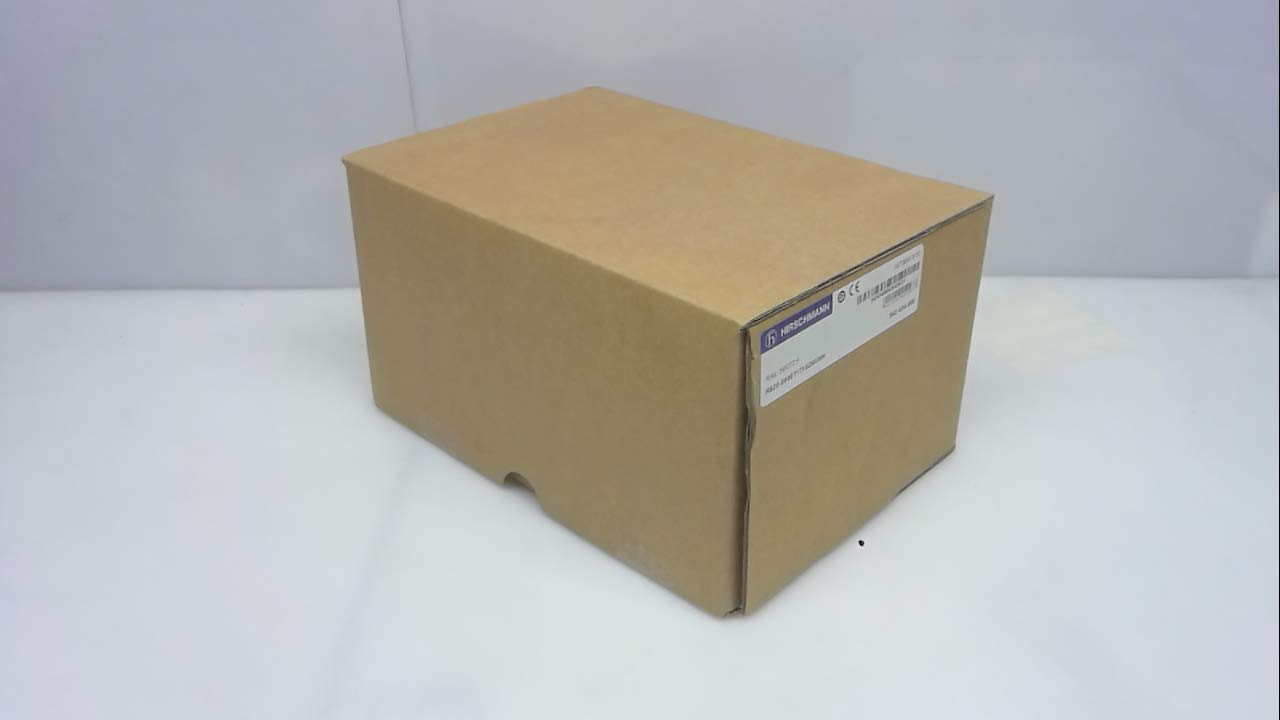
1-сурет: Hirschmann RS20-0800T1T1SDAUHH Ethernet Rail Switch in its original packaging. The packaging indicates the model number and brand for verification.
2. Орнату және орнату
Follow these steps for proper installation of your Hirschmann RS20-0800T1T1SDAUHH switch.
2.1 Қаптаманы ашу
- Коммутаторды орамынан абайлап алыңыз.
- Verify that all components are present and undamaged. The package should contain the switch and any included hardware.
2.2 Монтаждау
The RS20-0800T1T1SDAUHH is designed for DIN rail mounting.
- Attach the switch securely to a standard DIN rail in an industrial enclosure.
- Қызып кетудің алдын алу үшін құрылғының айналасында тиісті желдетуді қамтамасыз етіңіз.
2.3 Қуат қосылымы
Қуат көзін коммутаторға қосыңыз.
- The switch operates on 24V AC or 24-48V DC.
- Қуат көзінің көрсетілген көлемге сәйкес келетініне көз жеткізіңізtage диапазоны.
- Connect the power cables to the designated power input terminals on the switch.
2.4 Желі қосылымдары
Connect Ethernet devices to the switch ports.
- The switch features 8 Fast Ethernet ports.
- Use standard Ethernet cables (e.g., Cat5e or Cat6) to connect your network devices (e.g., PLCs, industrial PCs, sensors) to any of the 8 ports.
- The switch automatically detects link speed and duplex mode.

2-сурет: The Hirschmann RS20-0800T1T1SDAUHH switch, illustrating the 8 Ethernet ports and the power input terminal block for connection.
3. Пайдалану нұсқаулары
The Hirschmann RS20-0800T1T1SDAUHH is an unmanaged switch, designed for simple plug-and-play operation.
3.1 Қосу
Once the power supply is connected, the switch will power on automatically. There is no power button.
3.2 Желіге қосылу мүмкіндігі
Upon connecting Ethernet devices to the switch ports, the switch will automatically establish network links. Data transmission will commence without further configuration.
3.3 жарықдиодты индикаторлар
Observe the LED indicators on the switch for status information:
- Қуат жарық диоды: Indicates the power status of the device. Typically green when powered on.
- Сілтеме/Әрекет жарық диодтары (әр портқа):
- Толық жасыл: Indicates a successful network link.
- Жасыл жыпылықтау: Indicates data activity on the port.
- Өшірулі: No link detected or device is not connected.
4. Техникалық қызмет көрсету
The Hirschmann RS20-0800T1T1SDAUHH switch requires minimal maintenance.
4.1 Тазалау
- Тазалау алдында құрылғының өшірілгеніне көз жеткізіңіз.
- Коммутатордың сыртын сүрту үшін жұмсақ, құрғақ шүберекті пайдаланыңыз.
- Do not use liquid cleaners or solvents, as these can damage the device.
4.2 Қоршаған ортаны қорғау ережелері
The switch has an IP00 rating, meaning it is not protected against dust or water ingress. It must be installed in an appropriate enclosure that provides protection from environmental factors.
5. Ақаулықтарды жою
This section provides solutions to common issues.
5.1 Қуат жоқ
- Симптом: Қуат диоды өшірулі.
- Әрекет:
- Check the power cable connection to the switch.
- Қуат көзінің белсенді екенін және дұрыс көлем беретінін тексеріңізtage (24V AC / 24-48V DC).
- Inspect the power terminals for secure contact.
5.2 Желіге қосылу мүмкіндігі жоқ
- Симптом: Link/Activity LED for a port is off, or devices cannot communicate.
- Әрекет:
- Ethernet кабелінің коммутатор портына да, қосылған құрылғыға да сенімді түрде қосылғанына көз жеткізіңіз.
- Басқа Ethernet кабелін қолданып көріңіз.
- Қосылған құрылғының қуат көзіне қосылғанын және дұрыс жұмыс істеп тұрғанын тексеріңіз.
- Құрылғыны коммутатордағы басқа портқа қосып көріңіз.
6. Техникалық сипаттамалар
Technical specifications for the Hirschmann RS20-0800T1T1SDAUHH Ethernet Rail Switch.
| Ерекшелік | Техникалық сипаттама |
|---|---|
| Үлгі нөмірі | RS20-0800T1T1SDAUHH |
| Бренд | Хиршман |
| Ауыстыру түрі | Басқарылмайтын Fast Ethernet қосқышы |
| Порттардың саны | 8 |
| Монтаждау түрі | DIN темір жолы |
| Операциялық томtage | 24V AC / 24-48V DC |
| Қосылу протоколы | Ethernet |
| Өнім өлшемдері (L x W x H) | 0.31 x 0.31 x 0.28 дюйм |
| Салмағы | 5.67 фунт |
| Халықаралық қорғау рейтингі | IP00 |
| Байланыс материалы | Мыс |
| Бірінші қол жетімді күн | 11 жылдың 2018 мамыры |

3-сурет: Product label for the Hirschmann RS20-0800T1T1SDAUHH, displaying key identification numbers such as UPC 4002044252977 and Alt ID 943 434-999.
7. Кепілдік және қолдау
7.1 Кепілдік туралы ақпарат
For specific warranty details regarding your Hirschmann RS20-0800T1T1SDAUHH switch, please refer to the warranty documentation provided with your purchase or contact Hirschmann directly. Warranty terms typically cover manufacturing defects for a specified period from the date of purchase.
7.2 Техникалық қолдау
If you encounter issues that cannot be resolved using the troubleshooting guide, or require further technical assistance, please contact Hirschmann customer support or your authorized distributor. Have your product model number (RS20-0800T1T1SDAUHH) and serial number ready when contacting support.