
1. Кіріспе
This manual provides essential instructions for the proper setup, operation, and maintenance of your Black Box EVNDVI01-0010 DVI-A to VGA HD15 Cable. Please read this manual thoroughly before using the product to ensure optimal performance and longevity.
2. Өнім аяқталдыview
The Black Box EVNDVI01-0010 is a DVI-A to VGA HD15 cable designed to connect a digital DVI-A output from a source device to an analog VGA input on a display device. This cable facilitates the transmission of analog video signals, allowing compatibility between DVI-A enabled devices and traditional VGA monitors or projectors.
Негізгі ерекшеліктері:
- Connects digital DVI-A display outputs to analog VGA device inputs.
- Supports resolutions up to 1600 x 1200.
- Features a 17-pin single link configuration for DVI-A.
- Male-to-Male connector gender.
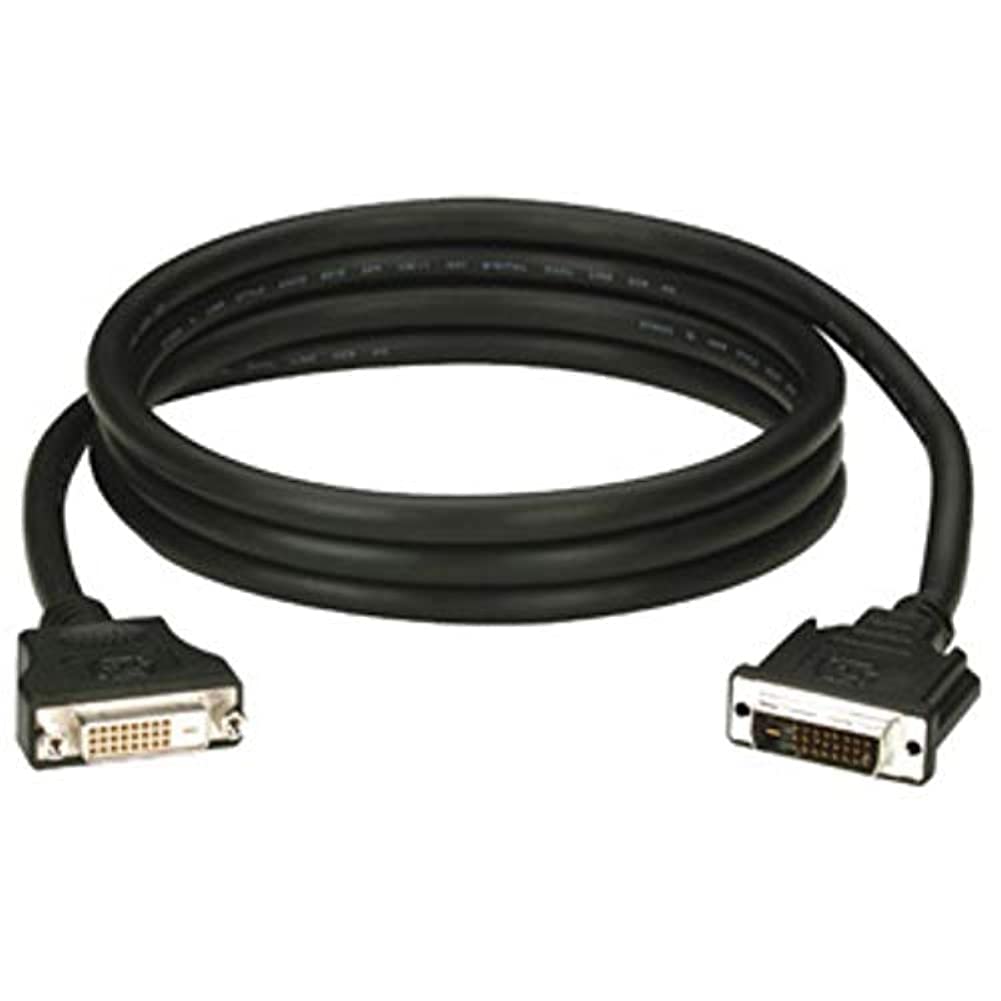
Figure 1: Black Box DVI-A to VGA HD15 Cable. This image displays the cable with its DVI-A (white) and VGA (blue) connectors, illustrating its male-to-male configuration.
3. Орнату
Follow these steps to properly connect your DVI-A to VGA cable:
- Порттарды анықтау: Locate the DVI-A output port on your source device (e.g., computer graphics card) and the VGA input port on your display device (e.g., monitor, projector). The VGA port is typically blue.
- Connect DVI-A: Carefully insert the DVI-A connector of the cable into the DVI-A output port of your source device. Ensure the pins align correctly and gently push until it is fully seated.
- Connect VGA: Insert the VGA HD15 connector of the cable into the VGA input port of your display device. Tighten the thumbscrews on the VGA connector to secure the connection and prevent accidental disconnections.
- Құрылғыларды қосу: Power on both your source device and your display device.
- Енгізуді таңдаңыз: On your display device, select the correct input source (e.g., 'VGA', 'PC', 'Input 1') using the display's menu or input selection button.
A proper connection should result in the display device showing the video output from the source device.
4. Жұмыс жасау
Once the Black Box EVNDVI01-0010 cable is correctly connected, its operation is passive. The cable transmits the analog video signal directly from the source to the display. No additional software or drivers are required for the cable itself.
- Ажыратымдылық параметрлері: Ensure your source device's display settings are configured to a resolution supported by both the source and the display device, up to 1600 x 1200.
- Көрсету режимдері: If using a computer, you may need to configure your display mode (e.g., duplicate, extend, second screen only) through your operating system's display settings.
5. Техникалық қызмет көрсету
To ensure the longevity and reliable performance of your Black Box DVI-A to VGA cable, follow these maintenance guidelines:
- Мұқият ұстаңыз: Avoid bending the cable sharply or applying excessive force to the connectors.
- Таза ұстаңыз: Periodically wipe the cable and connectors with a soft, dry cloth to remove dust and debris. Do not use liquid cleaners directly on the connectors.
- Дұрыс сақтау: When not in use, coil the cable loosely and store it in a clean, dry environment away from extreme temperatures.
- Зақымдануды тексеру: Regularly check the cable and connectors for any signs of wear, fraying, or damage. Discontinue use if damage is observed.
6. Ақаулықтарды жою
If you encounter issues with your DVI-A to VGA cable, consider the following troubleshooting steps:
- Дисплейде сигнал жоқ:
- Кабельдің екі ұшы да мықтап жалғанғанына көз жеткізіңіз.
- Verify that both the source and display devices are powered on.
- Confirm the correct input source is selected on your display device.
- Test with another cable if available to rule out a faulty cable.
- Poor Picture Quality (Flickering, Distorted Image):
- Check for loose connections at both ends of the cable. Tighten VGA thumbscrews.
- Adjust the display resolution on your source device to a lower setting to see if the issue resolves.
- Кабельдің жанында күшті электромагниттік кедергі көздерінің жоқтығына көз жеткізіңіз.
- Inspect the cable for any physical damage.
- Дұрыс емес түстер:
- Verify the cable is fully seated and not bent or damaged.
- Check the color settings on your display device and source device.
7. Техникалық сипаттамалар
| Бренд | Қара жәшік |
| Үлгі нөмірі | EVNDVI01-0010 |
| Қосқыш түрі | DVI-A Male, VGA HD15 Male |
| Кабель түрі | DVI-A to VGA |
| Қолдау көрсетілетін ажыратымдылық | 1600 x 1200 дейін |
| Қосқыштың жынысы | Ерден еркекке |
| Түс | Қара, көк |
| Элемент салмағы | 0.35 килограмм (12.3 унция) |
| Ішкі/сыртқы пайдалану | Ішкі, Сыртқы |
| UPC | 822088058960 |
8. Кепілдік және қолдау
For specific warranty information regarding your Black Box EVNDVI01-0010 DVI-A to VGA HD15 Cable, please refer to the official Black Box webсайтына кіріңіз немесе олардың тұтынушыларды қолдау қызметіне тікелей хабарласыңыз. Кепілдік шарттары мен талаптары әртүрлі болуы мүмкін.
If you require technical assistance or have questions not covered in this manual, please contact Black Box customer support through their official channels.