
1. Кіріспе
Сатып алғаныңыз үшін рахметasing the Coby CSB04 Bluetooth Soundbar Speaker. This manual provides important information regarding the setup, operation, and maintenance of your new soundbar. Please read this manual thoroughly before using the device and retain it for future reference.
The Coby CSB04 is a sleek and compact soundbar designed to enhance your audio experience. It features wireless Bluetooth connectivity, an RCA line input, and comes with a remote control for convenient operation.
2. Қауіпсіздік туралы ақпарат
Құрылғының зақымдалуын немесе өзіңізге зиян келтірмеу үшін келесі қауіпсіздік шараларын сақтаңыз:
- Саундбарды жаңбырға, ылғалға немесе жоғары температураға ұшыратпаңыз.
- c ашпаңызasing. Барлық қызмет көрсетуді білікті мамандарға тапсырыңыз.
- Қуат адаптерінің жергілікті қуат көзімен үйлесімді екеніне көз жеткізіңіз.
- Keep the soundbar away from heat sources and direct sunlight.
- Тек құрғақ шүберекпен тазалаңыз.
3. Пакет мазмұны
Carefully unpack your Coby CSB04 Soundbar and check that all items are present and in good condition. If any items are missing or damaged, contact your retailer.
- Coby CSB04 Bluetooth Soundbar Speaker
- Айнымалы ток адаптері
- RCA кабелі
- Қашықтан басқару құралы
- Пайдаланушы нұсқаулығы (бұл құжат)

Image 3.1: Coby CSB04 Soundbar packaging. The box displays the Coby logo and "Slim 2.0 Sound Bar" text.
4. Өнім аяқталдыview
Familiarize yourself with the components and controls of your Coby CSB04 Soundbar.
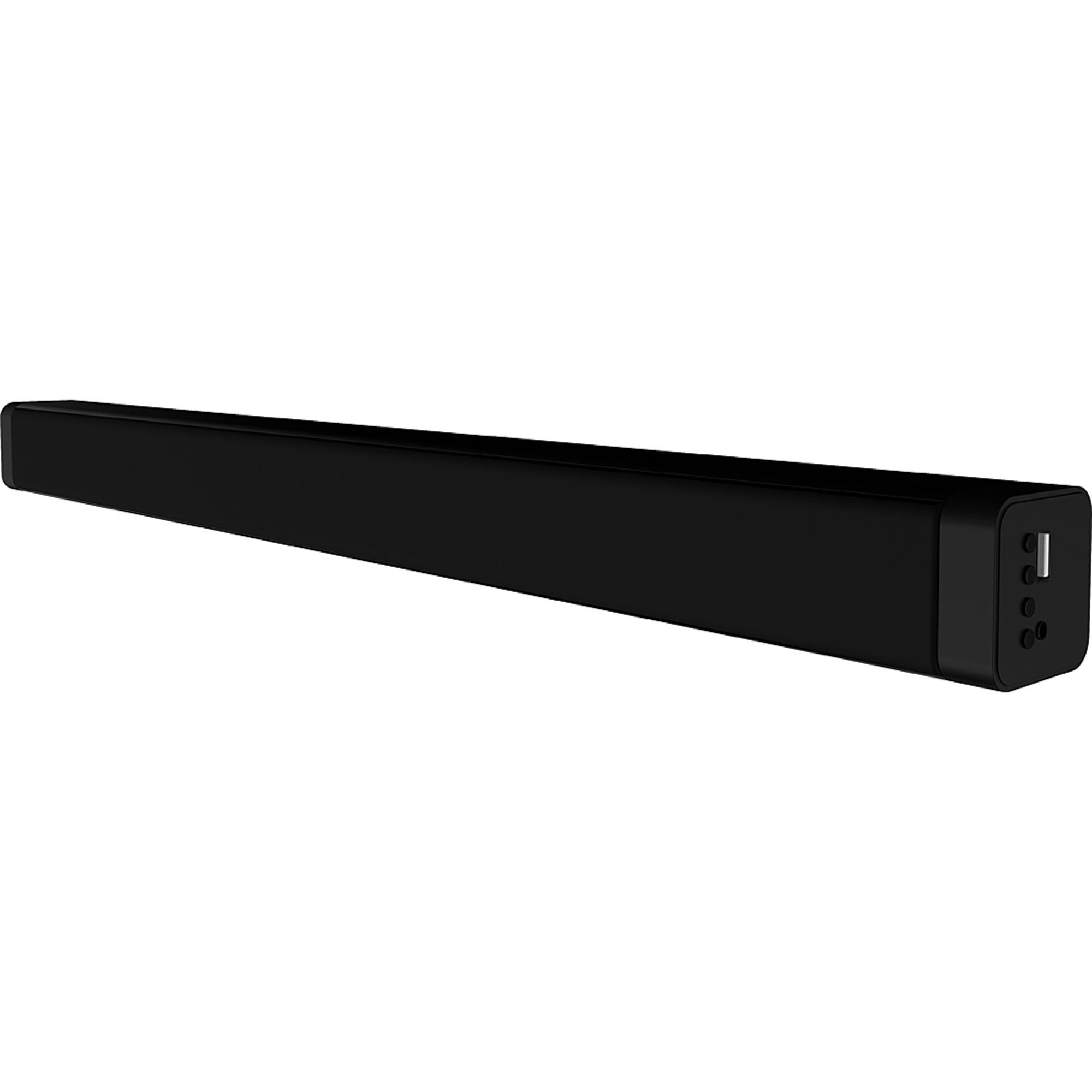
4.1-сурет: Алдыңғы view of the Coby CSB04 Bluetooth Soundbar. The soundbar is black and rectangular.

Сурет 4.2: Бүйірлік view of the Coby CSB04 Soundbar, showing a USB port and other connection points.
4.1. Front Panel / Top Panel Controls
- Қуат түймесі: Саундбарды қосады немесе өшіреді.
- Дыбыс деңгейін жоғарылату/төмендету: Дыбыс деңгейін реттейді.
- Режим түймесі: Switches between input modes (Bluetooth, RCA).
- Жарық диодты индикатор: Shows current status (e.g., Bluetooth pairing, input mode).
4.2. Артқы панель қосылымдары
- DC IN: Айнымалы ток адаптерін осында қосыңыз.
- RCA L/R Input: Connect external audio devices using the RCA cable.
- USB порты: For potential firmware updates or specific media playback (functionality may vary).
4.3. Қашықтан басқару құралы
The included remote control allows for convenient operation of the soundbar from a distance. Functions typically include Power, Volume Up/Down, Mode Selection, Mute, and Playback controls for Bluetooth mode.
5. Орнату
5.1. Қуат қосылымы
- Айнымалы ток адаптерін қосыңыз DC IN port on the rear of the soundbar.
- Айнымалы ток адаптерінің екінші ұшын қабырға розеткасына қосыңыз.
- Саундбар күту режиміне өтеді.
5.2. Аудио қосылымы
You can connect audio sources to the soundbar via Bluetooth or RCA cable.
5.2.1. Bluetooth қосылымы
- Power on the soundbar using the Power button on the unit or remote control.
- түймесін басыңыз Режим button repeatedly until the LED indicator shows Bluetooth mode (usually a blinking blue light).
- Смартфонда немесе басқа Bluetooth қосылған құрылғыда Bluetooth мүмкіндігін қосыңыз және қолжетімді құрылғыларды іздеңіз.
- Select "CSB04" (or similar name) from the list of devices.
- Жұптастырылғаннан кейін, жарықдиодты индикатор көк түске айналады және сіз растау дыбысын естисіз.
- Енді құрылғыңыздан дыбысты саундбар арқылы ойната аласыз.
5.2.2. RCA қосылымы
- Connect one end of the RCA cable to the RCA L / R кірісі ports on the soundbar.
- Connect the other end of the RCA cable to the audio output ports (usually "Audio Out" or "L/R Out") of your TV, DVD player, or other audio source.
- Дыбыс тақтасын қосыңыз.
- түймесін басыңыз Режим button repeatedly until the LED indicator shows RCA mode (e.g., a green light).
- Қосылған құрылғыдан дыбысты ойнату.
6. Пайдалану нұсқаулары
6.1. Қуатты қосу/өшіру
түймесін басыңыз Қуат құрылғыны қосу немесе өшіру үшін дыбыс тақтасындағы немесе қашықтан басқару пультіндегі түймені басыңыз.
6.2. Дыбыс деңгейін реттеу
пайдаланыңыз Дыбыс деңгейін арттыру (+) және Дыбыс деңгейін төмендету (-) buttons on the soundbar or remote control to adjust the audio level.
6.3. Changing Input Mode
түймесін басыңыз Режим button on the soundbar or remote control to cycle through available input sources: Bluetooth, RCA.
6.4. Bluetooth ойнату
Once paired, your Bluetooth device will automatically connect to the soundbar when both are powered on and within range. Use your device's controls or the soundbar's remote control (if applicable) for playback functions like Play/Pause, Next Track, and Previous Track.
7. Техникалық қызмет көрсету
Дұрыс күтім жасау саундбардың ұзақ қызмет етуін және оңтайлы жұмыс істеуін қамтамасыз етеді.
- Тазалау: Use a soft, dry cloth to wipe the exterior of the soundbar. Do not use liquid cleaners or aerosols.
- Сақтау орны: Саундбарды ұзақ уақыт сақтасаңыз, оны қуат көзінен ажыратып, салқын, құрғақ жерде сақтаңыз.
- Желдету: Ensure the soundbar has adequate ventilation and is not covered, to prevent overheating.
8. Ақаулықтарды жою
If you encounter issues with your Coby CSB04 Soundbar, refer to the following common problems and solutions:
| Мәселе | Ықтимал себебі | Шешім |
|---|---|---|
| Қуат жоқ | Қуат адаптері қосылмаған немесе ақаулы розетка. | Ensure the power adapter is securely connected to the soundbar and a working power outlet. Try a different outlet. |
| Дыбыс жоқ | Дұрыс емес кіріс режимі, төмен дыбыс деңгейі немесе дұрыс емес кабель қосылымы. |
|
| Bluetooth жұптау сәтсіз аяқталды | Soundbar not in pairing mode, device too far, or interference. |
|
| Қашықтан басқару пульті жұмыс істемейді | Өлген батареялар немесе кедергілер. | Replace the batteries in the remote control. Ensure there is no obstruction between the remote and the soundbar's sensor. |
9. Техникалық сипаттамалар
Here are the technical specifications for the Coby CSB04 Bluetooth Soundbar Speaker:
- Үлгі: CSB04
- Динамик түрі: Саундбар
- Қосылу технологиясы: Блютез
- Max Speaker Output Power: 10 Вт
- Үйлесімді құрылғылар: Smartphone (and other Bluetooth/RCA audio sources)
- Бақылау әдісі: Қашықтан басқару құралы
- Қуат көзі: Электр кабелі (айнымалы ток адаптері)
- Түсі: Қара
- Өлшемдері: 85.09 x 14.22 x 38.35 см (шамамен 33.5 x 5.6 x 15.1 дюйм)
- Салмағы: 1.54 кг (шамамен 3.4 фунт)
- Монтаждау түрі: Жұмыс үстелін орнату
10. Кепілдік және қолдау
For warranty information and technical support, please refer to the warranty card included with your product or visit the official Coby webсайт. Сатып алуды растау ретінде сатып алу түбіртегіңізді сақтаңыз.
For further assistance, you may contact Coby customer service through their official channels.