
Кіріспе
This manual provides detailed instructions for the installation, operation, and maintenance of your XOMAX XM-018 Universal Car Camera Set. This camera is designed to enhance parking safety and visibility, especially in low-light conditions, with its integrated LED lights and wide-angle view. Please read this manual thoroughly before installation and use to ensure proper function and longevity of the product.
Орнату және орнату
The XOMAX XM-018 camera is designed for universal compatibility with most car radios or monitors that accept a Cinch (RCA) video input. Ensure your vehicle has a 12V power source available for the camera.
Пакет мазмұны:
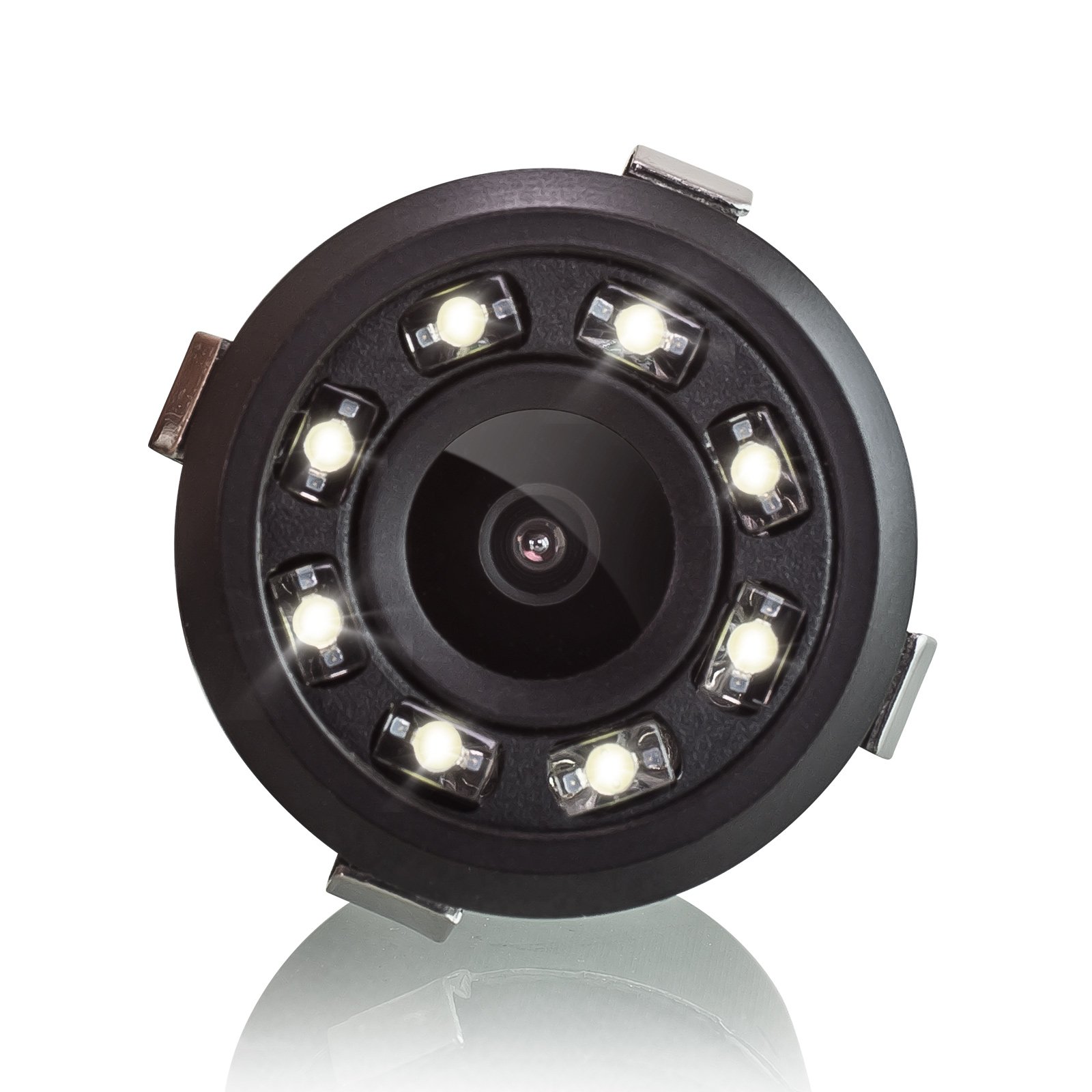
- XOMAX XM-018 Car Camera with 8 LEDs
- 5-meter Video Connection Cable (Cinch/RCA)
- Қуат кабелі
- Drill Mount / Hole Saw

Image: The XOMAX XM-018 car camera with its integrated 8 LEDs and attached cables, ready for installation.
Орнату қадамдары:
- Орнату орнын таңдаңыз: Select a suitable location on the rear of your vehicle, typically near the license plate, that provides a clear, unobstructed view. The camera is designed for flush mounting.
- Бұрғылау тесігі: Use the provided drill mount (hole saw) to create an appropriately sized hole for the camera. Ensure the hole is clean and free of burrs.
- Камераны орнату: Insert the camera into the drilled hole. Secure it firmly in place.
- Қуатты қосу: Connect the camera's power cable to a 12V power source. The red wire typically connects to the positive (+) terminal (e.g., reverse light power), and the black wire to the negative (-) terminal (ground).
- Бейне кабельді қосу: Connect the yellow Cinch (RCA) video cable from the camera to the video input of your car radio or monitor. The 5-meter cable provides ampкөптеген қондырғылар үшін le ұзындығы.

Image: Wiring diagram illustrating the connections for the XOMAX XM-018 rear view camera to a 12V power source and a car radio/monitor via Cinch (RCA) connectors.

Image: The included video cable, power cable, and drill bit (hole saw) for installing the XOMAX XM-018 car camera.
Сурет: бұрынғыample of the XOMAX XM-018 camera installed on the rear of a vehicle, indicating its optimal placement for parking assistance.
Пайдалану нұсқаулары
Once properly installed, the XOMAX XM-018 camera activates automatically when the vehicle is put into reverse gear (if connected to the reverse light power). The video feed will appear on your connected car radio screen or monitor.
Parking Assistance Lines:
The camera displays colored distance lines on the screen to assist with parking maneuvers. These lines provide a visual guide to the distance between your vehicle and obstacles.
- Green Line: Indicates a safe distance, allowing you to proceed slowly.
- Сары сызық: Signals that you are getting closer to an obstacle; reduce speed.
- Қызыл сызық: Warns that you are very close to an obstacle; stop immediately.

Сурет: бұрынғыample of a car radio display showing the camera's view with green, yellow, and red parking assistance lines, indicating distance to obstacles.
Түнгі көру:
The camera is equipped with 8 powerful LEDs that automatically illuminate in low-light conditions, providing clear visibility for parking and maneuvering at night or in dark environments.
Кең бұрыш View:
The 170° horizontal and 120° vertical wide-angle lens provides an extensive field of view, minimizing blind spots and offering a comprehensive perspective of the area behind your vehicle.
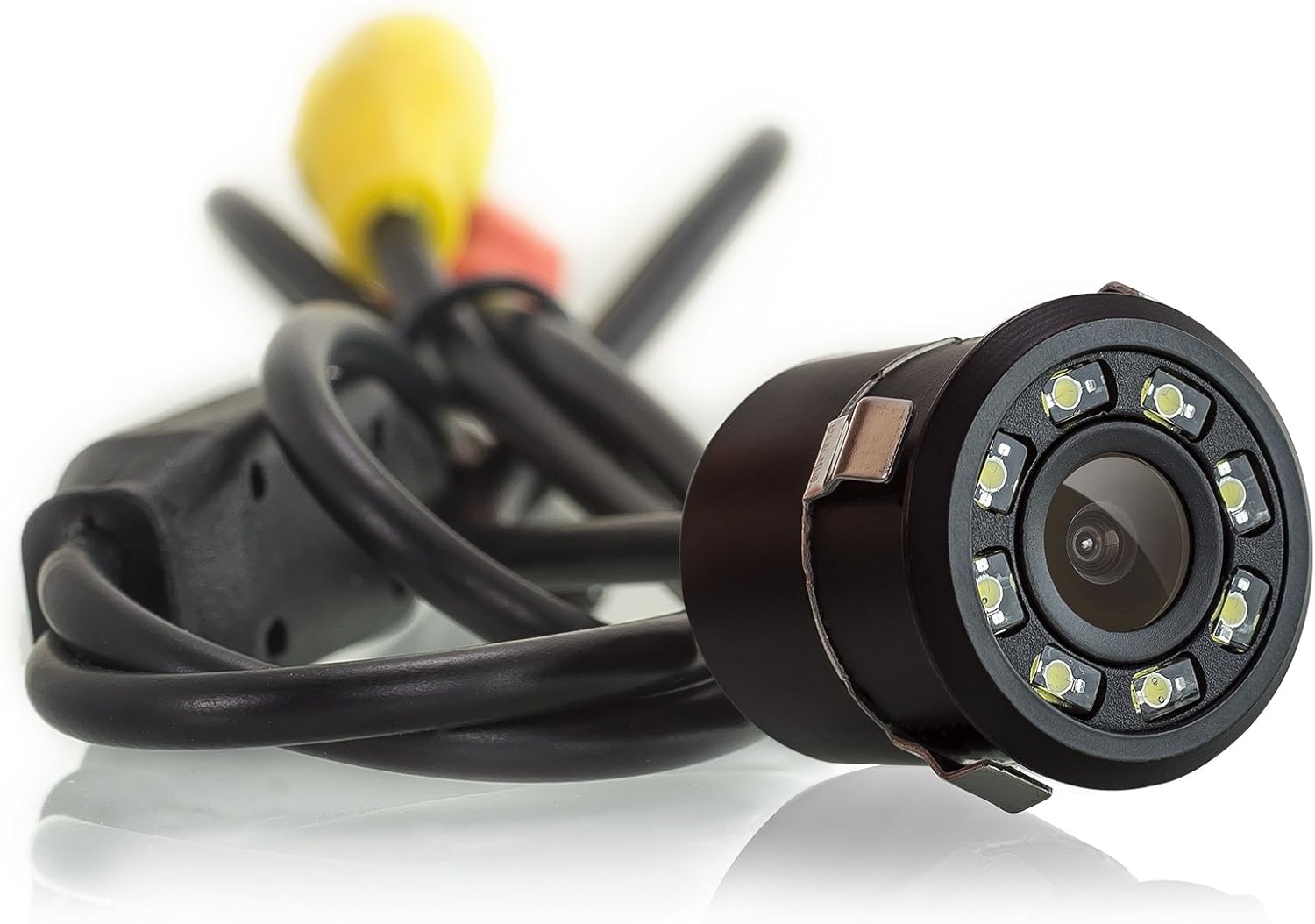
Image: An overhead illustration demonstrating the 170-degree wide-angle field of view provided by the camera, covering a broad area behind the vehicle.
Техникалық қызмет көрсету
The XOMAX XM-018 camera is designed for durability and minimal maintenance.
Тазалау:
Regularly clean the camera lens to ensure a clear image. Use a soft, damp cloth to wipe away dirt, dust, or water spots. Avoid abrasive cleaners or materials that could scratch the lens.
Су мен шаңнан қорғау:
The camera has an IP67 protection rating, meaning it is fully protected against dust ingress and can withstand immersion in water up to 1 meter for 30 minutes. This ensures reliable operation in various weather conditions, including rain, snow, and during car washes.

Image: The XOMAX XM-018 camera shown with water splashes, illustrating its robust water and dust protection suitable for various environmental conditions like snow, car washes, and rain.
Ақаулықтарды жою
If you encounter issues with your XOMAX XM-018 car camera, refer to the following common problems and solutions:
- Экранда сурет жоқ:
- Check all cable connections (power and video) to ensure they are secure.
- Verify that the camera is receiving 12V power.
- Ensure your car radio/monitor is set to the correct video input channel.
- Жыпылықтау немесе бұрмаланған кескін:
- Бейне кабелінің бос қосылымдарын тексеріңіз.
- Ensure the power supply is stable and free from interference.
- Камера объективінің таза және кедергісіз екенін тексеріңіз.
- Түнгі көру қабілеті нашар:
- Ensure the camera lens and LEDs are clean.
- Confirm that the camera is receiving adequate power for the LEDs to function optimally.
- Incorrect Parking Line Display:
- The parking lines are fixed and cannot be adjusted. Ensure the camera is mounted centrally and level for accurate guidance.
Осы шешімдерді қолданып көргеннен кейін ақаулар жойылмаса, тұтынушыларды қолдау қызметіне хабарласыңыз.
Техникалық сипаттамалар
| Ерекшелік | Техникалық сипаттама |
|---|---|
| Бренд | XOMAX |
| Үлгі | XM-018 |
| Көрсету технологиясы | LED, PAL |
| Screen Size (for reference) | 1.3 дюйм |
| Бейне жазу ажыратымдылығы | 648p (648 x 488 пиксел) |
| Рұқсат (теледидар желілері) | 420 ТВЛ |
| Тtage | 12В |
| Объектив түрі | Кең бұрыш |
| Нақты Viewбұрыш | 170 Degrees (Horizontal) / 120 Degrees (Vertical) |
| Water and Dust Protection | IP67 |
| Кабель ұзындығы | 5 meters (video connection) |
| Пакет өлшемдері | 13.2 x 8.2 x 7.2 см |
| Салмағы | 250 г |

Сурет: алдыңғы және бүйірлік views of the XOMAX XM-018 camera with its dimensions (21mm diameter, 22mm length, 18mm height), shown in comparison to a 2 cent coin for scale.
Кепілдік туралы ақпарат
XOMAX products are covered by a standard manufacturer's warranty. Please retain your proof of purchase for any warranty claims. The warranty typically covers defects in materials and workmanship under normal use. For specific warranty terms and conditions, refer to the documentation provided with your purchase or contact XOMAX customer support.
Тұтынушыларды қолдау
For technical assistance, troubleshooting, or warranty inquiries, please contact XOMAX customer support. You can usually find contact information on the XOMAX official website or on the product packaging. When contacting support, please have your product model (XM-018) and purchase details ready.