
Кіріспе
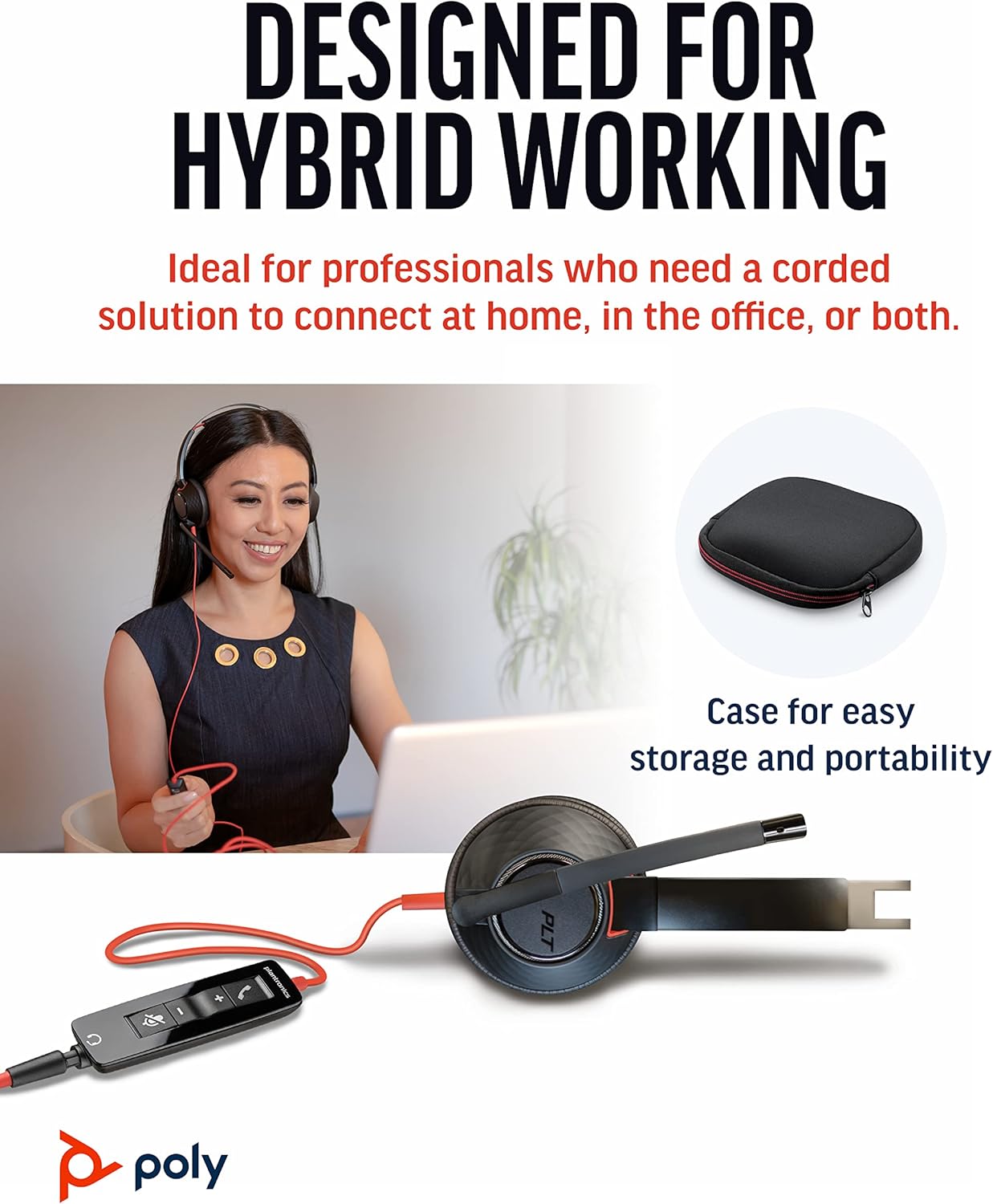
The Poly Blackwire 5220 USB-A Headset is designed for enhanced compatibility, exceptional comfort, and universal connectivity, making it ideal for all-day use in various communication environments. This headset features a noise-canceling microphone with a flexible boom, intuitive inline controls, and soft, conforming ear cushions for passive noise cancellation. It offers flexible connectivity options including USB-A and 3.5 mm, ensuring clear audio and improved productivity for PC, Mac, tablet, and mobile phone users.
Қорапта не бар
- Poly Blackwire 5220 USB-A Headset
Өнім аяқталдыview



Орнату
Құлаққапты қосу
- For PC/Mac: Connect the headset's USB-A connector directly to an available USB-A port on your computer. The headset is plug-and-play, meaning it should be automatically recognized by your operating system.
- For Mobile Phone/Tablet: Connect the headset's 3.5 mm jack to the audio port on your mobile device.
Once connected, your operating system or communication application (e.g., Microsoft Teams, Zoom) should automatically detect the headset as the primary audio input and output device. If not, you may need to select it manually in your device's sound settings or the application's audio preferences.
Пайдалану нұсқаулары
Кірістірілген басқару элементтері
The Blackwire 5220 features an intuitive inline control unit for easy call management:
- Қоңырауға жауап беру/аяқтау түймесі: Press to answer an incoming call or end an active call.
- Дыбыс деңгейін арттыру (+) түймесі: Тыңдау дыбыс деңгейін арттыру үшін басыңыз.
- Дыбыс деңгейін төмендету (-) түймесі: Тыңдау дыбыс деңгейін төмендету үшін басыңыз.
- Дыбысты өшіру түймесі: Press to mute or unmute the microphone. A voice alert may indicate the mute status.
Микрофонды реттеу
Position the flexible boom microphone approximately two finger-widths from the corner of your mouth for optimal voice pickup. The microphone is designed to be noise-canceling, focusing on your voice and minimizing background distractions.
SoundGuard Digital Protection
The headset incorporates SoundGuard Digital technology to protect your hearing. It safeguards against sound levels over 118 dBA, sudden loud sounds, and long-term exposure to noise, ensuring a safe listening experience.
Техникалық қызмет көрсету
Тазалау
- Wipe the headset, including ear cushions and microphone boom, with a soft, dry cloth.
- Қатты химиялық заттарды немесе абразивті тазартқыштарды қолданбаңыз.
Сақтау
- Гарнитураны салқын, құрғақ жерде, жоғары температурадан алыс сақтаңыз.
- Utilize the included carrying case for protection during travel or storage.
Ақаулықтарды жою
No Sound or Microphone Not Working
- Ensure the headset is securely plugged into the correct port (USB-A or 3.5 mm).
- Check your computer's or device's sound settings to ensure the Poly Blackwire 5220 is selected as the default playback and recording device.
- Кірістірілген басқару құралы арқылы микрофонның дыбысы өшірілмегенін тексеріңіз.
- Test the headset with another application or device to rule out software-specific issues.
Аудио сапасы нашар
- Ensure the microphone boom is properly positioned near your mouth.
- Check for any physical obstructions or damage to the cables.
- If using with a computer, ensure your audio drivers are up to date.
Техникалық сипаттамалар
| Ерекшелік | Мәлімет |
|---|---|
| Модель атауы | 5220 |
| Элемент үлгі нөмірі | 207576-01 |
| Қосылу технологиясы | Wired (USB-A, 3.5 mm Jack) |
| Кию стилі | Over-the-head, On-ear, Dual Ear (Stereo) |
| Микрофон | Шуды болдырмайтын микрофон |
| Дыбысты қорғау | SoundGuard Digital (protects above 118 dBA) |
| Жиілік жауаптары (құлаққаптар) | 20 Гц |
| Frequency Range (Microphone) | 100 Гц - 20 000 Гц |
| Кабель ұзындығы | 45 дюйм |
| Материал | Пластмасса |
| Түс | Қара |
| Элемент салмағы | 0.035 ounces (approx. 1 gram) |
| Үйлесімді құрылғылар | PC, Cellphones, Tablets, Mac |
Кепілдік және қолдау
Кепілдік туралы ақпарат
The Poly Blackwire 5220 USB-A Headset comes with a 2 жылдық жаһандық кепілдік сатып алған күннен бастап. Кепілдік шағымдары үшін сатып алуды растайтын құжатты сақтаңыз.
Қосымша қолдау
For detailed information, advanced settings, or further assistance, please refer to the official User Guide (PDF) available online:
Пайдаланушы нұсқаулығын жүктеп алу (PDF)
You can also visit the official Poly support webЖҚС, бағдарламалық құралды жүктеп алу және байланыс ақпаратына арналған сайт.