
1. Кіріспе
The UHPPOTE Digital 4 Beams IR Infrared Barrier Detector Sensor, model ABI30-764, is designed to provide perimeter security for home yard alarm systems. This device utilizes multiple interactive infrared beams to detect interruptions, offering reliable protection against unauthorized entry. It features a robust aluminum alloy cover and digital frequency conversion technology for enhanced performance in various outdoor conditions. This manual provides essential information for the proper installation, operation, and maintenance of your infrared barrier detector.
2. Қауіпсіздік туралы ақпарат
- Нәр беруші: Ensure the power supply (DC10-18V) matches the device specifications. Incorrect voltage құрылғыны зақымдауы мүмкін.
- Сымдар: All wiring should be performed by qualified personnel to prevent electrical hazards and ensure correct functionality.
- Монтаждау: Mount the units securely to prevent accidental dislodgement, especially in outdoor environments.
- Қоршаған орта жағдайлары: While resistant to rain, fog, snow, and frost, avoid submerging the device in water or exposing it to extreme temperatures beyond its operating range (-25℃ to 55℃).
- Жүйелік интеграция: This infrared barrier cannot function independently. It requires connection to an alarm control panel for full system operation.
3. Пакет мазмұны
Барлық компоненттер пакетте бар екеніне көз жеткізіңіз:
- 1 x Infrared Barrier Receiver Unit
- 1 x Infrared Barrier Transmitter Unit
4. Өнім аяқталдыview және Құрамдас бөліктер
The system consists of two main units: a Transmitter (TX) and a Receiver (RX). These units are designed to be mounted opposite each other to create an invisible infrared barrier.

Figure 4.1: Transmitter (TX) and Receiver (RX) Units. The Transmitter emits the infrared beams, and the Receiver detects them.
Each unit features a durable aluminum alloy cover and internal circuitry for beam generation or detection. The end caps provide access to wiring terminals and alignment indicators.
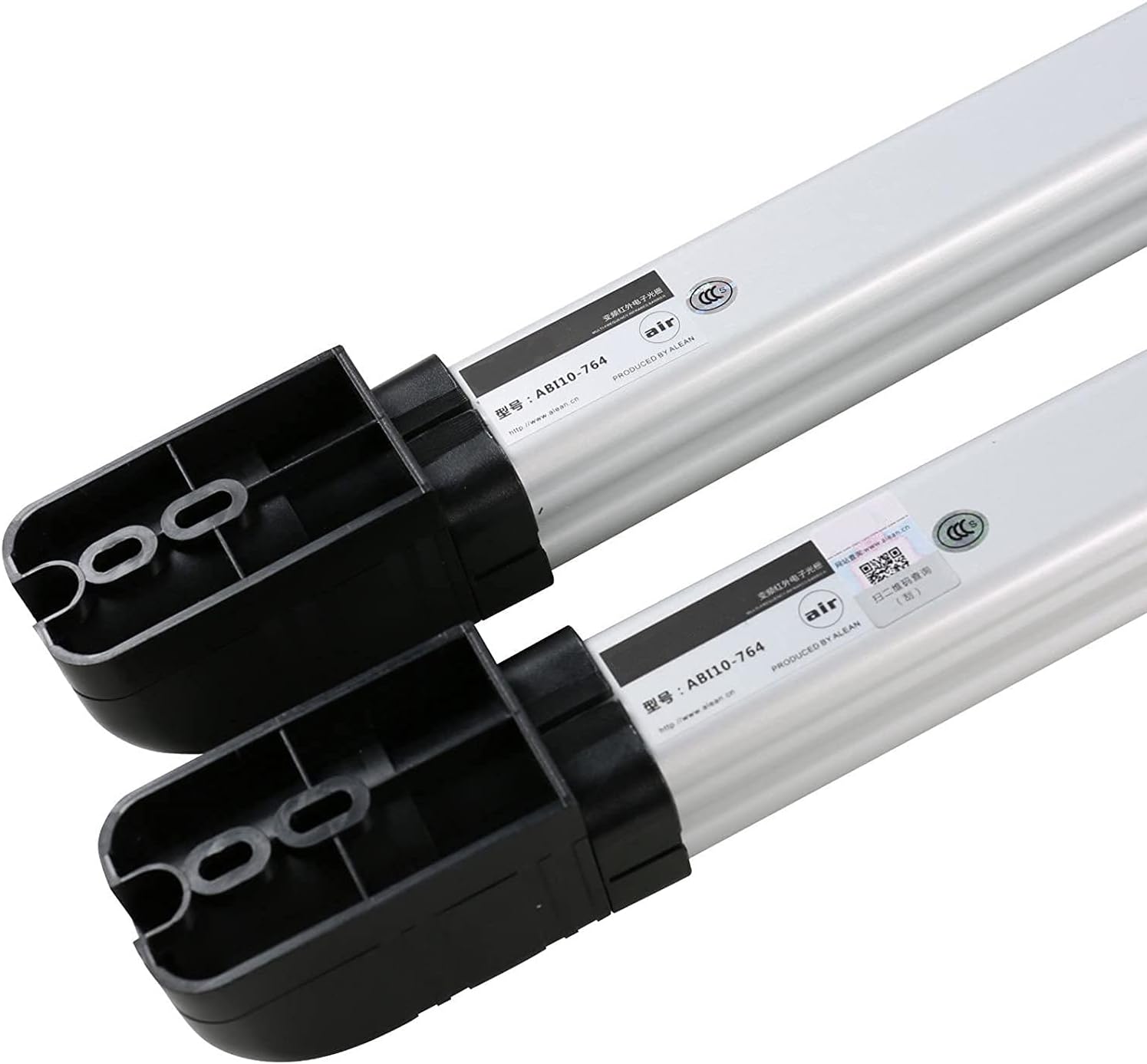
Figure 4.2: End caps and internal structure of the barrier units. Note that the model number shown in this image may vary from the specific product model ABI30-764.
5. Орнату және орнату
5.1 Монтаждау
- Choose a suitable location for both the Transmitter (TX) and Receiver (RX) units. They should be mounted opposite each other, ensuring a clear line of sight for the 30-meter detection distance.
- Ensure the mounting surface is stable and secure. The units should be installed at the same height for optimal beam alignment. The height of each unit is approximately 76cm (2.49ft).
- Use appropriate fasteners to securely attach the units to the chosen surfaces.
5.2 Электр желілері
Access the wiring terminals by opening the end caps of both the Transmitter and Receiver units.

Figure 5.1: Units with covers open, showing circuit boards and wiring access.

Figure 5.2: Close-up of wiring terminals.
Connect the power and alarm output wires according to the following:
- Қуат кірісі: Connect DC10-18V power to the designated terminals (+12V and GND) on both units.
- Дабыл шығысы: The Receiver unit provides NC/NO (Normally Closed/Normally Open) relay output. Connect these terminals to your alarm control panel as required by your system. The tamper output is also NC/NO, 1B contact output, DC26V/0.5A Max.
- Маңызды: Ensure all connections are secure and insulated to prevent short circuits and environmental damage.
5.3 Туралау
Proper alignment between the Transmitter and Receiver is crucial for reliable operation.
- After powering on both units, use the visual LED indicator and audible buzzer on the Receiver unit to assist with alignment.
- Adjust the horizontal optical angle of the units. This can be easily adjusted up to 180° to fine-tune the beam path.
- Slowly adjust the position of the Transmitter and Receiver until the LED indicator on the Receiver shows a strong signal and the buzzer indicates optimal alignment.
- Secure the units in their final aligned positions.
6. Пайдалану нұсқаулары
Once installed and aligned, the infrared barrier detector operates automatically.
- The Transmitter continuously emits four infrared beams towards the Receiver.
- When two adjacent beams are interrupted simultaneously, the Receiver detects this interruption.
- Upon detection, the Receiver's alarm output (NC/NO relay) changes state, signaling the connected alarm control panel.
- The system is designed with AGC (Automatic Gain Control) pure digital circuit design and DSP digital chip programming to minimize false alarms caused by environmental factors.
7. Техникалық қызмет көрсету
Regular maintenance ensures the longevity and optimal performance of your infrared barrier detector.
- Тазалау: Periodically clean the optical lenses of both units with a soft, dry cloth to remove dust, dirt, or debris that may obstruct the infrared beams. Avoid abrasive cleaners.
- Тексеру: Regularly inspect the units for any physical damage, loose mountings, or signs of wear. Check wiring connections for corrosion or damage.
- Қоршаған ортаға төзімділік: The device is resistant to rain, fog, snow, and frost. However, heavy accumulation of snow or ice on the lenses may temporarily impair performance. Clear any such obstructions promptly.
- Re-alignment: If the system experiences frequent false alarms or missed detections, re-check the alignment of the Transmitter and Receiver units using the LED indicator and buzzer.
8. Ақаулықтарды жою
If you encounter issues with your infrared barrier detector, refer to the following troubleshooting guide:
| Мәселе | Ықтимал себебі | Шешім |
|---|---|---|
| No power to units | Қате томtage; loose wiring; power supply failure | Verify power supply (DC10-18V); check all power connections; test power supply unit. |
| No alarm output when barrier is interrupted | Misalignment; wiring error to alarm panel; faulty receiver | Re-align units using LED/buzzer; check alarm output wiring (NC/NO); test receiver unit. |
| Жиі жалған дабылдар | Poor alignment; environmental interference (e.g., strong sunlight, reflections); debris on lenses | Fine-tune alignment; ensure clear line of sight; clean lenses; consider repositioning if persistent environmental issues. The digital circuit design helps reduce false alarms. |
| Үзіліссіз анықтау | Partial obstruction; unstable mounting; power fluctuations | Clear any obstructions; secure mounting; check power stability. |
9. Техникалық сипаттамалар
| Ерекшелік | Техникалық сипаттама |
|---|---|
| Үлгі нөмірі | ABI30-764 |
| Қашықтықты анықтау | 30 м / 98 фут |
| Биіктігі | 76 см / 2.49 фут |
| Бөренелер | 4 сәуле |
| Жауап беру жылдамдығы | 40сек |
| Дабыл шығысы | Switch signal output (NO/NC) |
| Tampшығу | NC/NO. 1B contact output, DC26V/0.5A Max. |
| Қуат және томtage | DC10-18V |
| Жұмыс тогы | 50-90mA (max) |
| Жұмыс температурасы | -25℃ - 55℃ / -13℉ - 131℉ |
| Элемент салмағы | 1.1kg / 2.4lb (Package weight) |
| Өнім өлшемдері | 29.92 x 3.9 x 2 дюйм |
10. Кепілдік туралы ақпарат
Specific warranty details for the UHPPOTE Digital 4 Beams IR Infrared Barrier Detector Sensor are typically provided at the point of purchase or within the product packaging. Please refer to your purchase documentation or contact the retailer/manufacturer for comprehensive warranty terms and conditions.
11. Қолдау
For technical assistance, troubleshooting beyond this manual, or inquiries regarding your UHPPOTE product, please contact the manufacturer or your authorized dealer. Ensure you have your product model number (ABI30-764) and purchase details available when seeking support.