
1. Кіріспе
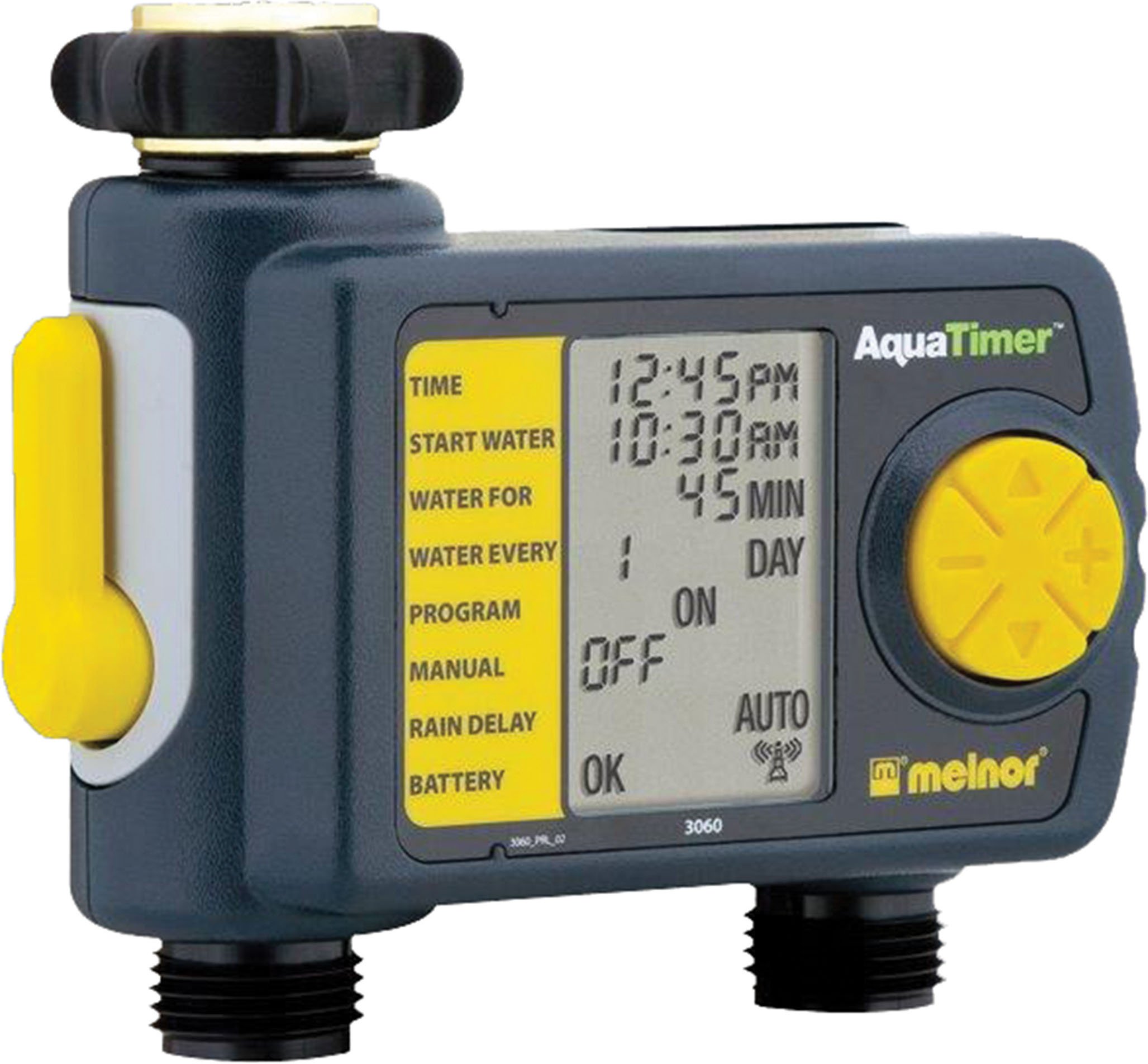
Thank you for choosing the Melnor 53100 2-Outlet Digital Water Timer. This device is designed to automate your watering schedule, providing convenience and efficiency for your garden or lawn. It features independent programming for two zones, a large LCD screen for clear information, and an easy-to-use interface for setting up your watering cycles.
2. Қауіпсіздік туралы ақпарат
- Бұл өнім мыналарға арналған тек сыртта пайдалану. Do not use indoors or with potable water systems unless specifically approved.
- Ағып кетулер мен судың зақымдалуын болдырмау үшін барлық қосылымдардың сенімді екеніне көз жеткізіңіз.
- Do not expose the timer to freezing temperatures. Remove batteries and store indoors during winter months to prevent damage.
- Use only 1.5V AA alkaline batteries. Do not mix old and new batteries, or different types of batteries.
- Калифорния ұсынысы 65 Ескерту: This product can expose you to chemicals including styrene, which is known to the State of California to cause cancer. For more information, please visit www.P65Warnings.ca.gov.
3. Пакет мазмұны
The Melnor 53100 package includes:
- 1 x Melnor 53100 2-Outlet Digital Water Timer
4. Өнімнің ерекшеліктері
- Қос розеткалар: Independently program two watering zones.
- Үлкен СКД экраны: Provides clear, easy-to-read information on current settings and next watering cycle.
- Икемді бағдарламалау: Set watering schedules up to 24 times per day for individual days of the week.
- Қолмен қайта анықтау: Easily start or stop watering manually without affecting programmed schedules.
- Тұрақты құрылыс: Features a zinc connection nut with a non-slip rubberized grip for secure attachment.
- Soil Moisture Sensor Compatibility: Can be used with the HydroLogic soil moisture sensor (sold separately, SKU 15339).
5. Орнату
- Кранға бекітіңіз: Screw the timer onto your outdoor faucet. Ensure the zinc connection nut is tightened securely by hand to prevent leaks. Do not overtighten with tools.
- Түтіктерді қосу: Attach your garden hoses to the two outlets at the bottom of the timer. Tighten connections firmly.
6. Батареяны орнату
- Таймердің артқы жағындағы батарея бөлімін табыңыз.
- Батарея қақпағын сырғытып ашыңыз.
- Insert two (2) fresh 1.5V AA alkaline batteries, observing the correct polarity (+/-) as indicated inside the compartment.
- Close the battery cover securely. The LCD screen should illuminate, and a battery status indicator will be visible.
- Ескерту: Use only 1.5V AA alkaline batteries. Do not use 1.2V NiMH or NiCad rechargeable batteries, as they may not provide sufficient power for optimal operation.
7. Сағатты орнату
- Turn the large dial to the УАҚЫТТЫ ОРНАТЫҢЫЗ позиция.
- пайдаланыңыз ЖОҒАРЫ/ТӨМЕН arrow buttons to adjust the current hour (AM/PM). Press OK растау үшін.
- пайдаланыңыз ЖОҒАРЫ/ТӨМЕН arrow buttons to adjust the current minute. Press OK растау үшін.
- пайдаланыңыз ЖОҒАРЫ/ТӨМЕН arrow buttons to set the current day of the week. Press OK растау үшін.
- Нөмірді кері бұраңыз АВТО ӨШІРІЛГЕН or any other desired setting to save the time.
8. Programming Watering Schedules
The Melnor 53100 allows independent programming for two zones. Follow these steps for each zone:
8.1. Аймақты таңдаңыз
- түймесін басыңыз 1 АЙМАҚ 2 button to toggle between Zone 1 and Zone 2. Ensure the desired zone is selected before proceeding.
8.2. Set Start Time (START WATER)
- Нөмірді бұраңыз СУ БАСТАҢЫЗ.
- пайдаланыңыз ЖОҒАРЫ/ТӨМЕН arrow buttons to set the desired start time for watering (AM/PM). Press OK растау үшін.
- You can set multiple start times for each zone if needed.
8.3. Set Watering Duration (HOW LONG)
- Нөмірді бұраңыз ҚАНШАҒА.
- пайдаланыңыз ЖОҒАРЫ/ТӨМЕН arrow buttons to set the watering duration in minutes or hours. Press OK растау үшін.
8.4. Set Watering Frequency (HOW OFTEN)
- Нөмірді бұраңыз ҚАНДАЙ ЖИІ.
- пайдаланыңыз ЖОҒАРЫ/ТӨМЕН arrow buttons to select the watering frequency:
- Every X hours (e.g., every 6 hours)
- Every X days (e.g., every 2 days)
- Specific days of the week (e.g., Mon, Wed, Fri)
- түймесін басыңыз OK таңдауыңызды растау үшін.
After programming, turn the dial to АВТО ӨШІРІЛГЕН to activate the schedule. The display will show the next scheduled watering time.
9. Қолмен жұмыс
To manually water without affecting your programmed schedule:
- Ensure the dial is in the АВТО ӨШІРІЛГЕН позиция.
- түймесін басыңыз ON/OFF MANUAL түймесі.
- пайдаланыңыз 1 АЙМАҚ 2 button to select the desired zone (1 or 2).
- пайдаланыңыз ЖОҒАРЫ/ТӨМЕН arrow buttons to set the desired manual watering duration.
- түймесін басыңыз OK to start manual watering. The timer will water for the set duration and then automatically turn off.
- Қолмен суаруды мерзімінен бұрын тоқтату үшін түймесін басыңыз ON/OFF MANUAL түймесін қайтадан басыңыз.
10. Жаңбырды кешіктіру функциясы
The rain delay function allows you to pause your watering schedule for a set period, conserving water after rainfall.
- Ensure the dial is in the АВТО ӨШІРІЛГЕН позиция.
- түймесін басып тұрыңыз + (UP arrow) button for a few seconds. The display will show a rain delay duration.
- пайдаланыңыз ЖОҒАРЫ/ТӨМЕН arrow buttons to select the desired delay duration (e.g., 24, 48, 72 hours).
- түймесін басыңыз OK to confirm. The timer will pause all programmed watering cycles for the selected duration and resume automatically afterward.
- To cancel rain delay, press and hold the + (UP arrow) button again until the delay is cleared.
11. Техникалық қызмет көрсету
- Тазалау: Таймерді жарнамамен сүртіңізamp cloth as needed. Do not use abrasive cleaners or submerge the unit in water.
- Қыстау: Before the first frost, disconnect the timer from the faucet and hoses. Remove the batteries. Store the timer in a dry, frost-free location indoors.
- Батареяны ауыстыру: Replace batteries when the low battery indicator appears on the LCD screen to ensure continuous operation.
12. Ақаулықтарды жою
| Мәселе | Ықтимал себебі | Шешім |
|---|---|---|
| Таймер суармайды | Батареялар аз немесе өлі Faucet is off Program not set or activated Rain delay is active | Батареяларды ауыстырыңыз Turn on the faucet Ensure dial is on AUTO OFF and program is set Cancel rain delay |
| Қосылымдардан су ағып жатыр | Бос байланыс Damaged washer | Tighten connections by hand Check and replace rubber washers if damaged |
| LCD display is blank or dim | Батареялары аз немесе өлген | Replace batteries with fresh 1.5V AA alkaline batteries |
| Timer not keeping correct time/settings reset | Extremely low batteries Ішкі ақаулық | Батареяларды ауыстырыңыз. Егер мәселе шешілмесе, тұтынушыларды қолдау қызметіне хабарласыңыз. |
13. Техникалық сипаттамалар
- Үлгі: 53100
- Сауда нүктелері: 2
- Қуат көзі: 2 x 1.5V AA Alkaline Batteries (not included)
- Материал: Қатты құрылыс
- Элемент салмағы: Шамамен 11.98 унция
- Параметрлер саны: 8 (referring to programming options)
- Түсі: Қара/Сұр
14. Кепілдік және қолдау
Melnor products are designed for durability and performance. For warranty information or technical support, please refer to the warranty card included with your purchase or visit the official Melnor webсайт. Қолдау қызметіне хабарласқан кезде үлгі нөміріңізді (53100) және сатып алу күнін көрсетіңіз.