
1. Өнім аяқталдыview
The TP-Link TL-WA750RE is a 150Mbps Universal Wireless Range Extender designed to expand the coverage of an existing wireless network. It eliminates Wi-Fi dead zones by boosting the wireless signal to previously unreachable or hard-to-wire areas. Its compact, wall-mounted design allows for flexible deployment and easy relocation within your home or office.
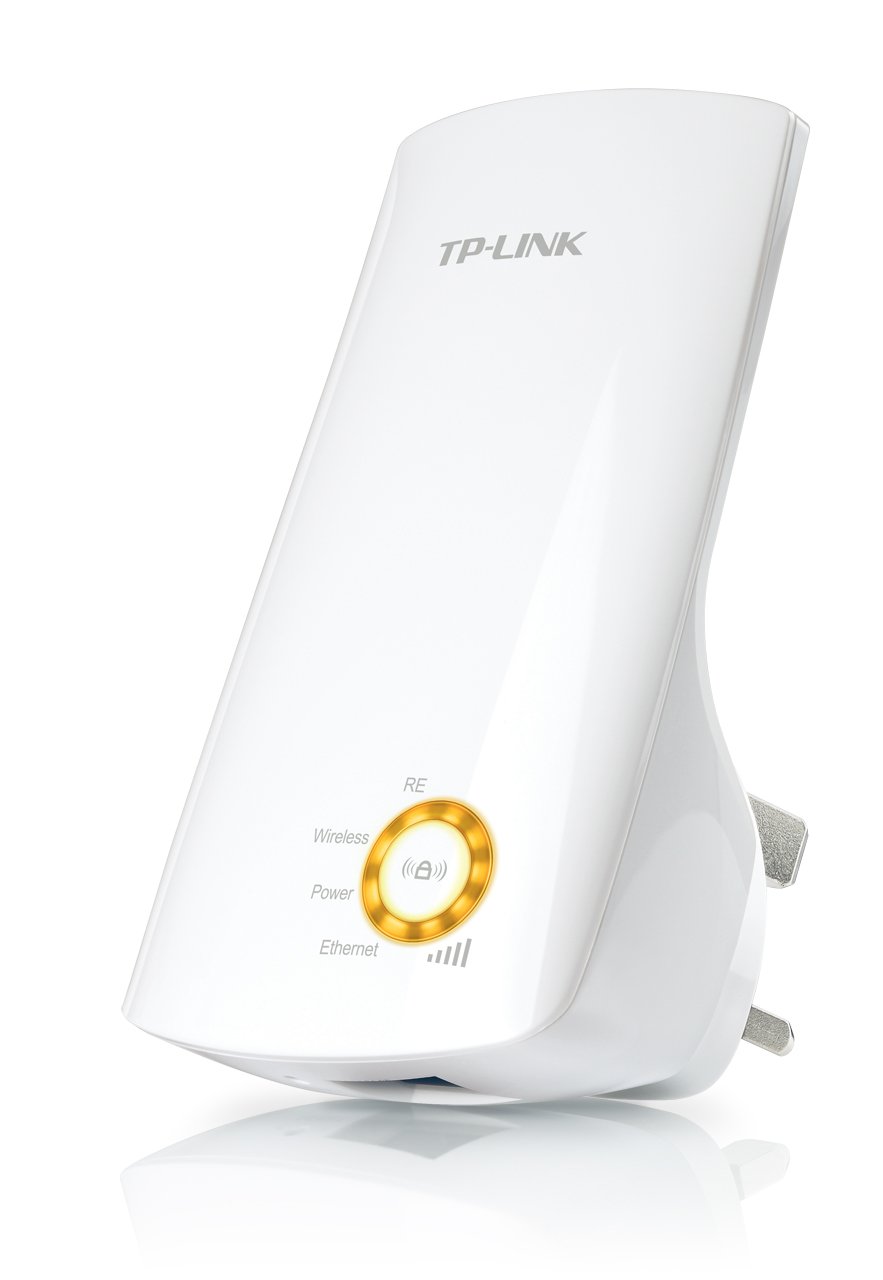
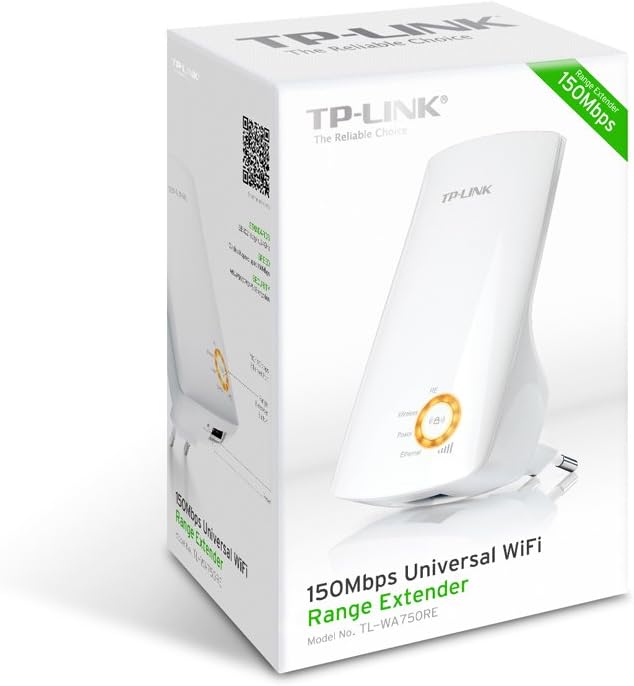
1-сурет: TP-Link TL-WA750RE Universal Wireless Range Extender. This image shows the device in its retail packaging, highlighting its compact design and wall-plug form factor.
2. Негізгі мүмкіндіктер
- Ауқымды кеңейту режимі: Boosts wireless signal to eliminate Wi-Fi dead zones and extend network coverage.
- Шағын дизайн: Small size and wall-mounted design for easy deployment and flexible movement.
- WPS түймесі: Allows for instant setup and secure connection with compatible routers.
- Смарт сигнал индикаторы: Helps users find the optimal location for placing the range extender for best performance.
- Әмбебап үйлесімділік: Works seamlessly with all 802.11n/g/b wireless devices.
3. Пакет мазмұны
Өнім пакеті әдетте келесі элементтерді қамтиды:
- TP-Link TL-WA750RE 150Mbps Universal Wireless Range Extender
- Нұсқаулық
4. Орнату нұсқаулығы
4.1. WPS түймесін пайдаланып жылдам орнату
- Қосылу: Plug the TL-WA750RE into an electrical outlet near your wireless router.
- Маршрутизаторда WPS іске қосыңыз: Негізгі сымсыз маршрутизатордағы WPS түймесін басыңыз. Нақты орны мен процедурасын маршрутизатор нұсқаулығынан қараңыз.
- Extender жүйесінде WPS іске қосыңыз: Within two minutes, press the WPS button on the TL-WA750RE. The Signal LED on the extender should begin to flash.
- Қосылымды күтіңіз: The Signal LED will turn solid blue or green when a successful connection is established.
- Кеңейткіштің орнын ауыстыру: Unplug the extender and move it to a location between your router and the Wi-Fi dead zone. Ensure the Signal LED indicates a strong connection (e.g., solid blue or green) in the new location.
4.2. арқылы қолмен орнату Web Браузер
- Қосылу: Plug the TL-WA750RE into an electrical outlet near your computer.
- Extender-ге қосылу: Connect your computer to the extender's Wi-Fi network (e.g., "TP-LINK_Extender_XXXXXX"). No password is required initially.
- Қол жеткізу Web Интерфейс: ашу а web браузер және теріңіз http://tplinkrepeater.net or the extender's default IP address (usually 192.168.0.254) into the address bar.
- Жүйеге кіру: Enter "admin" for both the username and password when prompted.
- Экрандағы нұсқауларды орындаңыз: Use the Quick Setup wizard to select your main Wi-Fi network and enter its password.
- Кеңейткіштің орнын ауыстыру: Once configured, unplug the extender and move it to an optimal location between your router and the desired coverage area.
2-сурет: Бүйір view of the TL-WA750RE. This image illustrates the physical layout of the device, including the WPS button and Ethernet port, which are crucial for setup and operation.
5. Ауқым кеңейткішін пайдалану
Once the TL-WA750RE is successfully set up, it will automatically extend your existing Wi-Fi network. Devices within the extended range can connect to the network name created by the extender (e.g., "YourNetworkName_EXT").
5.1. Smart Signal Indicator
The Smart Signal Indicator LEDs on the front of the device provide real-time feedback on the signal strength received from your main router. This helps you determine the best placement for the extender:
- Толық көк/жасыл: Excellent signal strength.
- Толық қызыл: Weak signal strength. Consider relocating the extender closer to your router.
- Өшірулі: No connection to the main router.
5.2. Ethernet Port Usage
The TL-WA750RE includes an Ethernet port. This port can be used to connect a wired device, such as a desktop computer, gaming console, or smart TV, to your wireless network, providing a stable wired connection in the extended Wi-Fi area.
6. Техникалық қызмет көрсету
- Тазалау: Құрылғыны тазалау үшін жұмсақ, құрғақ шүберекті пайдаланыңыз. Сұйық немесе аэрозольді тазартқыштарды қолданбаңыз.
- Орналастыру: Avoid placing the extender in direct sunlight, near heat sources, or in areas with high humidity.
- Микробағдарламаны жаңарту: TP-Link қызметкерін мерзімді түрде тексеріп тұрыңыз webоңтайлы өнімділік пен қауіпсіздікті қамтамасыз ету үшін микробағдарлама жаңартуларына арналған сайт.
- Қуат циклі: If the device experiences issues, try unplugging it from the power outlet for 10 seconds and then plugging it back in.
7. Ақаулықтарды жою
- 1-сұрақ: Егер кеңейтушіге қол жеткізе алмасам, не істеуім керек? web басқару беті?
- A1: Ensure your computer is connected to the extender's network. Verify that http://tplinkrepeater.net is correctly typed in the browser. If issues persist, try using the extender's IP address (e.g., 192.168.0.254) or reset the extender to factory defaults.
- Q2: My extended network has poor signal or frequent disconnections.
- A2: Check the Smart Signal Indicator on the extender. If it's red or off, the extender is too far from your main router. Relocate the extender to a position where the indicator shows a strong signal (solid blue/green). Ensure there are no major obstructions between the router and the extender.
- 3-сұрақ: Ұзартқышты зауыттық әдепкі параметрлерге қалай қалпына келтіруге болады?
- A3: With the extender powered on, use a pin to press and hold the Reset button (usually a small hole) for approximately 5-10 seconds until all LEDs flash briefly. The extender will then restart with factory default settings.
8. Техникалық сипаттамалар
| Бренд | TP-Link |
| Үлгі нөмірі | TL-WA750RE |
| Сымсыз стандарт | 802.11б/г/н |
| Деректерді тасымалдау жылдамдығы | 150 Мбит/с |
| Жиілік | 2.4 ГГц |
| Арнайы мүмкіндіктер | Smart Signal Indicator, WPS Button |
| Қосқыш түрі | RJ45 (Ethernet порты) |
| Элемент салмағы | 0.4 фунт |
| Түс | Ақ |
9. Кепілдік және қолдау
9.1. Кепілдік туралы ақпарат
This TP-Link TL-WA750RE device comes with a 2 жылдық кепілдік сатып алған күннен бастап. Кепілдік шағымдары үшін сатып алуды растайтын құжатты сақтаңыз. Кепілдік қалыпты пайдалану кезіндегі материалдар мен өңдеу ақауларын қамтиды.
9.2. Техникалық қамтамасыз ету
Техникалық көмек, ақаулықтарды жою немесе қосымша сұрақтар бойынша ресми TP-Link қолдау қызметіне хабарласыңыз website or contact their customer service. You can find detailed support resources, FAQs, and contact information at www.tp-link.com/support.