
Кіріспе
Сатып алғаныңыз үшін рахметasing the iCES IBT-1 Portable Bluetooth Speaker. This manual provides essential information for setting up, operating, and maintaining your device. Please read it carefully before use to ensure optimal performance and longevity.
Пакет мазмұны
Пакетте барлық элементтер бар екеніне көз жеткізіңіз:
- iCES IBT-1 Portable Bluetooth Speaker
- Mini USB Charging Cable
- Пайдаланушы нұсқаулығы (бұл құжат)
Өнім аяқталдыview
The iCES IBT-1 is a compact and versatile portable speaker designed for wireless audio playback via Bluetooth. It also supports audio playback from Micro SD cards and external devices via its AUX input.

Image: Two iCES IBT-1 speakers, one red and one silver, highlighting the product's design and portability.
Компонентті анықтау
Familiarize yourself with the speaker's various ports and controls:
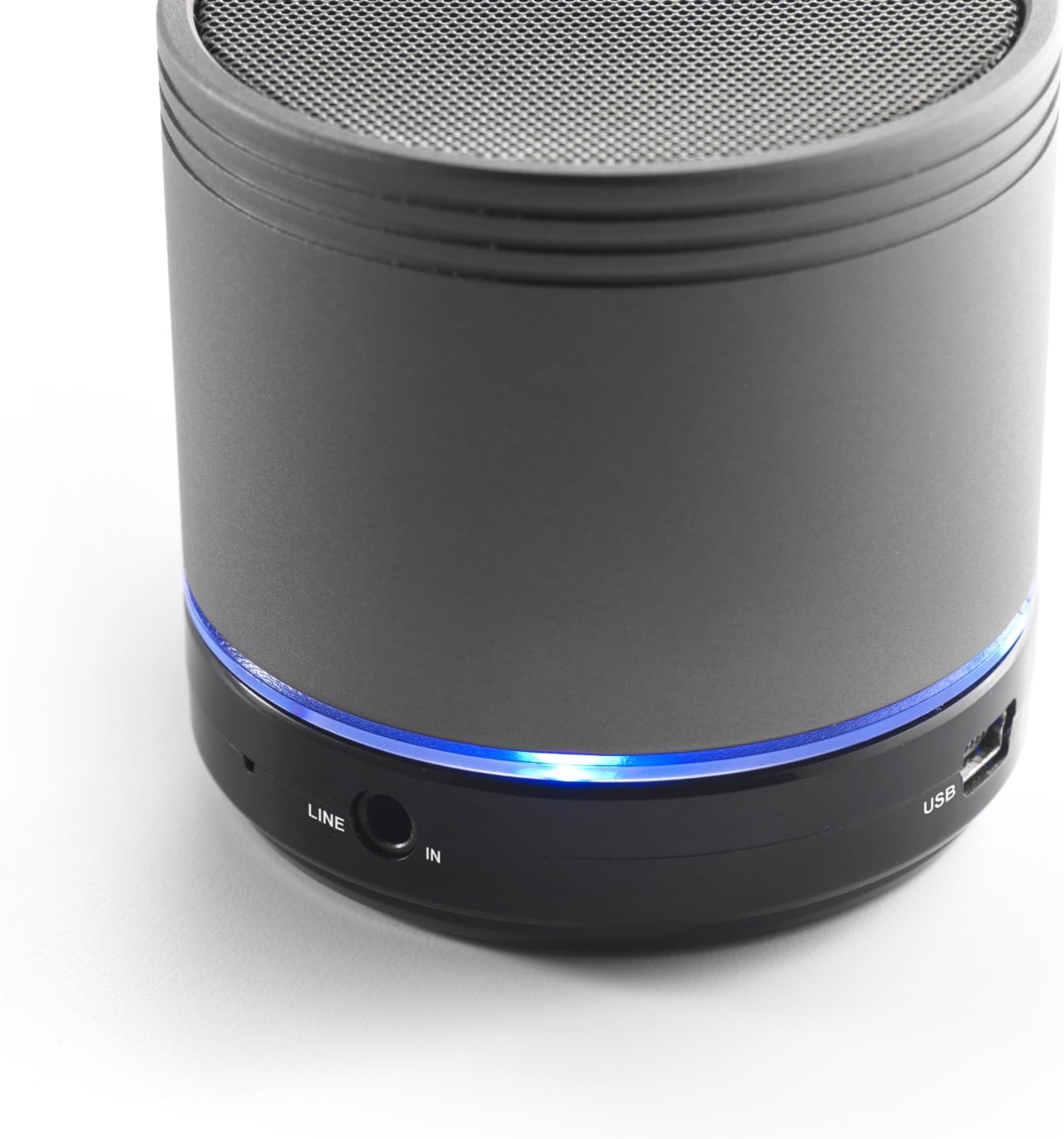
Image: Bottom section of the iCES IBT-1 speaker, displaying the LINE IN and USB ports, along with a glowing blue LED indicator.
- USB порты: Ішкі батареяны зарядтауға арналған.
- LINE IN (AUX) Port: For connecting external audio devices using a 3.5mm audio cable.
- Micro SD картасының ұясы: Аудионы ойнату үшін files directly from a Micro SD card.
- Қуат қосқышы: ON/OFF control for the speaker.
- Басқару түймелері: Play/Pause, Volume Up/Next Track, Volume Down/Previous Track.
- Жарық диодты индикатор: Қуат күйін, зарядтау күйін және Bluetooth жұптастыру күйін көрсетеді.
Орнату
Батареяны зарядтау
Before first use, fully charge the speaker's internal battery. Use the provided Mini USB cable.
- Connect the Mini USB end of the cable to the USB port on the speaker.
- Кабельдің стандартты USB ұшын USB қуат адаптеріне (жинаққа кірмейді) немесе компьютердің USB портына жалғаңыз.
- Жарық диодты индикатор зарядтау күйін көрсету үшін жанады. Толық зарядталғаннан кейін ол өзгереді немесе өшеді.
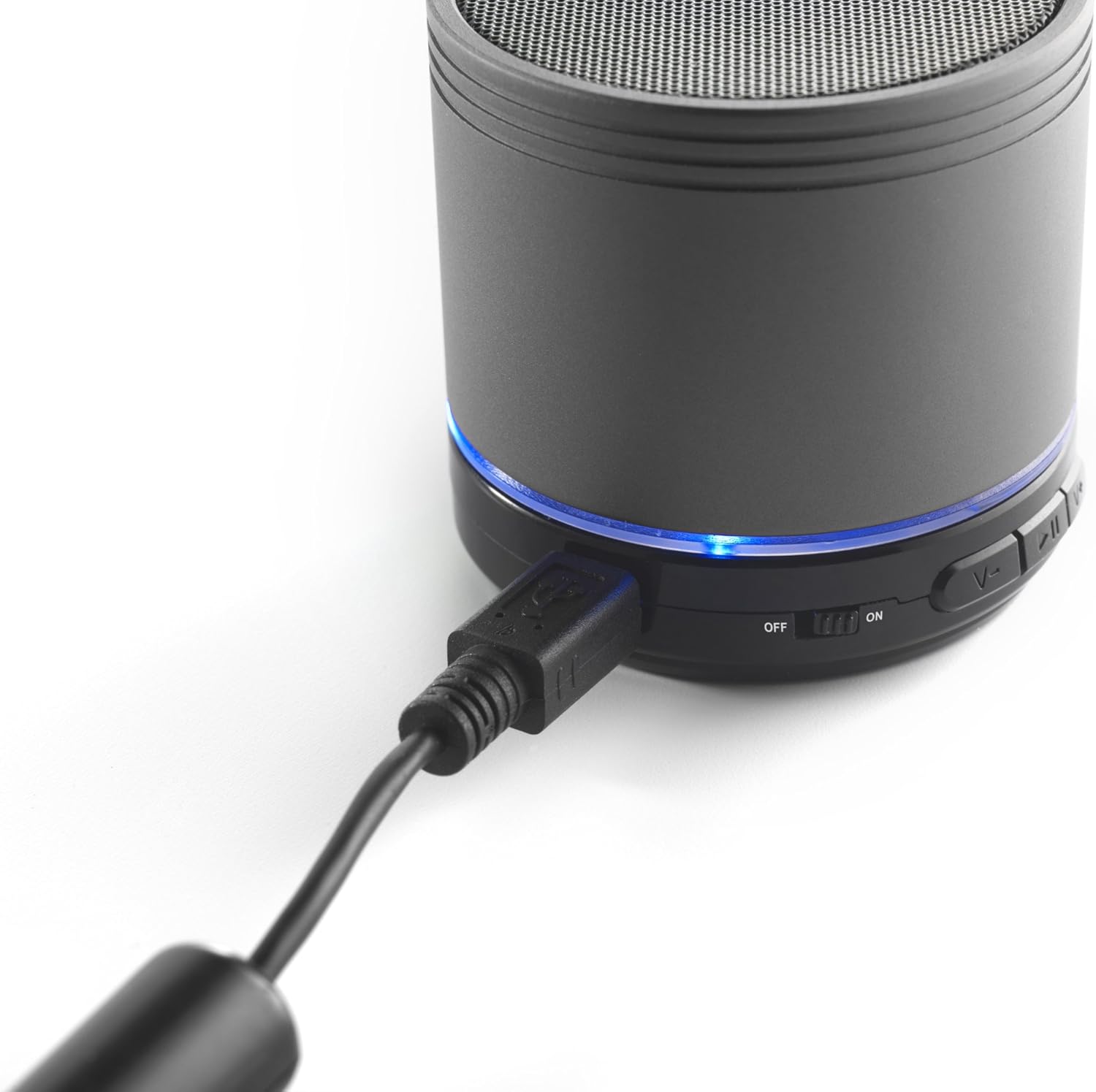
Image: The iCES IBT-1 speaker with the mini USB charging cable connected, illustrating the charging process.
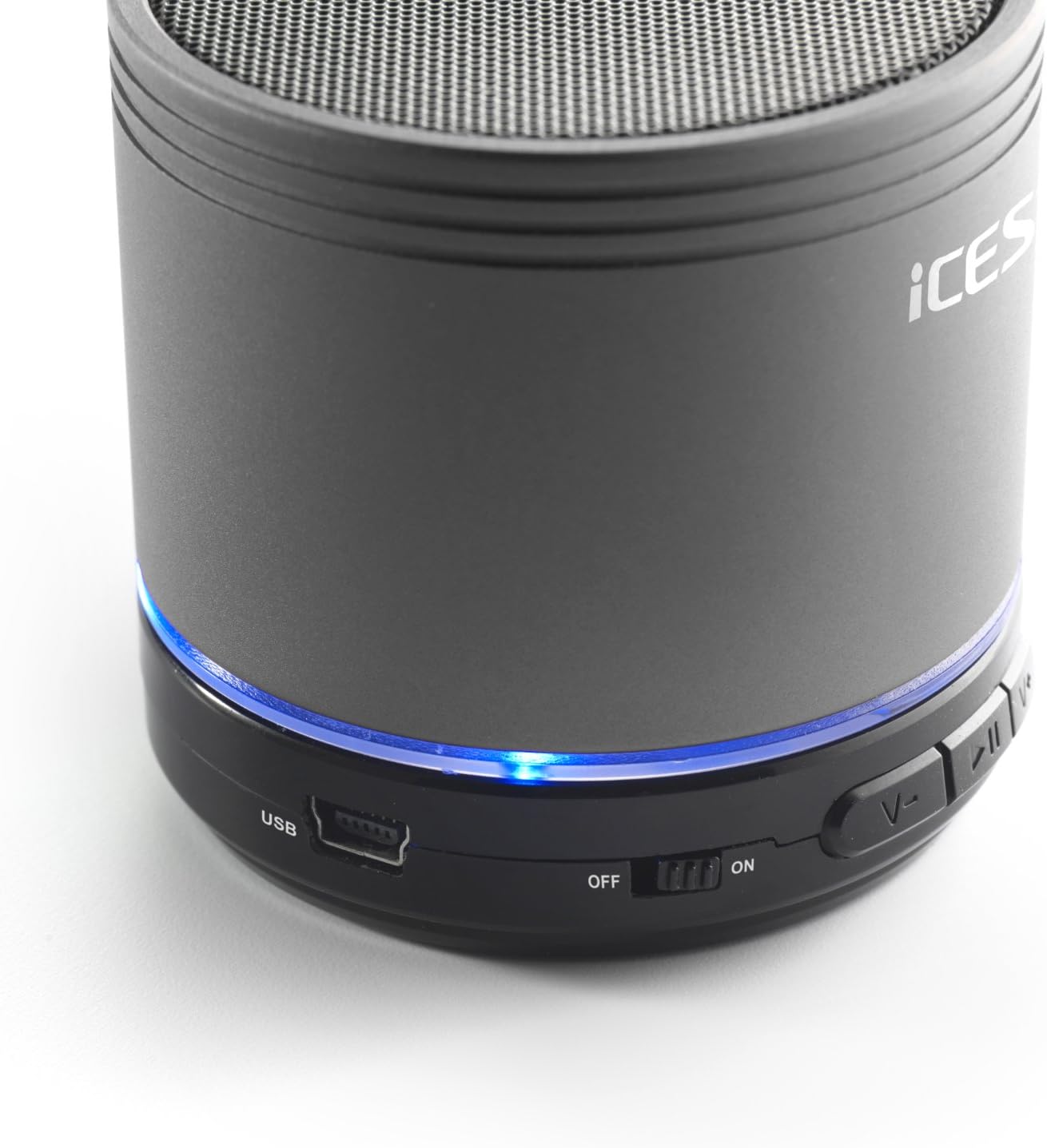
Image: The iCES IBT-1 speaker's base, highlighting the USB port and the power switch in the 'ON' position.
Пайдалану нұсқаулары
Қуатты қосу/өшіру
- To power on, slide the power switch to the "ON" position. The LED indicator will light up.
- To power off, slide the power switch to the "OFF" position. The LED indicator will turn off.
Bluetooth қосылымы
- Ensure the speaker is powered on. The LED indicator will flash, indicating it's in pairing mode.
- Bluetooth қосылған құрылғыда (смартфон, планшет, т.б.) Bluetooth параметрлеріне өтіңіз.
- Іздеу available devices. You should see "IBT-1" in the list.
- Select "IBT-1" to pair. Once connected, the LED indicator will stop flashing and remain solid.
- You can now play audio from your device through the iCES IBT-1 speaker.
Micro SD картасын ойнату
The speaker supports Micro SD cards up to 32 GB.
- Insert a Micro SD card (with audio files) динамиктегі Micro SD карта ұясына салыңыз.
- The speaker will automatically switch to Micro SD card mode and begin playing audio.
- Use the control buttons on the speaker to play/pause, skip tracks, or adjust volume.

Image: The iCES IBT-1 speaker's base, illustrating the Micro SD card slot and the LINE IN port.
AUX Input Playback
Connect external audio devices without Bluetooth capability.
- Connect one end of a 3.5mm audio cable (not included) to the LINE IN port on the speaker.
- Connect the other end of the 3.5mm audio cable to the headphone jack or audio output of your external device (e.g., MP3 player).
- Динамик AUX режиміне автоматты түрде ауысады.
- Сыртқы құрылғыңыздан ойнатуды және дыбыс деңгейін басқарыңыз.
Басқару түймелері
- Ойнату/Кідірту түймесі: Дыбысты ойнату немесе кідірту үшін бір рет басыңыз.
- Дыбыс деңгейін жоғарылату/келесі трек түймесі:
- Қысқа басу: Дыбыс деңгейін арттырыңыз.
- Long press: Skip to the next track.
- Дыбыс деңгейін төмендету/алдыңғы трек түймесі:
- Қысқа басу: Дыбыс деңгейін азайтыңыз.
- Long press: Go to the previous track.
Техникалық қызмет көрсету
- Динамикті құрғақ ұстаңыз. Оны суға немесе шамадан тыс ылғалға ұшыратпаңыз.
- Динамикті жұмсақ, құрғақ шүберекпен тазалаңыз. Абразивті тазартқыштарды немесе еріткіштерді қолданбаңыз.
- Температураның күрт өзгеруінен аулақ болыңыз. Динамикті салқын, құрғақ жерде сақтаңыз.
- Динамикті өзіңіз бөлшектеуге немесе жөндеуге әрекеттенбеңіз. Бұл кепілдіктің күшін жояды.
- Батареяның қызмет ету мерзімін ұзарту үшін, тіпті пайдаланылмаса да, батареяны үнемі зарядтап отырыңыз.
Ақаулықтарды жою
| Мәселе | Шешім |
|---|---|
| Динамик қосылмайды. | Батареяның зарядталғанына көз жеткізіңіз. Динамикті USB кабелі арқылы қуат көзіне қосыңыз. |
| Bluetooth арқылы жұптау мүмкін емес. |
|
| Динамиктен дыбыс жоқ. |
|
| Аудио сапасы нашар. |
|
Техникалық сипаттамалар
| Үлгі | IBT-1 |
| Қосылу мүмкіндігі | Bluetooth, Micro SD Card, AUX Input (3.5mm) |
| Шығу қуаты | 3 Вт (RMS) |
| Батарея Түрі | Integrated Lithium-Polymer |
| Батарея сыйымдылығы | 500 мАч |
| Нәр беруші | 5V / 1A (via Mini USB) |
| Өлшемдері (L x W x H) | 60 x 60 x 58 мм |
| Салмағы | 180 г |
| Supported Micro SD Card Size | 32 ГБ дейін |
Кепілдік және қолдау
For warranty information and technical support, please refer to the documentation provided at the time of purchase or visit the official iCES webсайт. Құрылғыны өзіңіз жөндеуге әрекеттенбеңіз, себебі бұл кепілдікті жоюы мүмкін.