
1. Кіріспе
This manual provides instructions for the installation, operation, and maintenance of the Emerson F145RF-1600 Wireless Remote Temperature Sensor. This sensor is designed to work with the Emerson BLUE Wireless Easy Install Universal Wireless Thermostat System to enhance temperature control and reduce hot and cold spots within your home.
Негізгі ерекшеліктері:
- Reduces temperature inconsistencies in various areas.
- Supports up to four wireless remote sensors with the Emerson BLUE Wireless Easy Install Thermostat System.
- Designed for easy installation and pairing.
2. Қауіпсіздік туралы ақпарат
Please read and understand all instructions before installing or operating this device. Failure to follow these instructions could result in property damage or personal injury.
- Always turn off power to the thermostat system before performing any installation or maintenance.
- Do not expose the sensor to extreme temperatures, direct sunlight, or moisture.
- Тек көрсетілген батарея түрін пайдаланыңыз (2 AA батареясы).
- Ескі батареяларды жергілікті ережелерге сай жауапкершілікпен тастаңыз.
- Балалардың қолы жетпейтін жерде сақтаңыз.
65-ұсыныс Ескерту: Бұл өнімде Калифорния штатында қатерлі ісік пен туа біткен ақауларды немесе басқа репродуктивті зақымдануды тудыратын химиялық заттар болуы мүмкін.
3. Өнім аяқталдыview
The Emerson F145RF-1600 is a compact, battery-powered wireless sensor designed to monitor ambient temperature. It communicates wirelessly with a compatible Emerson BLUE thermostat system.
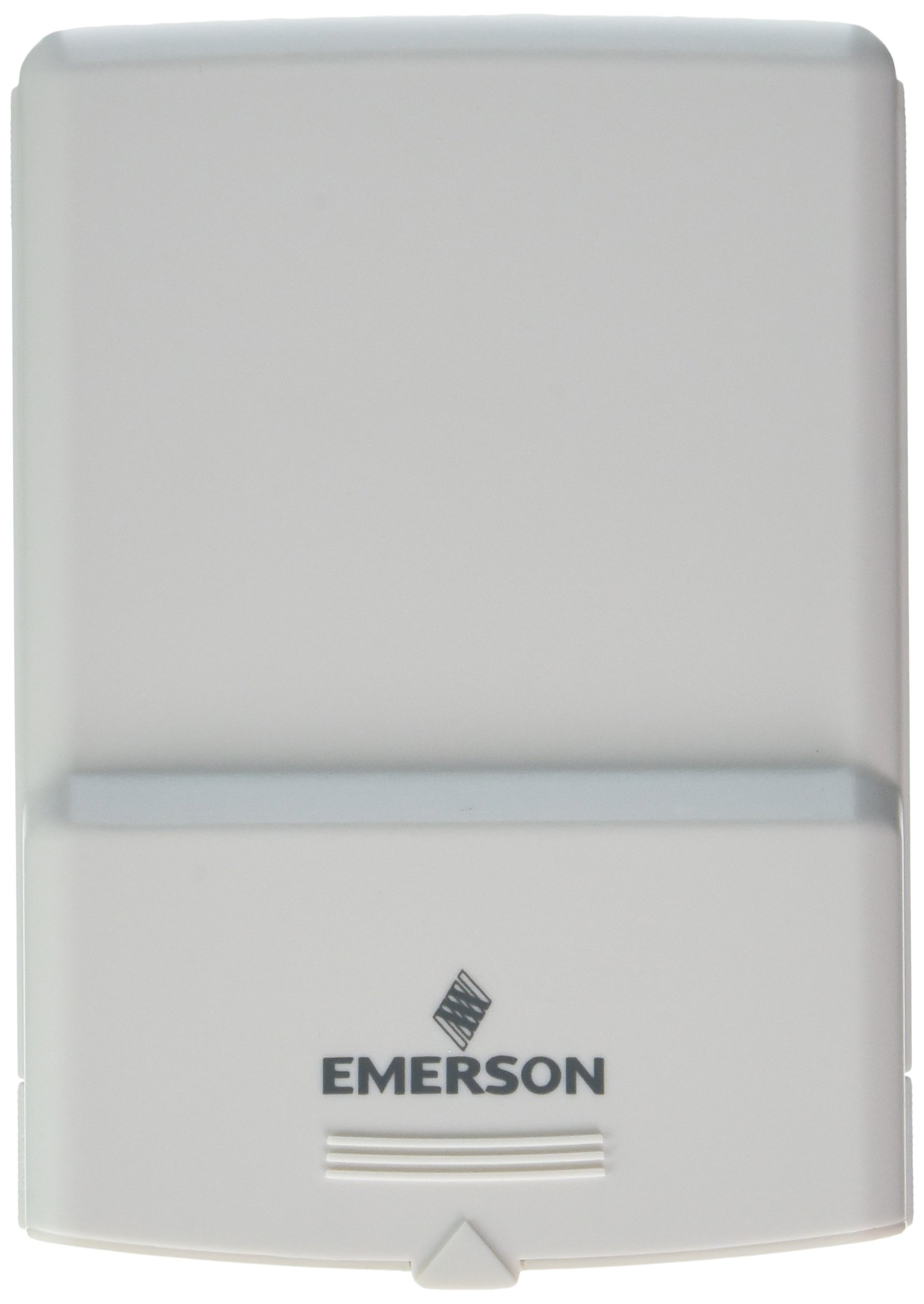
1-сурет: Emerson F145RF-1600 Wireless Remote Temperature Sensor. The image displays the sensor in a hand, indicating its approximate height of 4.8 inches (12 cm). The sensor is light-colored, likely white or light grey, with the 'EMERSON' logo visible at the bottom front.
4. Орнату
4.1. Батареяны орнату
- Батарея бөлімін сенсордың артқы жағынан табыңыз.
- Батарея бөлігінің қақпағын ашыңыз.
- Insert two (2) AA alkaline batteries, ensuring correct polarity (+/-).
- Батарея бөлігінің қақпағын мықтап жабыңыз.
4.2. Pairing with Thermostat System
Refer to your Emerson BLUE Wireless Easy Install Universal Wireless Thermostat System manual for detailed pairing instructions. Generally, the process involves:
- Placing the thermostat system into pairing mode.
- Activating the sensor's pairing function (often a button press or battery insertion).
- Confirming successful pairing on the thermostat display.
Up to four F145RF-1600 sensors can be paired with a single Emerson BLUE Wireless Easy Install system.
4.3. Сенсорды орналастыру
Proper placement is crucial for accurate temperature readings and effective system operation.
- Ішкі орналастыру:
- Place the sensor in a central location within the area you wish to monitor.
- Avoid placing near heat sources (lamps, appliances, direct sunlight) or cold drafts (windows, vents).
- Ensure it is not obstructed by furniture or curtains.
- Outdoor Placement (if applicable):
- Mount the sensor in a shaded area, away from direct sunlight, which can cause inaccurate readings.
- Protect it from direct rain and snow.
- Ensure it is easily accessible for battery replacement.
5. Пайдалану нұсқаулары
Once successfully paired and placed, the F145RF-1600 sensor will automatically transmit temperature data to your Emerson BLUE Wireless Easy Install Thermostat System. The thermostat system will then use this data to optimize heating and cooling, helping to maintain a more consistent temperature throughout your home.
- The sensor operates continuously, sending updates to the main thermostat.
- The thermostat system will display the temperature readings from the remote sensors and use them for its control logic.
- No direct user interaction is typically required with the sensor after setup, other than battery replacement.
6. Техникалық қызмет көрсету
6.1. Батареяны ауыстыру
The sensor requires two (2) AA batteries. When batteries are low, your Emerson BLUE thermostat system may indicate a low battery warning for the sensor. Replace batteries promptly to ensure continuous operation.
- Батарея бөлімін ашыңыз.
- Ескі батареяларды алыңыз.
- Insert new AA batteries, observing polarity.
- Бөлімді жабыңыз.
6.2. Тазалау
Wipe the sensor's exterior with a soft, dry cloth as needed. Do not use liquid cleaners or abrasive materials, as these can damage the device.
7. Ақаулықтарды жою
| Мәселе | Ықтимал себебі | Шешім |
|---|---|---|
| Sensor not reporting temperature / No signal |
|
|
| Дұрыс емес температура көрсеткіштері |
|
|
8. Техникалық сипаттамалар
| Үлгі нөмірі | F145RF-1600 |
| Өндіруші | Уайт-Роджерс (Эмерсон) |
| Қуат көзі | Батареядан жұмыс істейді |
| Батареялар қажет | 2 AA батареясы |
| Элемент салмағы | 3.2 унция |
| Өнім өлшемдері | 3.5 x 2.5 x 5.25 дюйм |
| Материал | Пластмасса |
| Түс | көк (Note: Product image shows light grey/white) |
| Элемент пакетінің саны | 1 |
9. Кепілдік туралы ақпарат
Specific warranty details for the Emerson F145RF-1600 Wireless Remote Temperature Sensor are typically provided with the product packaging or can be found on the official Emerson/White-Rodgers webсайт. Кепілдік шағымдары үшін сатып алуды растайтын құжатты сақтаңыз.
Кепілдік шарттары мен талаптарының егжей-тегжейлі сипаттамасымен танысу үшін мына сайтқа кіріңіз Эмерсон шенеунігі webсайт немесе тұтынушыларды қолдау қызметіне хабарласыңыз.
10. Қолдау
If you encounter issues not covered in this manual or require further assistance, please contact Emerson customer support.
- Желідегі қолдау: -ге барыңыз Emerson Support Page Жиі қойылатын сұрақтар, құжаттама және байланыс опциялары үшін.
- Телефонды қолдау: Refer to your product packaging or the Emerson webең соңғы тұтынушыларға қызмет көрсету телефон нөмірлеріне арналған сайт.