
Кіріспе
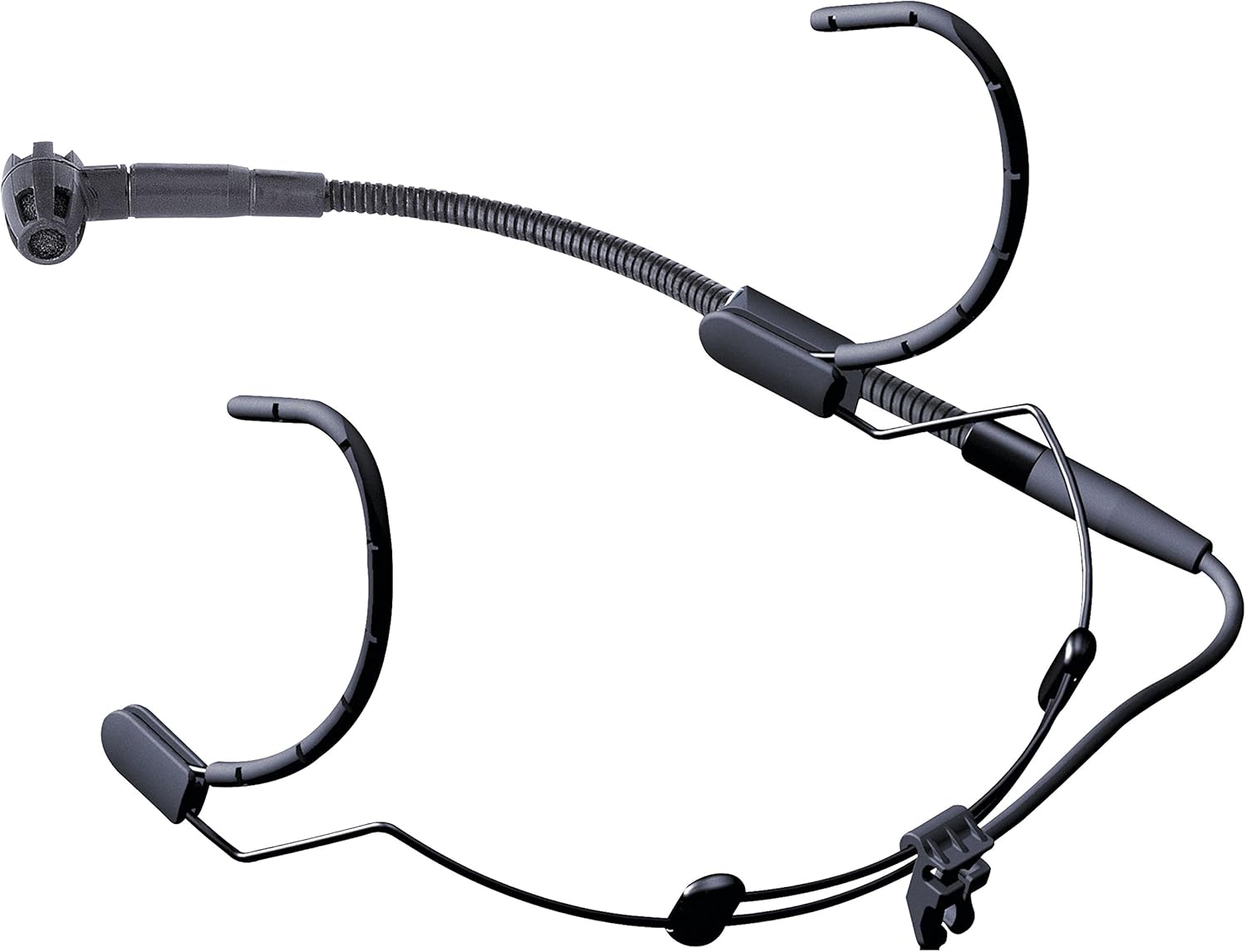
The AKG C520 is a professional head-worn condenser microphone designed for hands-free vocal performance. It offers a wide dynamic range for clear vocal sound, making it suitable for vocalists, keyboardists, drummers, guitarists, and dancing performers. Its design incorporates features to ensure durability and high-quality audio in various live performance settings.
Не кіреді
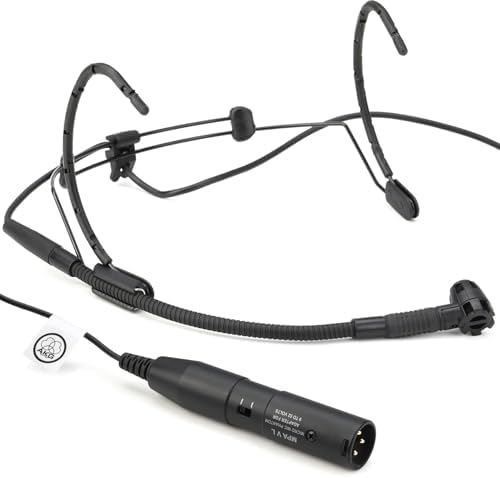
The AKG C520 package typically includes the following components:
- C520 Head-Worn Microphone with Standard XLR Connector
- W44 Windscreen

Орнату нұсқаулығы
- Бас жолақты реттеңіз: Carefully place the headset on your head. Adjust the headband for a secure yet comfortable fit. The lightweight design allows for extended wear without discomfort.
- Position the Boom Arm: The microphone boom arm can be mounted on either the left or right side of the headband. Position the boom arm so that the microphone capsule is approximately 1-2 inches from the corner of your mouth. This precise positioning helps optimize sound capture and minimize plosives.
- Алдыңғы әйнекті бекітіңіз: Slide the W44 windscreen over the microphone capsule. The windscreen helps reduce breath noises and plosives, especially in live performance environments.
- XLR кабелін жалғаңыз: Connect the standard XLR connector of the C520 microphone to a compatible audio input on your mixing console, amplifier, or audio interface. Ensure the connection is firm.
- Фантом күшін іске қосыңыз: The AKG C520 is a condenser microphone and requires фантомдық қуат (typically +48V) to operate. Ensure that phantom power is activated on the input channel of your connected audio device. Without phantom power, the microphone will not function.

Пайдалану нұсқаулары
- Микрофонды орналастыру: The C520 features a cardioid polar pattern, which is most sensitive to sound from the front and rejects sound from the sides and rear. This helps minimize feedback and unwanted ambient noise. Ensure the microphone capsule is pointed directly towards your mouth for optimal vocal capture.
- Табыстарtaging: Set the input gain on your mixer or audio interface to an appropriate level. Start with the gain low and gradually increase it while speaking or singing into the microphone until a strong, clear signal is achieved without clipping (distortion).
- Ылғалдан қорғау: The integrated moisture shield prevents perspiration from reaching the transducer element, ensuring consistent performance even during energetic activities.
- Шуды азайту: The transducer shock mount effectively reduces mechanical noise, body noise, and handling noise, providing a cleaner audio signal.
Техникалық қызмет көрсету
- Тазалау: Use a soft, dry cloth to wipe down the headband and boom arm after each use. For the microphone capsule and windscreen, gently remove any debris. Avoid using harsh chemicals or abrasive materials.
- Алдыңғы әйнек күтімі: The W44 windscreen can be carefully removed and cleaned with mild soap and water if necessary. Ensure it is completely dry before reattaching.
- Сақтау орны: Store the microphone in a clean, dry place, preferably in its original packaging or a protective case, to prevent dust accumulation and physical damage. Avoid extreme temperatures and humidity.
- Кабельді тексеру: Periodically check the XLR cable for any signs of wear, fraying, or damage. Damaged cables can affect audio quality and reliability.
Ақаулықтарды жою
| Мәселе | Ықтимал себебі | Шешім |
|---|---|---|
| Дыбыс шығуы жоқ | Phantom power not activated; incorrect connection; faulty cable. | Ensure +48V phantom power is enabled on the mixer/interface. Check all cable connections. Test with a different XLR cable if available. |
| Төмен немесе әлсіз дыбыс | Low input gain; microphone too far from mouth. | Increase input gain on your audio device. Adjust the boom arm to position the microphone closer to your mouth (1-2 inches). |
| Бұрмаланған дыбыс | Input gain too high; microphone too close to mouth (plosives). | Reduce input gain. Slightly reposition the microphone further from your mouth or slightly to the side to minimize plosives. Ensure the windscreen is properly installed. |
| Шамадан тыс фондық шу/кері байланыс | Microphone picking up ambient sound; improper speaker placement. | Ensure the microphone is pointed directly at the sound source and away from speakers. Utilize the cardioid pattern effectively. Adjust monitor speaker placement. |
Техникалық сипаттамалар
| Ерекшелік | Мәлімет |
|---|---|
| Микрофон пішін факторы | Head-worn, microphone only |
| Полярлық үлгі | Бір бағытты (кардиоидты) |
| Қуат көзі | Phantom Power (+48V required) |
| Қосқыш түрі | Стандартты XLR |
| Жиілік реакциясы | 15 KHz (upper limit, typical range is wider) |
| Сигналдардың шуылға қатынасы | 80 дБ |
| Элемент салмағы | 0.68 фунт (шамамен 10.9 унция) |
| Өнім өлшемдері (L x W x H) | 7.8 x 5.5 x 2.7 дюйм |
| Материал | Пластмасса |
| Түс | Қара |
| Қосылған құрамдас бөліктер | C520 Head-Worn Microphone, W44 Windscreen |
| Үйлесімді құрылғылар | Дербес компьютер, Amplifier, Mixing Console (with XLR input and phantom power) |
Кепілдік және қолдау туралы ақпарат
The AKG C520 Professional Head-Worn Condenser Microphone is covered by a manufacturer's warranty. For detailed information regarding warranty terms, duration, and conditions, please refer to the documentation included with your purchase or visit the official AKG webсайт.
For technical support, service, or further inquiries, please contact AKG customer service through their official webсайтында немесе уәкілетті қызмет көрсету орталықтарында сақтаңыз. Кепілдік талаптары үшін сатып алу құжатыңызды сақтаңыз.
Official AKG Webсайт: www.akg.com