
Кіріспе
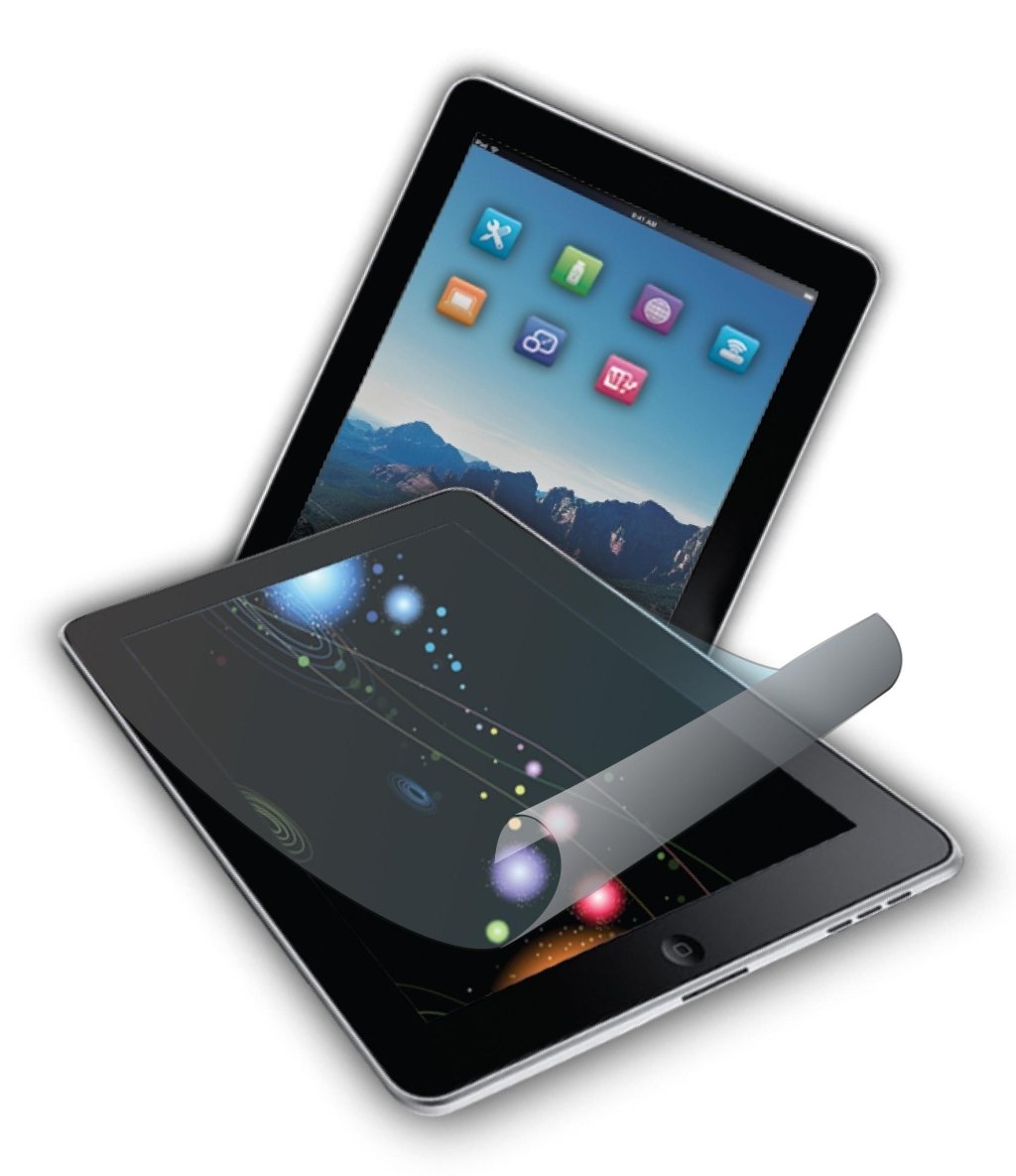
This manual provides instructions for the proper installation, use, and maintenance of the INLAND ProHT Screen Protector, model 08562. This screen protector is designed to safeguard your iPad screen from scratches and abrasions while maintaining optical clarity. Please read these instructions carefully before installation.
Орнату және орнату
Follow these steps to correctly install the screen protector on your device:
- Экранды тазалау: Ensure your device's screen is completely clean and free of dust, fingerprints, and smudges. Use a microfiber cloth to wipe the screen thoroughly. Any remaining particles will be visible under the protector.
- Қорғағышты туралаңыз: Carefully peel back a small portion of the protective film from one corner of the screen protector. Align the exposed edge of the screen protector with the corresponding edge of your device's screen. Ensure all cutouts (e.g., for cameras or buttons) match perfectly.
- Біртіндеп қолданыңыз: Slowly peel off the remaining protective film while simultaneously applying the screen protector to the device's screen. Use a soft card (like a credit card wrapped in a cloth) to gently smooth out the protector as you apply it, pushing out any air bubbles towards the edges.
- Ауа көпіршіктерін жою: If air bubbles remain, gently push them towards the nearest edge using the soft card. For stubborn bubbles, you may carefully lift a small section of the protector near the bubble and reapply it, smoothing it down.
- Соңғы сүрту: Once installed, gently wipe the surface of the screen protector with a clean, dry microfiber cloth to remove any smudges from handling.
Жұмыс және пайдалану
The INLAND ProHT Screen Protector is designed to be highly transparent and responsive, allowing for normal operation of your device's touch screen. Once installed, the protector functions passively to shield the screen from physical damage.
- The screen protector does not interfere with touch sensitivity or display clarity.
- It provides a protective layer against scratches, dust, and minor impacts.
- No special operational steps are required after installation; use your device as normal.
Техникалық қызмет көрсету және күту
To ensure the longevity and clarity of your screen protector, follow these maintenance guidelines:
- Тазалау: Use a clean, soft, lint-free cloth, such as a microfiber cloth, to gently wipe the screen protector. For stubborn smudges, slightly dampшүберекті сумен немесе экранға қауіпсіз тазалау ерітіндісімен құйыңыз. Қатты химиялық заттардан немесе абразивті материалдардан аулақ болыңыз.
- Өткір заттардан аулақ болыңыз: While the protector is designed to resist scratches, extreme pressure or sharp objects can still damage it.
- Сақтау орны: If removing the protector for storage, ensure it is kept flat and protected from dust and bending to prevent damage.
Ақаулықтарды жою
Жалпы мәселелер және оларды шешу жолдары:
- Ауа көпіршіктері: Most small air bubbles will dissipate over 24-48 hours. For larger or persistent bubbles, gently lift the nearest edge of the protector and reapply, using a soft card to push the air out. Ensure the screen is clean before reapplication.
- Dust Particles Under Protector: If dust particles are trapped, they will create small bubbles or bumps. Carefully lift the protector near the dust particle using a piece of tape to gently dab and remove the dust from both the screen and the protector's adhesive side. Reapply the protector.
- Сәйкессіздік: If the protector is significantly misaligned, carefully peel it off entirely, clean the screen again, and reapply following the installation steps.
- Сенсорлық сезімталдықтың төмендеуі: This is rare with the ProHT protector. Ensure the protector is fully adhered without large air gaps. If the issue persists, verify it is not a device-specific problem by testing the screen without the protector.
Техникалық сипаттамалар
| Ерекшелік | Мәлімет |
|---|---|
| Бренд | ІШКІ |
| Үлгі нөмірі | 08562 |
| Үйлесімді құрылғылар | Tablet (specifically iPad) |
| Экран өлшемі | 9.7 дюйм |
| Экран беті сипаттамасы | Жылтыр |
| Материалдың ашықтығы | Highly transparent |
| Жабысқақ түрі | No glue residue |
| Элемент салмағы | 4 унция |
| Өнім өлшемдері | 12 x 2 x 8 дюйм |
| UPC | 012405085629 |
Кепілдік және қолдау
Specific warranty details for the INLAND ProHT Screen Protector (08562) are not provided within this manual. For information regarding warranty coverage, returns, or technical support, please refer to the product packaging or contact INLAND customer service directly through their official webсайт немесе өнім сатып алынған сатушы.