
1. Кіріспе
The TP-Link TL-R480T+ Load Balance Broadband Router is a robust networking device designed for small and medium businesses. It features 5 ports, with up to 4 configurable WAN ports, allowing for multiple internet connections to be utilized simultaneously. This router enhances network reliability and bandwidth through its intelligent load balancing capabilities, ensuring optimal performance for various network demands.
Негізгі ерекшеліктері:
- Multi-WAN Ports: Up to 4 configurable WAN/LAN ports for flexible internet connectivity.
- Load Balance: Automatically distributes data streams according to the bandwidth proportion of each WAN port, maximizing multi-line broadband utilization.
- Advanced Firewall: Provides robust security against external threats.
- Bandwidth Control: Manages bandwidth allocation for specific users or applications.
- Port Mirroring: Allows network traffic to be monitored.
- DDNS, UPnP, VPN Pass-through: Supports various network protocols for enhanced functionality.
2. Пакет мазмұны
Please verify that all items listed below are included in your package. If any item is missing or damaged, please contact your retailer or TP-Link support.
- TL-R480T+ Load Balance Broadband Router
- Қуат сымы
- RJ-45 Ethernet кабелі
- Орнату нұсқаулығы
- Ресурстық CD
3. Орнату нұсқаулығы
3.1 Аппараттық құралдарды орнату
Follow these steps to connect your TL-R480T+ router:
- Қуат көзін өшіру: Disconnect power from your modem and any existing routers.
- WAN қосылымы: Connect your modem's Ethernet cable to the WAN port (Port 1) on the TL-R480T+. If you have multiple internet connections, connect additional modems to the WAN/LAN ports (Ports 2-4) configured as WAN.
- Connect LAN: Connect your computer or a network switch to any of the LAN ports (Port 5, or Ports 2-4 if configured as LAN) using an Ethernet cable.
- Қуат қосулы: Connect the power adapter to the router and plug it into a power outlet. Power on your modem first, then the router.

Figure 3.1: Front panel of the TL-R480T+ router, illustrating the WAN, WAN/LAN, and LAN ports, along with LED indicators.
3.2 Бастапқы конфигурация
Маршрутизаторға кіру үшін web-негізделген басқару интерфейсі:
- Компьютеріңіздің маршрутизатордың LAN портына қосылғанына көз жеткізіңіз.
- ашу а web шолғыш (мысалы, Chrome, Firefox, Edge).
- Мекенжай жолағына әдепкі IP мекенжайын теріңіз: 192.168.0.1 және Enter пернесін басыңыз.
- A login window will appear. The default username and password are both админ (барлығы кіші әріптермен).
- Follow the on-screen Quick Setup Guide to configure your WAN connections and basic network settings. It is highly recommended to change the default login credentials for security.
4. Пайдалану нұсқаулары
4.1 Load Balance Functionality
The TL-R480T+ intelligently distributes internet traffic across multiple WAN connections to optimize bandwidth usage and provide redundancy. You can configure load balancing policies through the web interface under the 'Load Balance' section. Options typically include:
- Link Backup: Designate a primary WAN and a backup WAN. If the primary fails, traffic automatically switches to the backup.
- Policy Routing: Define rules to route specific types of traffic or traffic from certain IP addresses through a particular WAN port.
- Bandwidth Based Balance: Distribute traffic based on the configured bandwidth of each WAN port.
4.2 WAN/LAN Port Configuration
Ports 2, 3, and 4 on the TL-R480T+ are configurable, meaning they can function as either WAN or LAN ports. This flexibility allows you to adapt the router to your specific network needs, whether you require more internet connections or more internal network ports. Configuration is performed within the router's web management interface under the 'Network' or 'WAN' settings.
4.3 Қосымша мүмкіндіктер
The router offers several advanced features to enhance network management and security:
- Брандмауэр: Configure rules to filter incoming and outgoing network traffic, protecting your network from unauthorized access and attacks.
- Port Bandwidth Control: Manage the upload and download speeds for specific IP addresses or IP ranges within your network.
- Port Mirror: Monitor network traffic by sending a copy of packets from one port to another for analysis.
- DDNS (динамикалық DNS): Allows you to access your network resources remotely using a domain name, even if your public IP address changes.
- UPnP (Universal Plug and Play): Enables automatic discovery and configuration of network devices.
- VPN арқылы өту: Supports VPN tunnels to allow secure remote access to your network.
5. Техникалық қызмет көрсету
Regular maintenance ensures the optimal performance and longevity of your TL-R480T+ router:
- Микробағдарламаны жаңарту: TP-Link қызметкерін мерзімді түрде тексеріп тұрыңыз website for the latest firmware versions. Updating firmware can improve performance, add new features, and fix security vulnerabilities.
- Тұрақты қайта жүктеу: Маршрутизаторды бірнеше апта сайын қайта жүктеу оның жадын тазартуға және шағын өнімділік мәселелерін шешуге көмектеседі.
- Физикалық тазалау: Keep the router in a well-ventilated area. Gently clean dust from the vents and ports using a soft, dry cloth or compressed air.
- Конфигурацияның сақтық көшірмесі: Regularly back up your router's configuration settings through the web interface. This allows for quick restoration in case of a factory reset or unexpected issues.
6. Ақаулықтарды жою
If you encounter issues with your TL-R480T+ router, refer to the following common problems and solutions:
- Интернетке қосылу жоқ:
- Модем, маршрутизатор және компьютер арасындағы барлық кабель қосылымдарын тексеріңіз.
- Verify that the WAN port LEDs on the router are lit, indicating a connection.
- Модем мен маршрутизаторды кезекпен қайта жүктеңіз (алдымен модем, содан кейін маршрутизатор).
- Ensure your WAN settings in the router's web interface are correct (e.g., IP address, DNS).
- Қол жеткізу мүмкін емес Web Басқару беті:
- Ensure your computer's IP address is in the same subnet as the router (e.g., 192.168.0.x).
- Браузердің кэшін тазалап көріңіз немесе басқа браузерді пайдаланып көріңіз.
- Verify the router's IP address (default is 192.168.0.1).
- Желі жылдамдығы баяу:
- Check the status of your internet service provider (ISP).
- Review load balancing settings to ensure optimal distribution.
- Check for any bandwidth control rules that might be limiting speed.
- Ensure the router is in a well-ventilated area to prevent overheating.
- Кіру паролін ұмыттыңыз:
- Press and hold the Reset button on the router for about 5-10 seconds until the system LED blinks rapidly. This will restore the router to factory default settings (username/password: admin/admin). Note that this will erase all your custom configurations.
7. Техникалық шарттар
Below are the key technical specifications for the TP-Link TL-R480T+ Load Balance Broadband Router:
| Ерекшелік | Техникалық сипаттама |
|---|---|
| Бренд | TP-Link |
| Модель атауы | TL-R480T |
| Элемент үлгі нөмірі | FBA_TL-R480T+ |
| Сымсыз түрі | 802.11ac (Note: This router is primarily wired, this specification might refer to internal components or compatibility) |
| Қосылу технологиясы | Wi-Fi (Note: This router is primarily wired, this specification might refer to internal components or compatibility) |
| Операциялық жүйенің үйлесімділігі | Linux, Microsoft Windows |
| Элемент салмағы | 3.52 фунт (шамамен 1.6 кг) |
| Өнім өлшемдері | 7.1 x 11.6 x 1.7 дюйм (шамамен 18 x 29.5 x 4.3 см) |
| Түс | Қара |
| Тtage | 100 вольт |
| Бірінші қолжетімді күн | 22 жылғы 2011 желтоқсан |
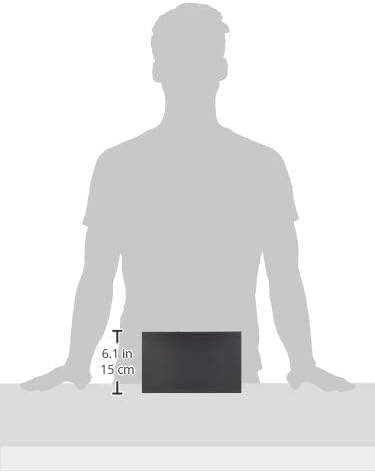
Figure 7.1: Illustrative image showing the approximate dimensions of the TL-R480T+ router.
8. Кепілдік туралы ақпарат
TP-Link products are backed by a limited warranty. The specific terms and duration of the warranty may vary by region and product. For detailed warranty information, including coverage, limitations, and the process for making a warranty claim, please refer to the official TP-Link webсайт немесе өніммен бірге берілген кепілдік картасы. Сатып алуды растау ретінде сатып алу түбіртегіңізді сақтаңыз.
9. Техникалық қамтамасыз ету
Қосымша көмек, техникалық қолдау алу немесе соңғы драйверлер мен микробағдарламаны жүктеп алу үшін ресми TP-Link қолдау қызметіне кіріңіз. webсайт. Сіз әдетте жиі қойылатын сұрақтарды, ақауларды жою нұсқауларын және тұтынушыларға қызмет көрсету үшін байланыс ақпаратын таба аласыз.
Ресми TP-Link Webсайт: https://www.tp-link.com/us/support/
When contacting support, please have your product model (TL-R480T+) and serial number ready.